Windows Blinds in Combination with Start 10 Taskbar & Menu pictures

I've just been using Windows Blinds for about a week now and its very nice, although i would really like to see the taskbar & startmenu graphics from Start 10 included in my desktop style,  would it perhaps be possible to add those two settings for taskbar image and start menu image to the settings of Windows Blinds?  or just a setting to allow Start 10 to use that customization anyway within Windows Blinds?
5,471 views 6 replies
Reply #1 Top

Hello,
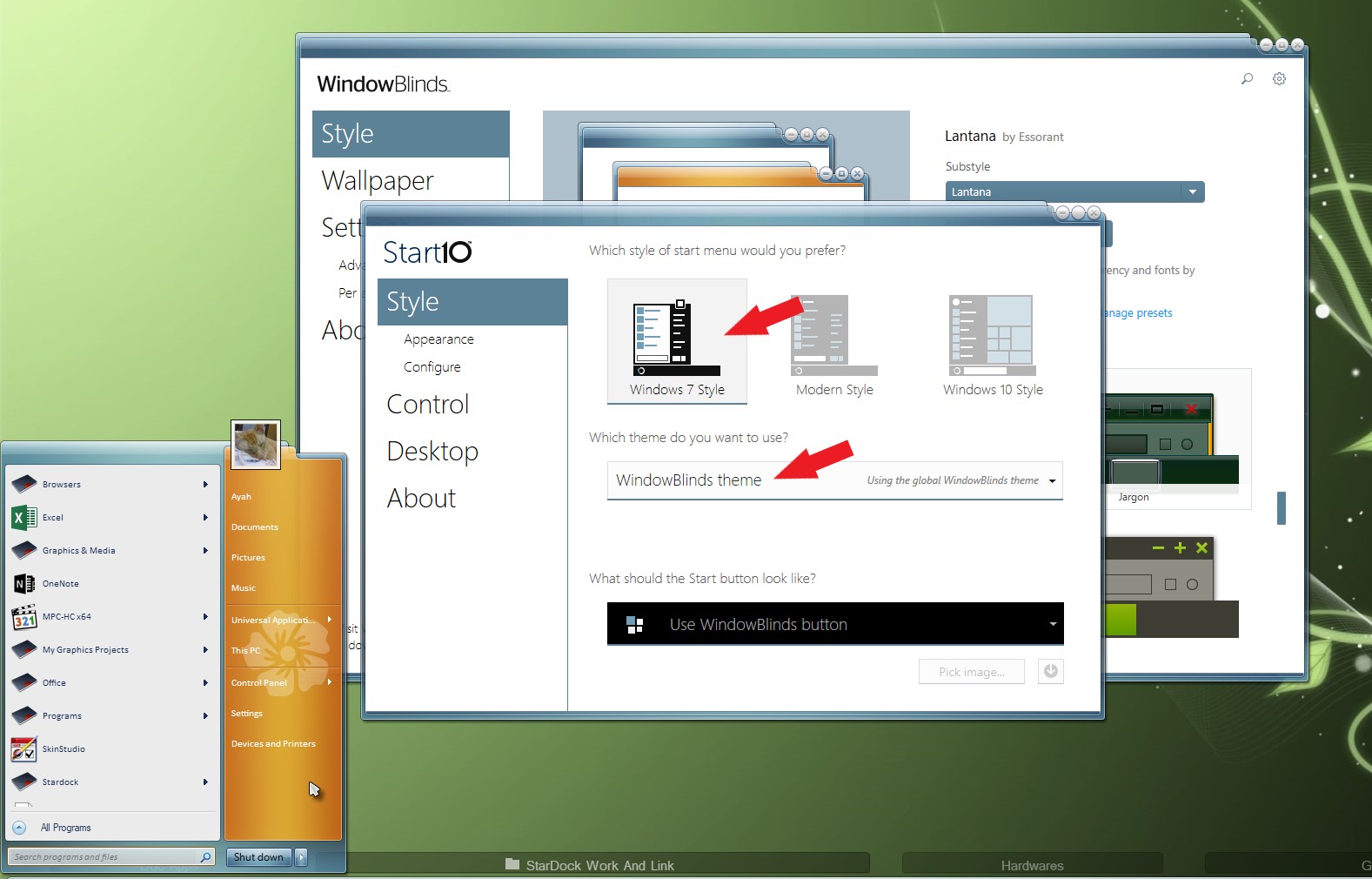
Sorry to hear you are having issues. Not really sure what you trying to get to. But, you can set Start10 to use Windowblind theme Startmenu by setting it as below.

Basj,
Stardock Community Assistant.

Reply #2 Top

hi there, what I am getting at is the custom images in the Start 10 settings, you can set one for taskbar background and one for start menu background...  When Windows Blinds is using a theme, those two images (in the bottom portion of the Start 10 settings) are not able to be used...  Have a look at the Start 10 Settings..

Reply #3 Top

Hello,

When you have Windowblind applied. You can change Start10 to Default theme and if you wish you can applied texture to it.

But if you need more customize Startpanel, than, you will need to use Skinstudio to do it.

Thank you,

Basj
Stardock Community Assistant.

Reply #4 Top

where can i get skinstudio? i cant find the link, is it included in object desktop?