DeskScapes 10 Beta 3 Feedback

Hello and thank you for participating in the Object Desktop DeskScapes 10 Beta 3.

Please see this link for what is new in Beta 3:
https://forums.stardock.com/494546/page/1/#3747502

Use this thread if you have any issues using the product.  For any, please provide as much of the below as possible:

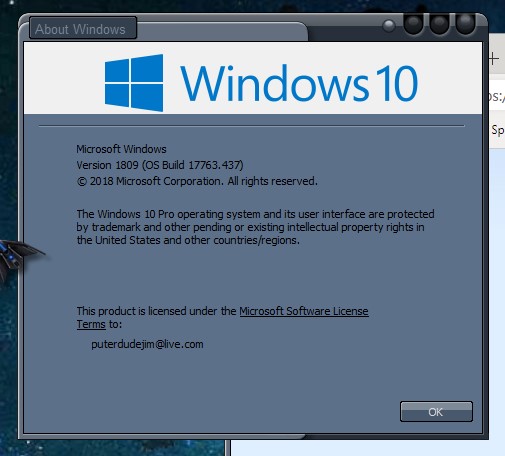
  • Exact version and build of Windows (winver.exe)
  • Video card / monitor qty (link to dxdiag report, you place on a cloud drive service, would be helpful but not required)
  • Precise steps to reproduce any issue seen
  • Does it always happen or just 'sometimes'
  • Screenshots / video of any issue

Again, thank you for your feedback and participation. 

----------------
Sean Drohan
Stardock Customer Service Manager

5,674 views 11 replies
Reply #1 Top

Ok, since installing the new DS10 beta 3, I have a new issue.  Running a plain wallpaper set via Windows personalization, I load a new windowblind, and my wall goes black. I set wall again via windows, it shows for about 3 seconds then the screen goes black. This will continue until I reload WB. 

Sometimes the wall goes black and comes back when loading a wb, sometimes it does the above.

This is new to my PC and nothing has changed other than the new DS beta was installed.


Radeon RX580 8GB

3 32 inch Samsung curved screen monitors


https://app.box.com/s/y04ff5fa6gqsbjjknxrrjkgm1fda8r0n   

DXDiag above.

Reply #2 Top

Ok, I just changed my wallpaper only, via right click, set as background. I got a black screen. Did it again, same black screen. Reloaded WB, wall is fine.  Odd.

Reply #3 Top

1. Uninstalled my wallpaper changer. Rebooted.

2. Uninstalled and purged DS 10 beta2. Rebooted.

3. Installed DS 3 beta. Rebooted.

4. Right clicked on desktop and lost wallpaper to a white screen.

5. In DS clicked to apply wallpaper. Still a white desktop.

Running Win 7 Ultimate x64

Reply #4 Top

Win10 Home version 1809 build 17763.437
Intel Integrated HD Graphics 4600
Single monitor 1920x1080

Continuing from Beta2 thread Replys 1, 2, 29, 30, 31 (Black wallpaper, changing wallpapers through Win10 methods crippled) which continued on Beta3

Sean:
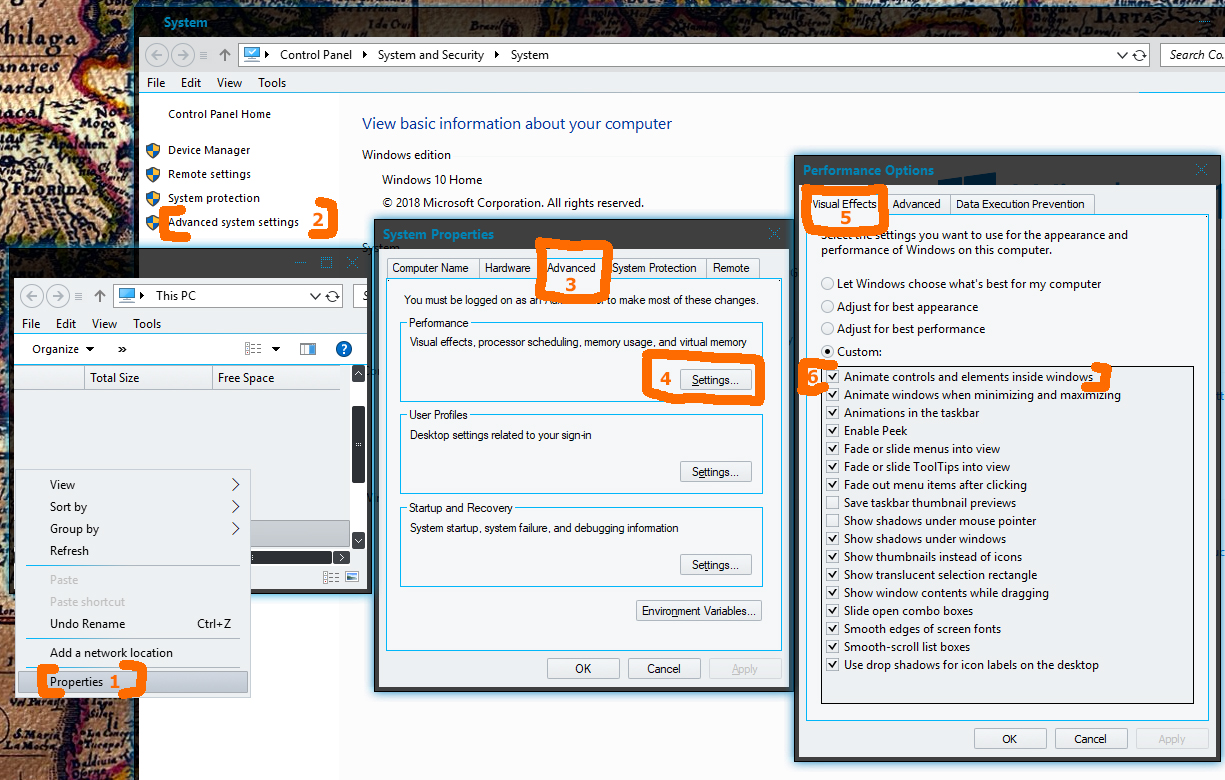
You may want to look at the interaction between DeskScapes and the 1st setting in
This PC/RightClick Properties/System-Advanced system settings/System Properties [Advanced]tab/Performance- SettingsButton/Performance Options [Visual Effects]tab ... "Animate controls and elements inside windows"

On my machine:

Not checked - It causes the problems I talked about before
Checked - Those problems are gone on all 3 of the logins.
Oddly, for some reason on the old Standard login checking it causes my old mpg dreams to fail. They preview fine, but apply as a static image with no movement.
On the old Admin user and new Standard user, everything seems to be great with it checked.
Seems crazy, but that's what I'm seeing. I hope that's useful.

Reply #5 Top

BUMP...…………………...Bumpity bump, bump.

Reply #6 Top

DaveRI: That would appear to indeed cause a problem.

S J N : Do you also have that setting set to disabled?

Reply #7 Top

I have never used WindowBlinds nor DeskScapes to set a static wallpaper.  I used DisplayFusion until DeskScapes stopped working with DisplayFusion enabled, so now, I use windows to set wallpapers.  One really does not need several applications trying to control the wallpaper.

Personally, I don't see why Stardock needs several different apps to set a wall.  One is plenty, unless, of course, the user has one app and not the other.

Reply #8 Top

Quoting RedneckDude, reply 5

BUMP...…………………...Bumpity bump, bump.
End of RedneckDude's quote

I'm curious, me being not so very "Forum" savvy, what does "bump" stand for, or mean? ;P  :grin:  

Reply #9 Top

Don, a bump just "bumps" the thread up to the top. Makes it a recent thread, so to speak.


Reply #10 Top

Quoting Neil, reply 6

DaveRI: That would appear to indeed cause a problem.

S J N : Do you also have that setting set to disabled?
End of Neil's quote

Which setting should be disabled?

Reply #11 Top

Quoting S, reply 10

Which setting should be disabled?
End of S's quote

Neil (the lead dev for DS) was asking if you had the same setting set as Dave was pointing out in reply #4.

Quoting DaveRI, reply 4

Seems crazy, but that's what I'm seeing. I hope that's useful.
End of DaveRI's quote

Very helpful indeed, Dave.  We have a fix in the oven as a result - thank you.

----------------
Sean Drohan
Stardock Customer Service Manager