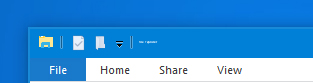
Windows Blinds made title bar text very tiny


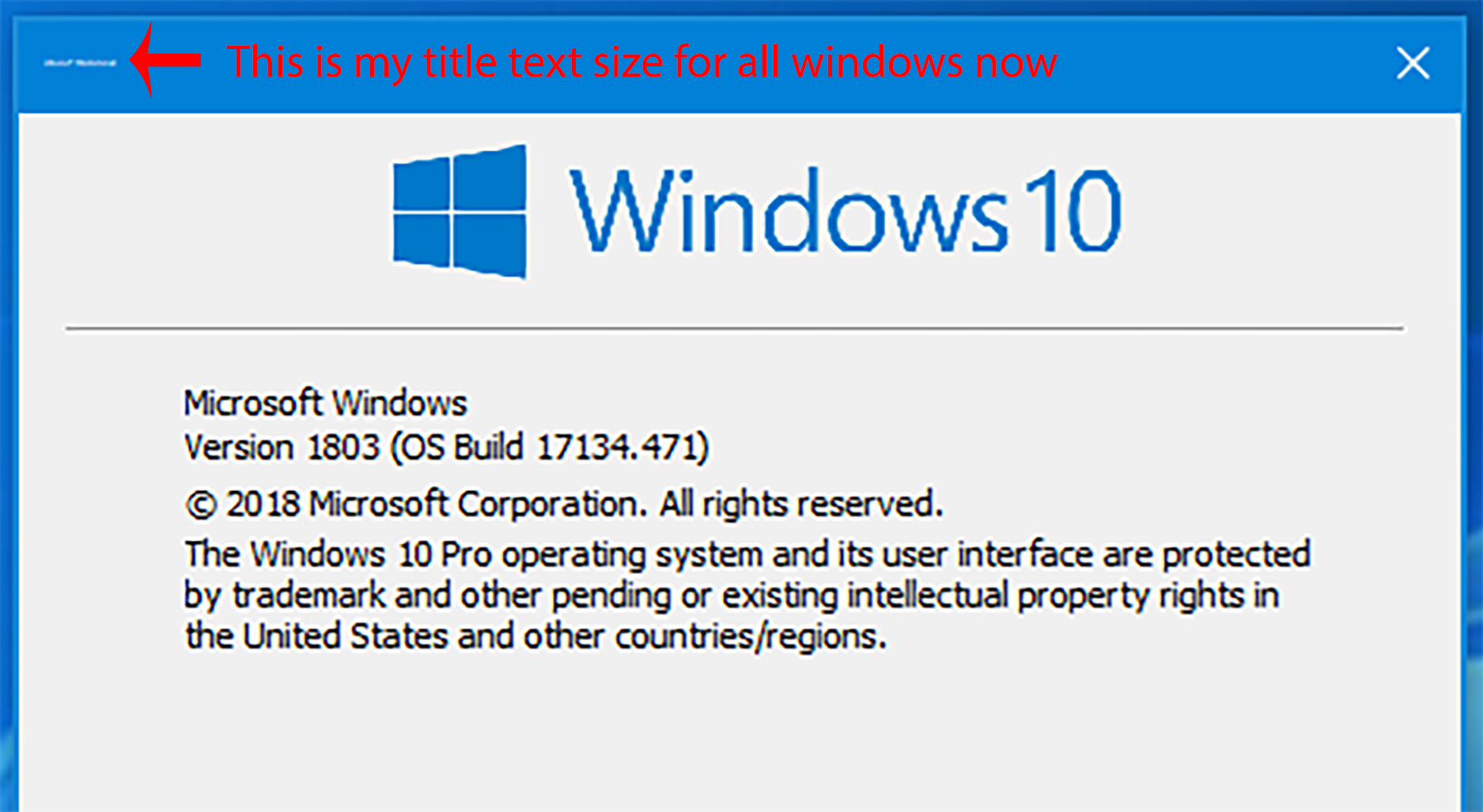
Picture is worth a thousand words. Switch to a profile ans when switching back to windows defualt (supposedly) all the title text on all of my windows are too small to read. Tried switching back and forth between different windows blinds profiles and the windows defualt and finally uninstalled windows blinds as a last ditch effort, but nothing I've tried has restored my system back to its default configuration. Please advise.

9,699 views 9 replies
Reply #1 Top

Hello,

Sorry to hear you are having issues.

More info needed.

1 - Windows version and os build ?

2 - WindowBlind version ?

3 - Larger screenshot 


AzDude
Stardock Community Assistant

Reply #2 Top

1. Windows 10 Pro 1803 Build 17134.471

2. Nothing now since I just uninstalled, but the installer lists WindowBlinds10_Humble_setup_sd_1543353575 Application File version 9.5.1.0

3. Um lol here is a larger screenshot.... not sure how that helps....the point is you can't really see it. Text is red is my addition.


One further note, some of my other colors are also off and have not reverted to the defaults (e.g. have a standard blue theme and color set but all highlighted text is green)


Reply #3 Top

Hello,

I have forwarded your report to the Stardock support team for their review and recommendations.

Please keep an eye on this thread for any updates.

We really do appreciate your feedback, thanks.

AzDude
Stardock Community Assistant

Reply #4 Top

Hello,

Have you tried rebooting/restart?

Thank you,


Basj,

Stardock Community Assistant

Reply #5 Top

Open up the command prompt as administrator and put in: sfc /scannow . Let it run, it will take a while, when it's done reboot.

Reply #6 Top

Both of those things had already been done. I've worked in IT for over 20 years now. I've tried most of the basic IT fixes, and am now turning here so as not to waste too much time going down advanced roads that may not help.  Keep them coming though, as there may be a basic thing to try that I might have forgotten.  Thanks all for the input and help.

Reply #7 Top

Hello,

Sorry to hear you are having trouble.

Please see:

https://support.microsoft.com/en-us/help/4028566/windows-10-change-the-size-of-text

https://www.laptopmag.com/articles/increase-text-size-computer

----------------
Sean Drohan
Stardock Customer Service Manager


Reply #8 Top

Did you even read what my problem was or what you sent me? This is not a solution at all. This has nothing to do with my problem.  Randomly googling changing text size and sending me links is not support. Please look at the actual issue, look at the screenshot, and then please provide support that is not just a canned response.

Reply #9 Top

Quoting mudparr, reply 8

Did you even read what my problem was or what you sent me?
End of mudparr's quote

Yes, we have mudparr, and so have all the other helpers here, all 5, tried things to help for something we have not only not seen before, but also never with our products.  

This, in particular I thought would help:

Also, you can change text sizes in WB, do you recall doing that at all?

Does rolling back your system to a prior restore point help?

https://www.windowscentral.com/how-use-system-restore-windows-10

------------
Sean Drohan
Stardock Support Manager