Transparent Fences show different background picture through them than the monitor with the fence

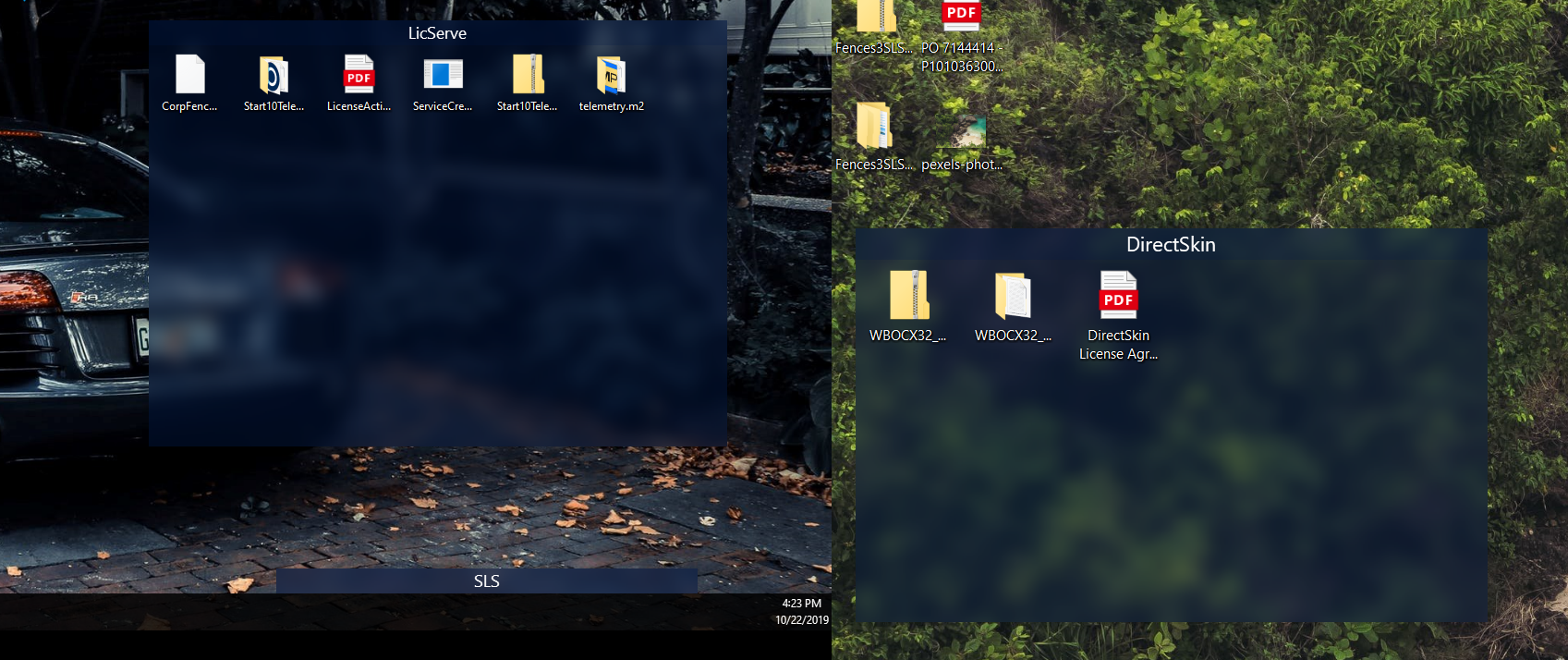
I have Fences on my 'main' screen.  All three monitors are showing a different background picture on each per the regular Windows 10 background slideshow.  My Fences are transparent enough so that I can see a blurred desktop picture bleeding through.  The problem is that this bleed-through is from a different picture on a different screen than the background picture on the screen the Fence is actually on.



10,257 views 5 replies
Reply #1 Top

YES! Got the same issue. Using three monitors, fence on first screen (portrait) blurs the content from the second screen (landscape), the main.

Reply #2 Top

Quoting fumador, reply 1

YES! Got the same issue. Using three monitors, fence on first screen (portrait) blurs the content from the second screen (landscape), the main.
End of fumador's quote

With the latest version of Fences 3.0.9.11, and only being able to test on a two monitor system atm, I don't see that with or without Translucent Fences on:

You are not using any multiple monitor software are you (Ultimon, Actual Multiple Monitors, Nvidia Surround, WallPaper Engine, etc)?  If not, perhaps a purge and reinstall is in order:

https://forums.stardock.com/486084/fences-support-faq#reinstalling

Sean Drohan
Stardock Support Manager

Reply #3 Top

I made three big fences, one for each screen:

I'm using DisplayFusion to generate the wallpaper to show 'seamless' across the three screens and file generated, used by Windows, is here:

https://imgur.com/VSFvC4S

https://imgur.com/VSFvC4S

https://imgur.com/VSFvC4S

No sourround, just aligned the screens using nvidia panel control. Could be the display order?

Thanks!

Reply #5 Top

Quoting basj, reply 4

I'm using DisplayFusion to generate the wallpaper to show 'seamless' across the three screens and file generated
End of basj's quote

I cant test with Display Fusion nor can we guarantee Fences will display properly with its use.

I dont know what this means:

Quoting fumador, reply 3

used by Windows, is here:
End of fumador's quote

Sean Drohan
Stardock Support Manager