Skin not being applied correctly under Windows 10 Pro 1803

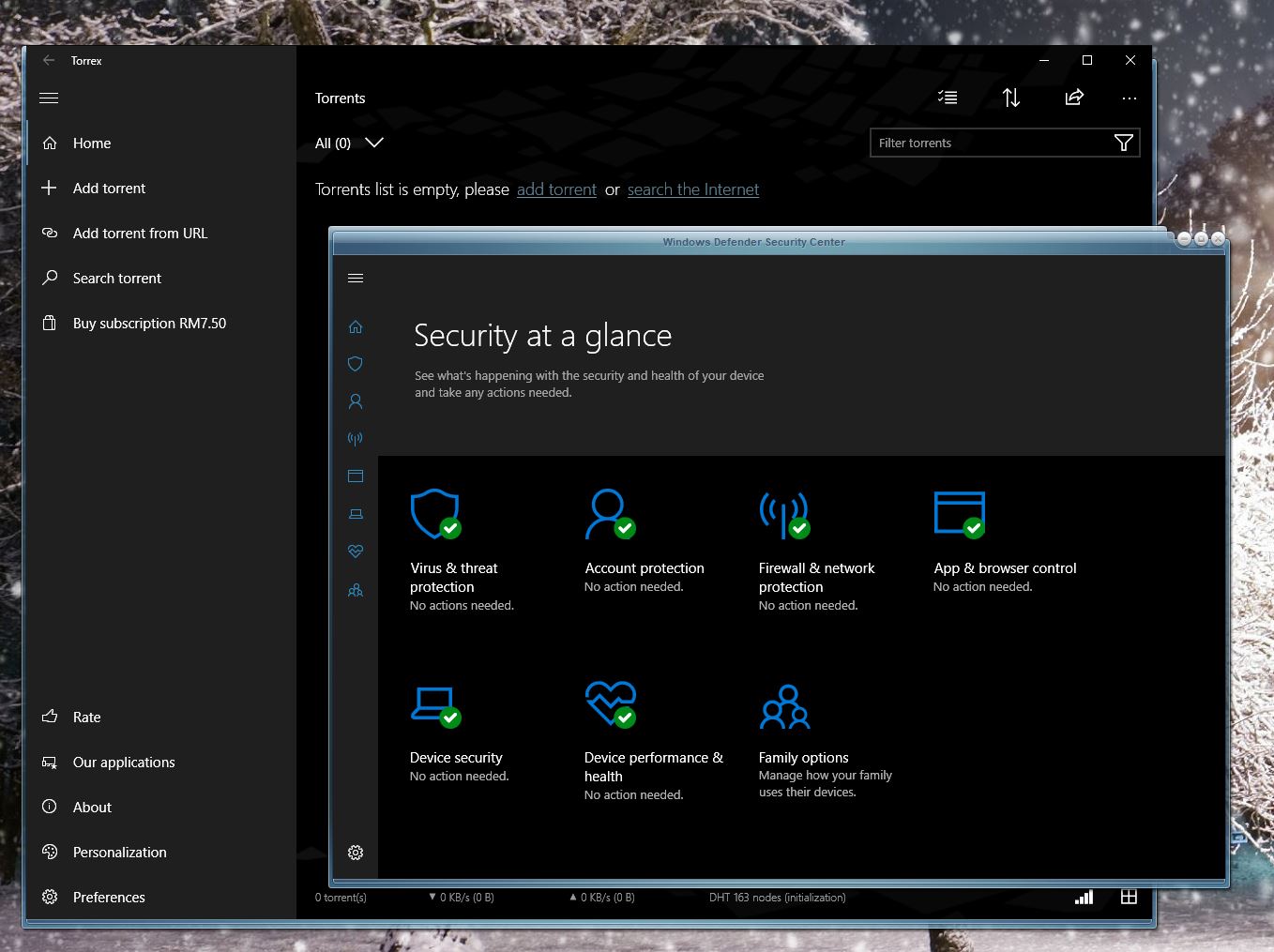
I am having problems with Windows 10 Universal Apps not being skinned correctly. ( Torrex Lite / Pro, Weather, Windows Defender Security Center, etc. ) I am including screen shots of Windows Defender and Torrex Pro. This happens with any style applied.

I am currently using Lantana as the skin. As you can see, the Universal Apps title bars are not being skinned correctly.  You will notice I have 7zip installed as an application, this is skinned correctly. Here is the screen shot...

Using qBitorrent produces the following...

As you can see, there is a double image over-lay on the bottom of the Window. This happens in different areas depending on which skin I am using. Example : Using Gargoyle II produced the double image over-lay on the right Window frame.

Any help / suggestions would be greatly appreciated.

10,012 views 11 replies
Reply #1 Top

Did you reboot your machine after installing Windowblinds?

Reply #2 Top

Yes. These screen shots were taken right after I had completed a fresh install of the entire system. As a rule, I reboot the PC unit after every install. Regardless if it is a program, driver, piece of hardware, etc.

Reply #3 Top

Everything looks fine here.

Reply #4 Top

Hello,

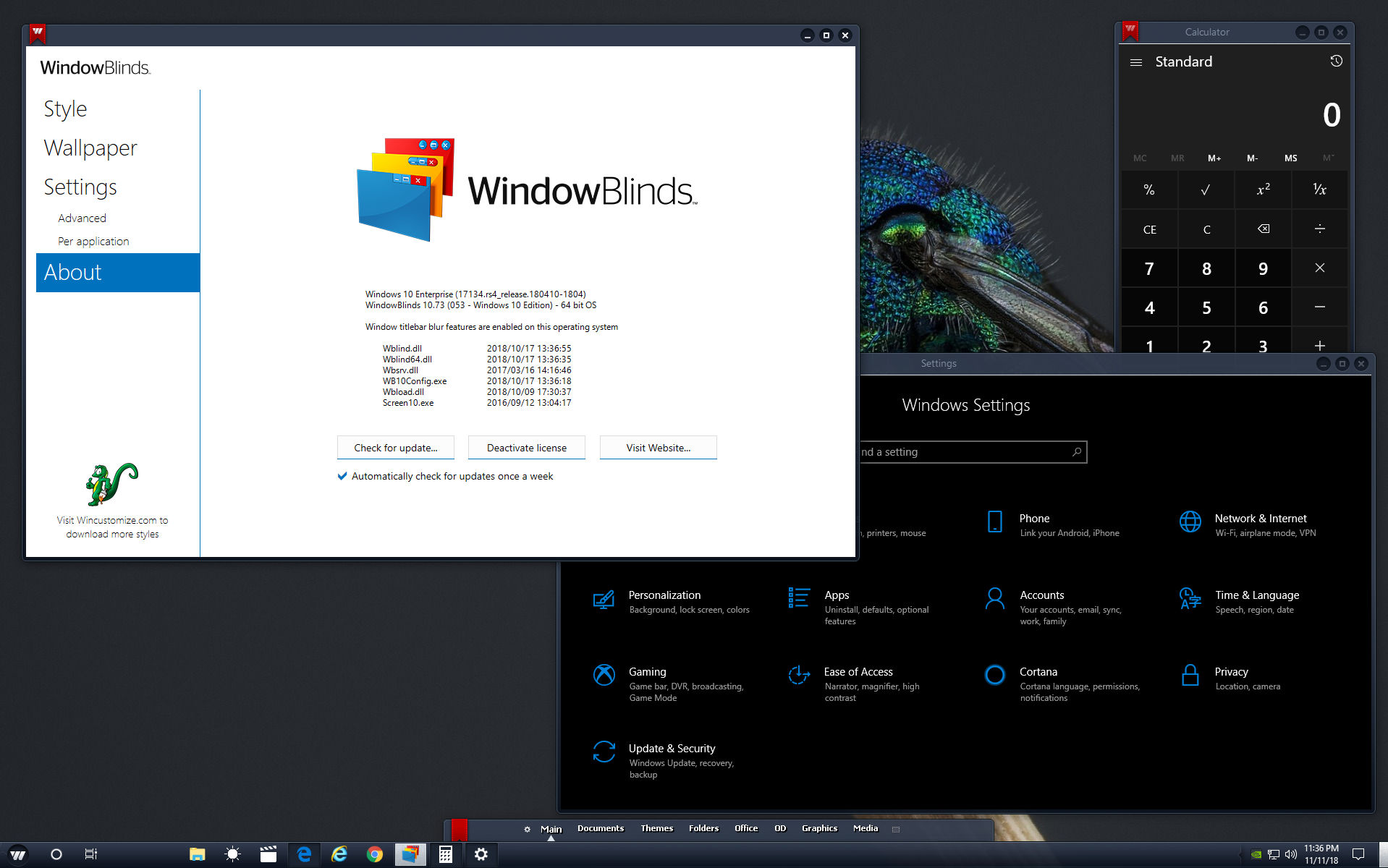
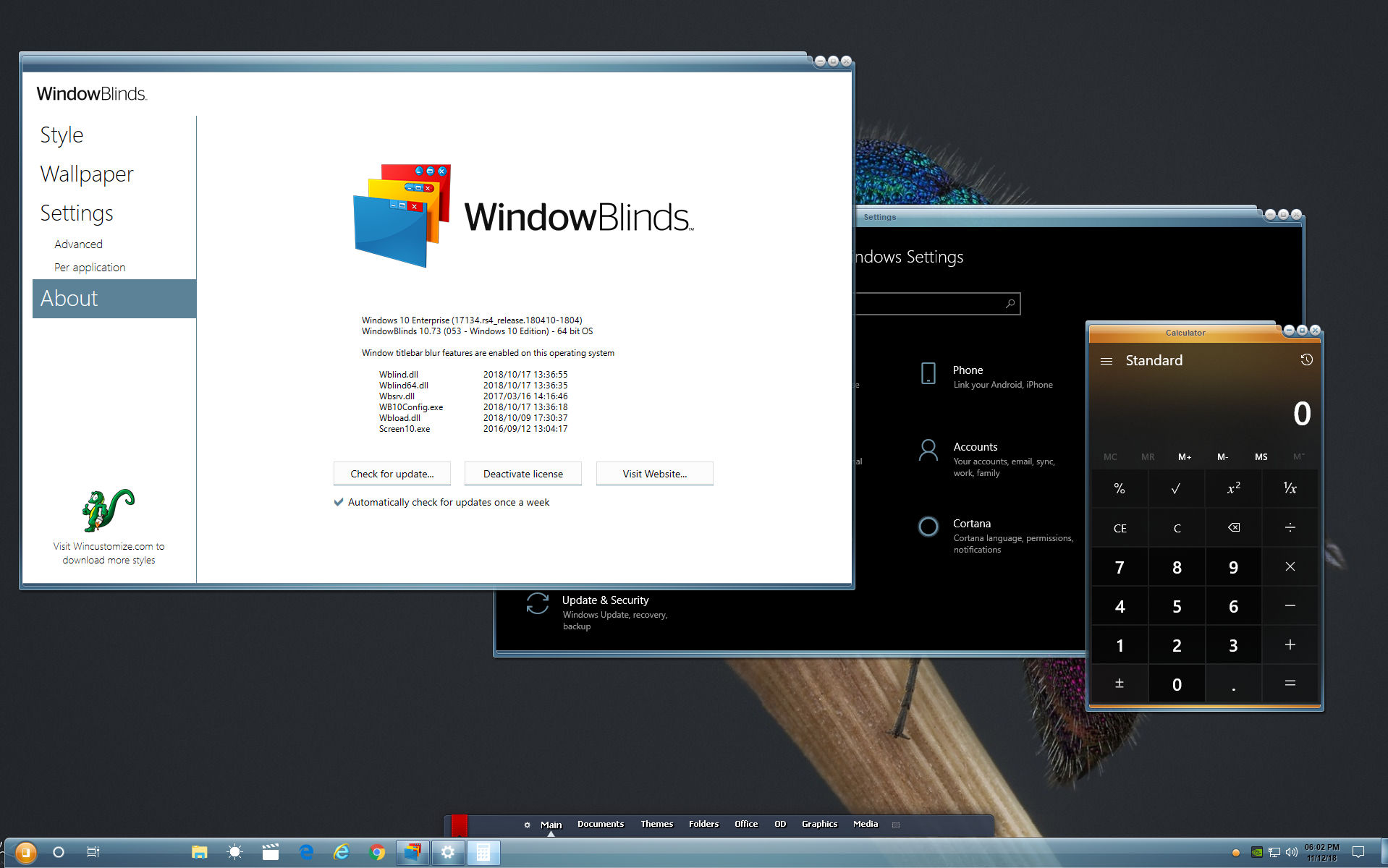
Sorry to hear you are having issues. Please note that WB has not successfully skin some application especially those that use the UWP Design platform. Here what I get on my system. Can't skin Torrex Lite properly but it can skin Windows Defender Security Center.


Basj,

Stardock Community Assistant.

Reply #5 Top

Hello ALMonty

Thank you for responding, but you are using a different skin than what I am using. I choose Lantana as I read in the forums to choose a default skin that come installed with WB before posting so it would be easier to re-create / look into.

Hello Basj,

Thank you for responding as well. I see it skinned correctly on your screen shot, the Windows Defender. Going with just the defaults, for some reason mine is skinned as shown. In your screen shot, the skin applied to Torrex is the same as how mine is applied to Windows Security Center. I have re-booted my PC numerous times, re-installed WB multiple times, and it seems to always end the same for me. I am having this issue with all Universal Apps. Is there any special ticks you applied in WB settings to have yours skinned correctly ? 


Reply #6 Top

Sorry, how about that?

Reply #7 Top

Quoting dkasper9e93, reply 5

Hello Basj,

Thank you for responding as well. I see it skinned correctly on your screen shot, the Windows Defender. Going with just the defaults, for some reason mine is skinned as shown. In your screen shot, the skin applied to Torrex is the same as how mine is applied to Windows Security Center. I have re-booted my PC numerous times, re-installed WB multiple times, and it seems to always end the same for me. I am having this issue with all Universal Apps. Is there any special ticks you applied in WB settings to have yours skinned correctly ?
End of dkasper9e93's quote

From what I can see, I am on WB v10.74 beta and your is WB v10.73. You should try the latest beta and see if it helps.

Thank you,


Basj,

Stardock Community Assistant

Reply #8 Top

I'm using WB v10.73 because WB v10.74 doesn't let me move Edge around by the title bar as described in other threads. 

Reply #9 Top

Quoting ALMonty, reply 8

I'm using WB v10.73 because WB v10.74 doesn't let me move Edge around by the title bar as described in other threads. 
End of ALMonty's quote

I just realize it. I have forwarded your problem to Stardock Support team for their assistance. Please keep an eye on this thread for any updates. We appreciate your feedback and patience.

Note : I also just recalled that this problem was solved on Windows V1809. And just tested again, yes it move on Windows V1809. Only wish now is to have MS to release better version of V1809.


Basj

Stardock Community Assistant.

Reply #10 Top

Thanks Basj. I'm not concerned about the update. I'm sure when Windows gets another update StarDock will have to fix it again. I'm just trying to show that I have the same versions of windows and WB and it works fine here.

Reply #11 Top

Quoting dkasper9e93, reply 5

Hello ALMonty

Thank you for responding, but you are using a different skin than what I am using. I choose Lantana as I read in the forums to choose a default skin that come installed with WB before posting so it would be easier to re-create / look into.

Hello Basj,

Thank you for responding as well. I see it skinned correctly on your screen shot, the Windows Defender. Going with just the defaults, for some reason mine is skinned as shown. In your screen shot, the skin applied to Torrex is the same as how mine is applied to Windows Security Center. I have re-booted my PC numerous times, re-installed WB multiple times, and it seems to always end the same for me. I am having this issue with all Universal Apps. Is there any special ticks you applied in WB settings to have yours skinned correctly ? 

 
End of dkasper9e93's quote

I suspect that not all Microsoft apps are going to be skinned by Windowblinds (WB).  A classic example is Microsoft Word.  It provides it's own interface and does not appear to be skinned by WB.  I believe the same might be true for some of the universal apps.

Here are some things that you could check or try:
1) Make sure that you are using the latest version of Windows 10 v1803.  This is 17134.407.
2) Make sure you are using the latest graphics driver for your graphics card or chipset.  A buggy grahics driver can introduce artifacts.
As for the double over-lay you describe, this could be a screen refresh artifact.  Updating the graphics driver might fix it.
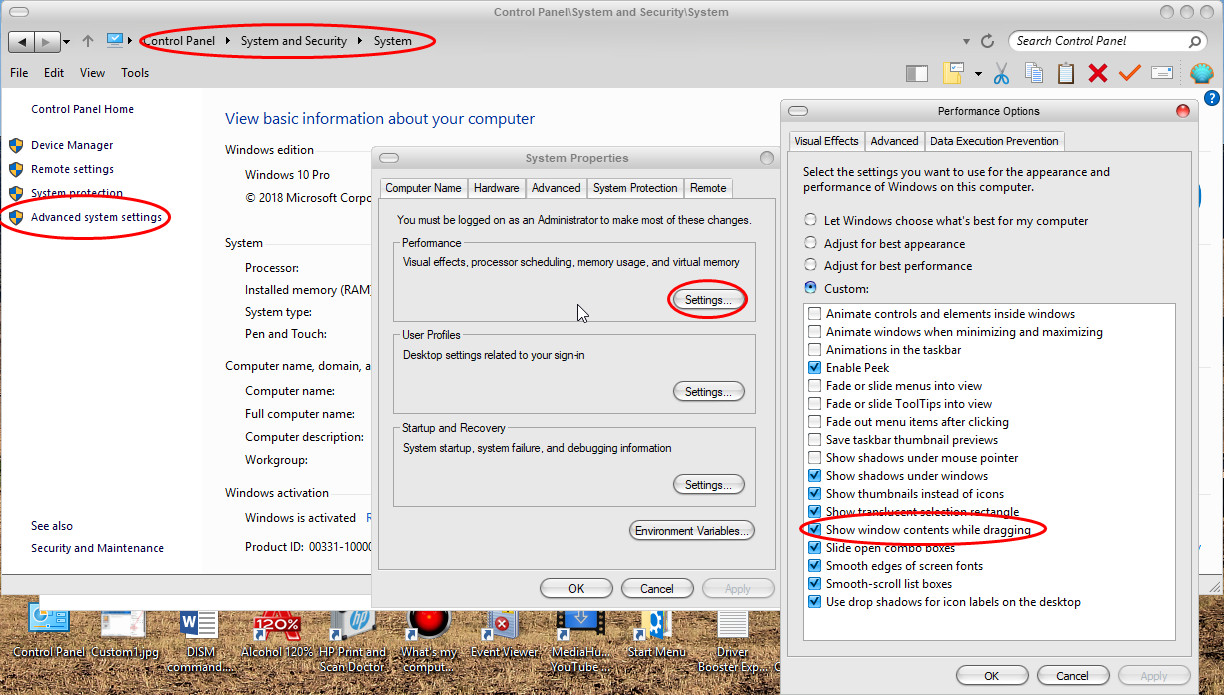
3) In older versions of Windowblinds, I have noticed overlay artifacts when the "Show window contents while dragging" parameter is not set.  This can also be true for slower video cards.  You can get to this setting by:
Pressing Windows+R, enter Control Panel, System and Security, System, Advanced System Setting, Performance Settings, and then check to make sure the "Show window contents while dragging" checkbox is checked.

I hope this helps,

Roger