New files does not go to inbox

I have set in Settings: All New Icons go to Inbox. And Time Based Rule to move them to this folder before midnight. But still new icons goes to their Type Based folders. The rule order does not have any influence either.

I want files I created during the day to be moved to their type based folders at midnight, so the day after I start with a clean Inbox.

What I am doing wrong?


Regards, Bart

13,570 views 18 replies
Reply #1 Top

Hello,

I have forwarded your problem to Stardock Support team for their assistance. Please keep an eye on this thread for any updates. We appreciate your feedback and patience.


Basj

Stardock Community Assistant.

Reply #2 Top

Hello,

Sorry to hear you are having trouble.

All New Icons go to Inbox.
End of quote

We don't know what 'inbox' is - is it a Fence name?

I want files I created during the day to be moved to their type based folders at midnight
End of quote

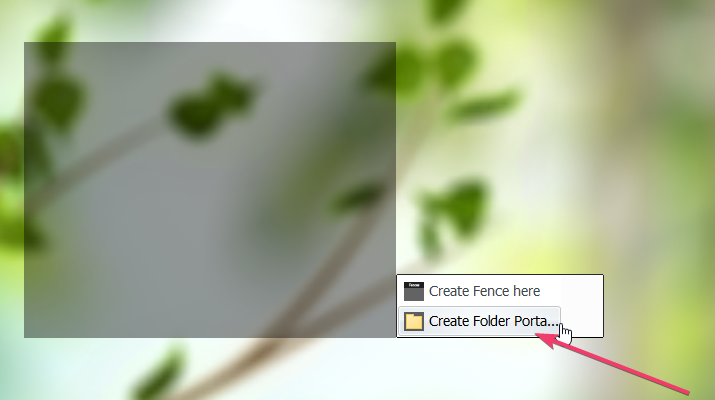
Fences will not move to 'folders', nor will Rules act on Folder portals, only regular Fences.

----------------
Sean Drohan
Stardock Customer Service Manager


Reply #3 Top

I have a mix of fences and folders.

The inbox is the fence name where I want all new (desktop) files to be moved at first instance. At midnight I want these files to be moved to the fences Documents and fence Pictures. These files actually remains in the Windows desktop folder.

I have added two folders as well, the Windows folder Downloads and another folder from Dropbox, but these folders are just to access my files without any specific rule.

Reply #4 Top

Quoting vdongen, reply 3

I have a mix of fences and folders.

The inbox is the fence name where I want all new (desktop) files to be moved at first instance. At midnight I want these files to be moved to the fences Documents and fence Pictures. These files actually remains in the Windows desktop folder.

I have added two folders as well, the Windows folder Downloads and another folder from Dropbox, but these folders are just to access my files without any specific rule.
End of vdongen's quote

The repeated mentioning of 'Folder' is what is problematic.  If by 'Folder' you mean a regular Fence, we have a thing to continue with.  If Folder means an actual created folder on the Desktop, or a Fences Folder Portal, Fences rules will not act / work on them.

----------------
Sean Drohan
Stardock Customer Service Manager

Reply #5 Top

I only want files to be sent to fences based on the rules. Folders that I have added are Folder Portals, "shortcuts" from real folders in Windows. They are just to access the files/icons. 

Reply #6 Top

Quoting vdongen, reply 5

I only want files to be sent to fences based on the rules. Folders that I have added are Folder Portals, "shortcuts" from real folders in Windows. They are just to access the files/icons. 
End of vdongen's quote

I need to perhaps ask this is an different way.

Do you have Fences Folder Portals on your desktop

That you want rules to act on - place icons / files to, or from, said folder portals?

----------------
Sean Drohan
Stardock Customer Service Manager

Reply #7 Top

I have both. Only wants to apply rules from Fences. The folder portals are only to access the files.

Reply #8 Top

Quoting vdongen, reply 7

I have both. Only wants to apply rules from Fences. The folder portals are only to access the files.
End of vdongen's quote

Rules will not act on Fences Folder Portals in any way - not to or from.

----------------
Sean Drohan
Stardock Customer Service Manager

Reply #10 Top

Quoting vdongen, reply 9

So, lets go back to my initial inquiry and focus on the fences that I use.
End of vdongen's quote

I will try to do some testing over the next few days - at present - we are primarily working on any reported issues with the recent Windows 10 October release.

Thank you for your patience.

----------------
Sean Drohan
Stardock Customer Service Manager

Reply #11 Top

Sean, what is the status of the issue? Have you looked after it? In my opinion it is a key feature that is not yet working well. Thanks.

Reply #13 Top

I have set in Settings: All New Icons go to Inbox. And Time Based Rule to move them to this folder before midnight.
End of quote

The time rule does not work the way you are believing - Fences will not trigger itself to execute the time rule - that rule would only work between the times on newly created icons during that time.

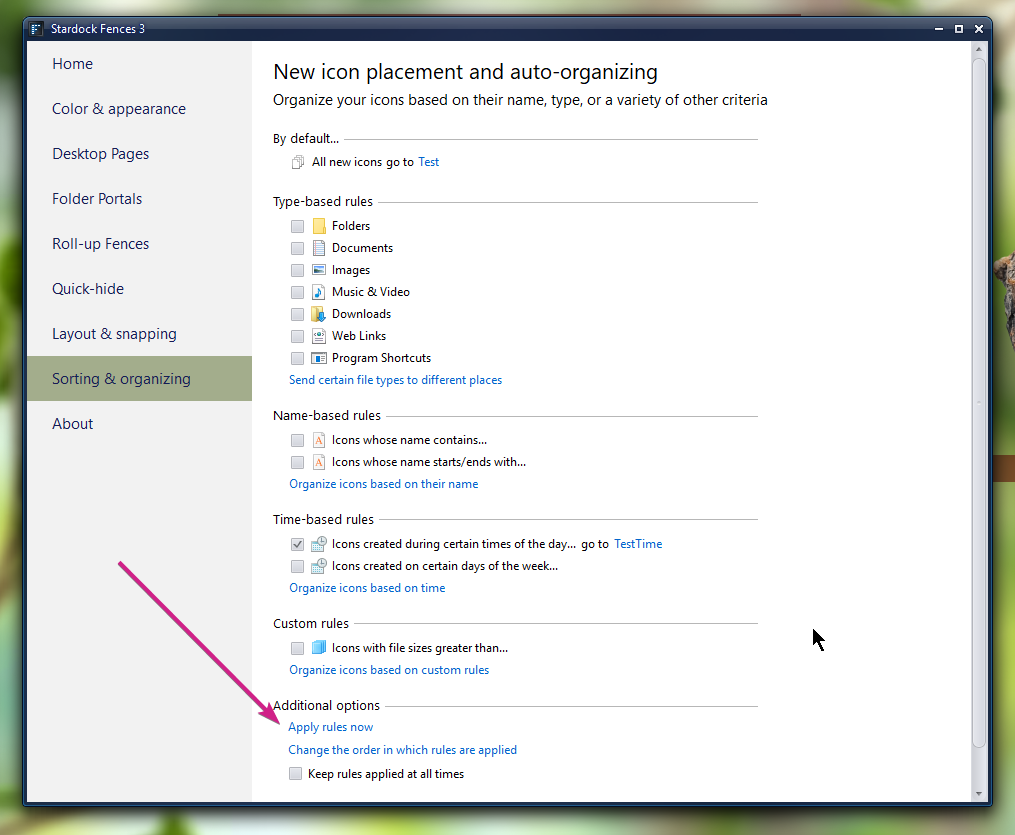
To get what you are wanting, you need disable the other rules, leaving just the time one, and trigger it with:

----------------
Sean Drohan
Stardock Customer Service Manager

Reply #14 Top

Sean, is there a way to set rules for aging icons, so not when the icon was created but if the icon passes a set age. If I am not wrong this rule could be set in Fences a couple of years ago. So icons will be moved from one folder to another after one day for example.

Reply #15 Top

Hello,

I have forwarded your question to Stardock Support team for their assistance. Please keep an eye on this thread for any updates. We appreciate your feedback and patience.


Basj

Stardock Community Assistant.

Reply #16 Top

Quoting vdongen, reply 14

Sean, is there a way to set rules for aging icons, so not when the icon was created but if the icon passes a set age. If I am not wrong this rule could be set in Fences a couple of years ago. So icons will be moved from one folder to another after one day for example.
End of vdongen's quote

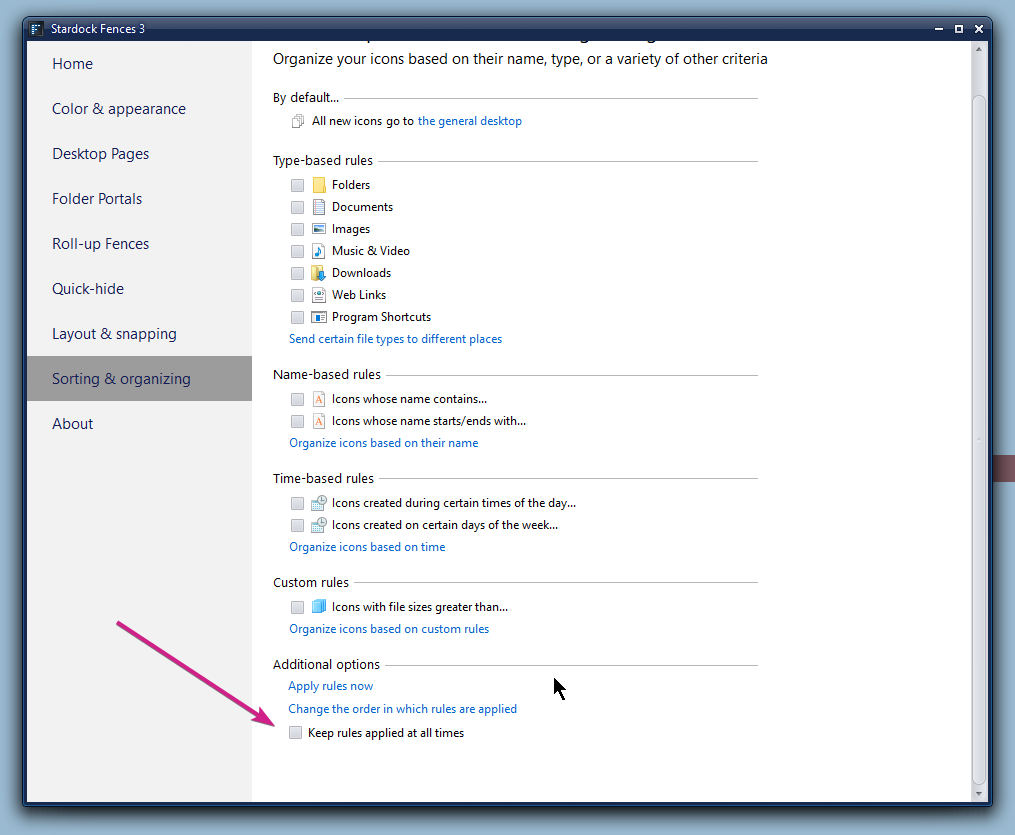
You might have some success experimenting with this option:

----------------
Sean Drohan
Stardock Customer Service Manager

Reply #17 Top

I posted a question about the meaning of the time based rules.

What I am looking for is a Age Based rule. "Icons aged > x amount of hours or days". For example, if a file is more than 8 hours ago, it will be moved to Documents or Pictures, etc.

Similar like email client, email first go to Inbox. The day after I start with a clean Inbox since the files >8 hours ago are moved to their type based folders.

Reply #18 Top

Quoting vdongen, reply 17

What I am looking for is a Age Based rule.
End of vdongen's quote

I will forward your suggestion and thank you for it.

----------------
Sean Drohan
Stardock Customer Service Manager