Pin to Start (Start10) not working

Hello,

When I click pin to start (start10) for an app, the app link is not pinning to start menu. I am using latest version of Start10, Windows 10, 64 bit. How can I fix this issue?

After I click on pin to start (start10), I went to the userpinned folder in my profile and I don't see anything in the startmenu folder.

Thanks!
9,280 views 18 replies
Reply #1 Top

Try this:

HOW TO ADD FOLDER TO THE LEFT PANEL

1) Right Click on the folder you wanted to appear on the left panel of Start10. (In Windows Explorer)

2) Select/Click "Pin to Start"

3) On Start10 click "All Programs"

4) That folder you "pin to start", will appear here. Right click on it.

5) Select/Click "Pin to Start Menu (Start10)

For application.

1) Right Click on the "exe" File (IN Windows Explorer)

2) Select/Click "Pin to Start Menu (Start10)

And that should do it. To have it listed out on the Left panel of Start10.


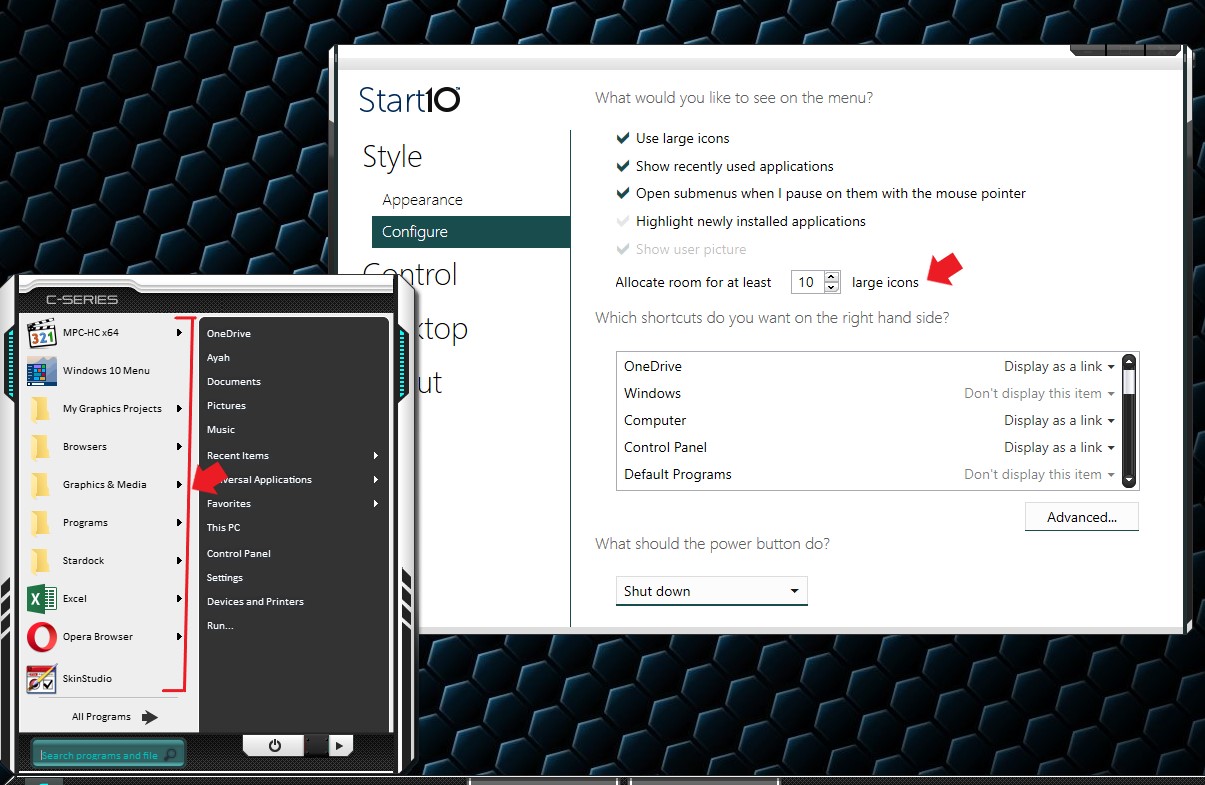
Sometimes those pinned items does not appear on the Start10 Panel due to limited space. Just add more room if needed.


Thank you,


Basj,

Stardock Community Assistant

Reply #2 Top

Thanks. This is what is happening whenever I pin to Start (Start10). Please let me know how I can fix it.

Whenever I click to add a folder or an app to pin to start10, the pinning is working, but for some reason the pinned items are saved to c:\temp\new folder\User Pinned\StartMenu instead of %AppData%\Microsoft\Internet Explorer\Quick Launch\User Pinned\StartMenu.

How can I reset the default user pinned folder to %AppData%\Microsoft\Internet Explorer\Quick Launch\User Pinned\StartMenu?

Reply #3 Top

Let us know what version of windows 10 you have. Winver should do the trick.

Thank you,


Basj,

Stardock Community Assistant

Reply #4 Top

I'm using Windows 10, 64 bit, version 1803.

Reply #5 Top

Hello,

I have forwarded your problem to Stardock Support team for their assistance. Please keep an eye on this thread for any updates. We appreciate your feedback and patience.


Basj

Stardock Community Assistant.

Reply #7 Top

I created a new administrator account. Pinning to Start10 worked fine in that account i.e., when I pin to Start10 the shortcut is placed in the correct user pinned folder.

Reply #8 Top

Quoting venkum, reply 7

Thanks. Please ask tech support to let me know as soon as possible.
End of venkum's quote

Support would like you to do a Clean Boot mentioned above.

This will allow the app to run without any 3rd party interference 

something support needs to know .

Thank You.

Reply #9 Top

I followed your instructions, did a clean boot and ran the batch file, but the issue is still there i.e., when I pin to Start10, the shortcut for pinned application is placed in the incorrect folder instead of in the profile folder.

I pinned the same app to Start (not Start10) and it was pinned to the Start menu as a tile.

Reply #10 Top

This issue appears to be with the explorer context menu option Pin to Start (Start10) which I am assuming was configured by Start10 application installer. Maybe there is a simple way to fix this context menu option so it will use the user pinned folder in user profile and not in temp folder like it is doing now. If this context menu alone cannot be fixed then, will this issue be fixed, if I purge and reinstall Start10? If yes, please send me instructions. Also is there a way to backup and restore Start10 settings?

Reply #11 Top

Hello,

I have forwarded your report to the Stardock support team for their review and recommendations.

Please keep an eye on this thread for any updates.

We really do appreciate your feedback, thanks.


AzDude
Stardock Community Assistant

Reply #12 Top

I was able to resolve the issue by fixing path in registry. Thanks for your support.

Reply #13 Top

Quoting venkum, reply 12

I was able to resolve the issue by fixing path in registry. Thanks for your support.
End of venkum's quote

Good to hear but what reg entry and why (do you suspect) was it hosed?

----------------
Sean Drohan
Stardock Customer Service Manager

Reply #14 Top

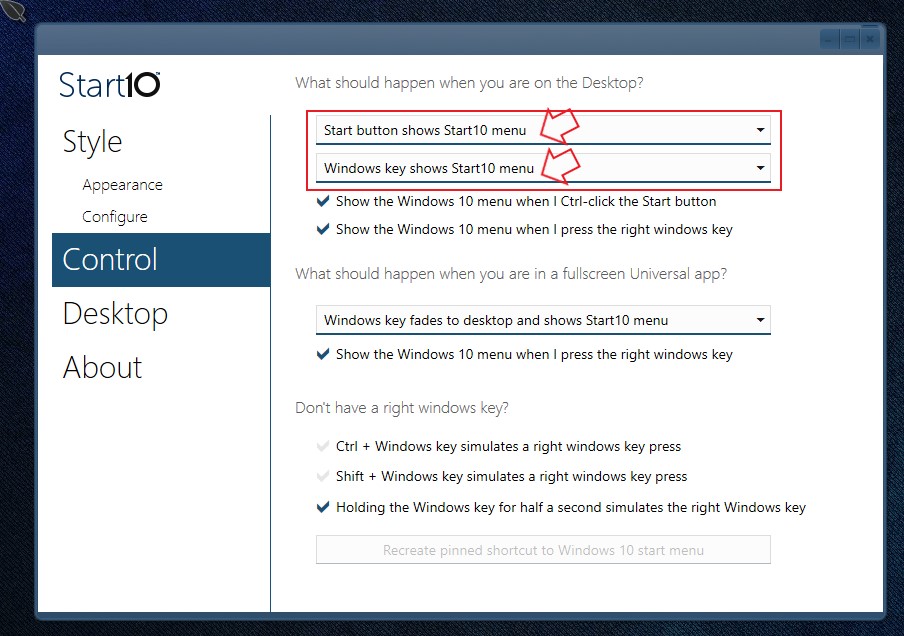
start10 not working correctly for me either   pressing start button only show windows default start

Reply #15 Top

Quoting barryh2, reply 14

start10 not working correctly for me either   pressing start button only show windows default start
End of barryh2's quote

1.Please make sure reboot after install the update.

2.Make sure all the option is correctly selected.

If all fail please try the purge and reinstall. https://forums.stardock.com/486022/start10-support-faq#reinstalling

make sure to get the latest Start10 from your account and reinstall. Reboot and retest. Report back.

Thank you,


Basj,

Stardock Community Assistant


Reply #17 Top

Quoting Ted, reply 16

With new windows update yesterday Build 1809 Start 10 doesnt work
End of Ted's quote

More information please. Not working how?

Thank you,


Basj,

Stardock Community Assistant

Reply #18 Top

I fixed it by starting the start 10 services and changed to auto start