Icon/Title overlapping badly

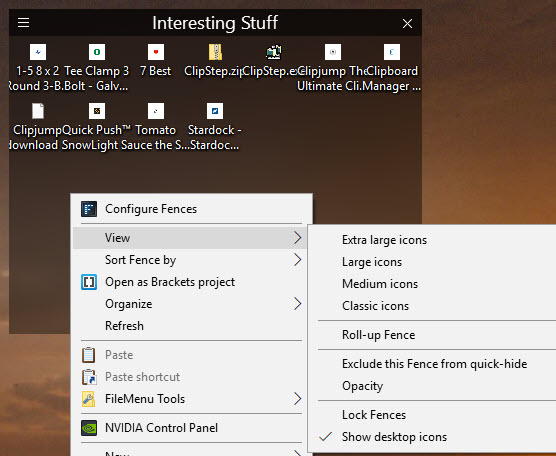
I'm just starting with Fences and am wondering if there is a way to affect Icon/Title placement. When I drag something onto the fence, it automatically places it. Is there a way to affect the "padding space" around the items so they don't bunch up so much?
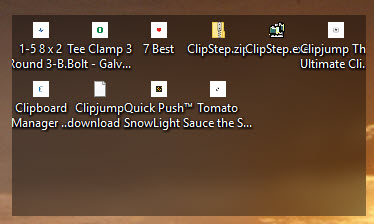
Fences Icons/Titles overlapping badly

7,298 views 5 replies
Reply #1 Top

Hello,

Sorry to hear you are having issues.

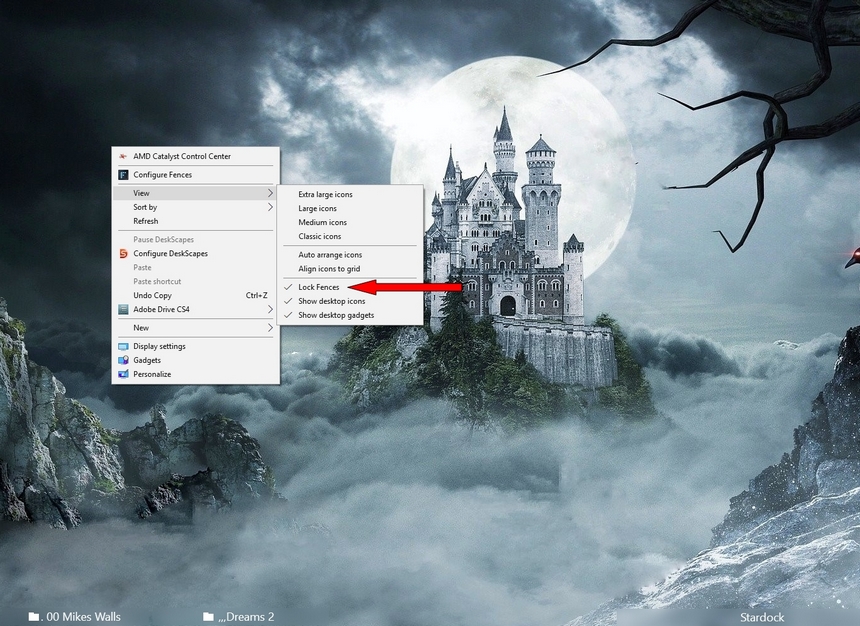
If you widen your Fence a little more they won't overlap.

If your Fence is Locked and won't let you resize it then

right-click on your desktop and un check Lock Fences 

see below 


AzDude
Stardock Community Assistant

Reply #2 Top

Thanks AzDude ...  The fence was not locked ... I did as you suggested but as shown below ... nothing changed. Any further thoughts?

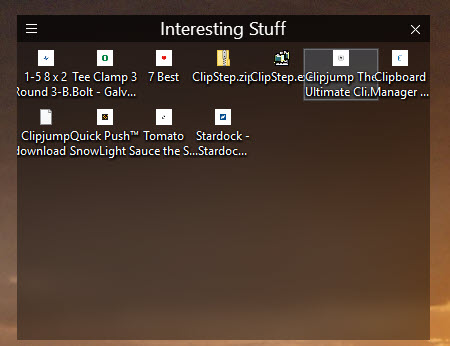
In this one ... I put the cursor on one of the items ... you can see the highlighted box for that shortcut ... notice how it over writes the copy on the icon to the left and right.

Reply #3 Top

Hello

Would you Please try this PURGE: https://forums.stardock.com/486084/fences-support-faq#reinstalling

Reboot and ReInstall the latest version.

You may have to rename some of those short cuts 

with long names  with short names. i.e. like your 7 Best .... 

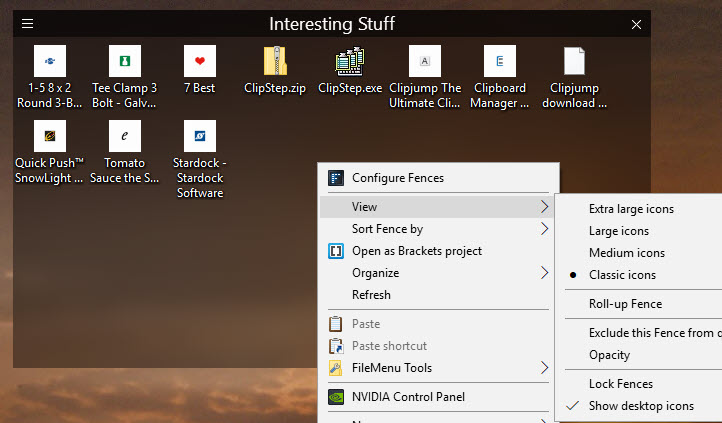
and maybe on the right click desktop try click on classic icons and check.


AzDude
Stardock Community Assistant

Reply #4 Top

Thanks AZdude.  Your suggestion to " on the right click desktop try click on classic icons and check" fixed it!  Thank you so much. I hope this little session will also help others.  This is just beautiful!!!

Reply #5 Top

:thumbsup: