Island Dog Island Dog

WindowBlinds 10 Beta with Windows 10 Support Available for Object Desktop Members

WindowBlinds 10 Beta with Windows 10 Support Available for Object Desktop Members

The first beta for WindowBlinds 10 is now available for active Object Desktop owners!
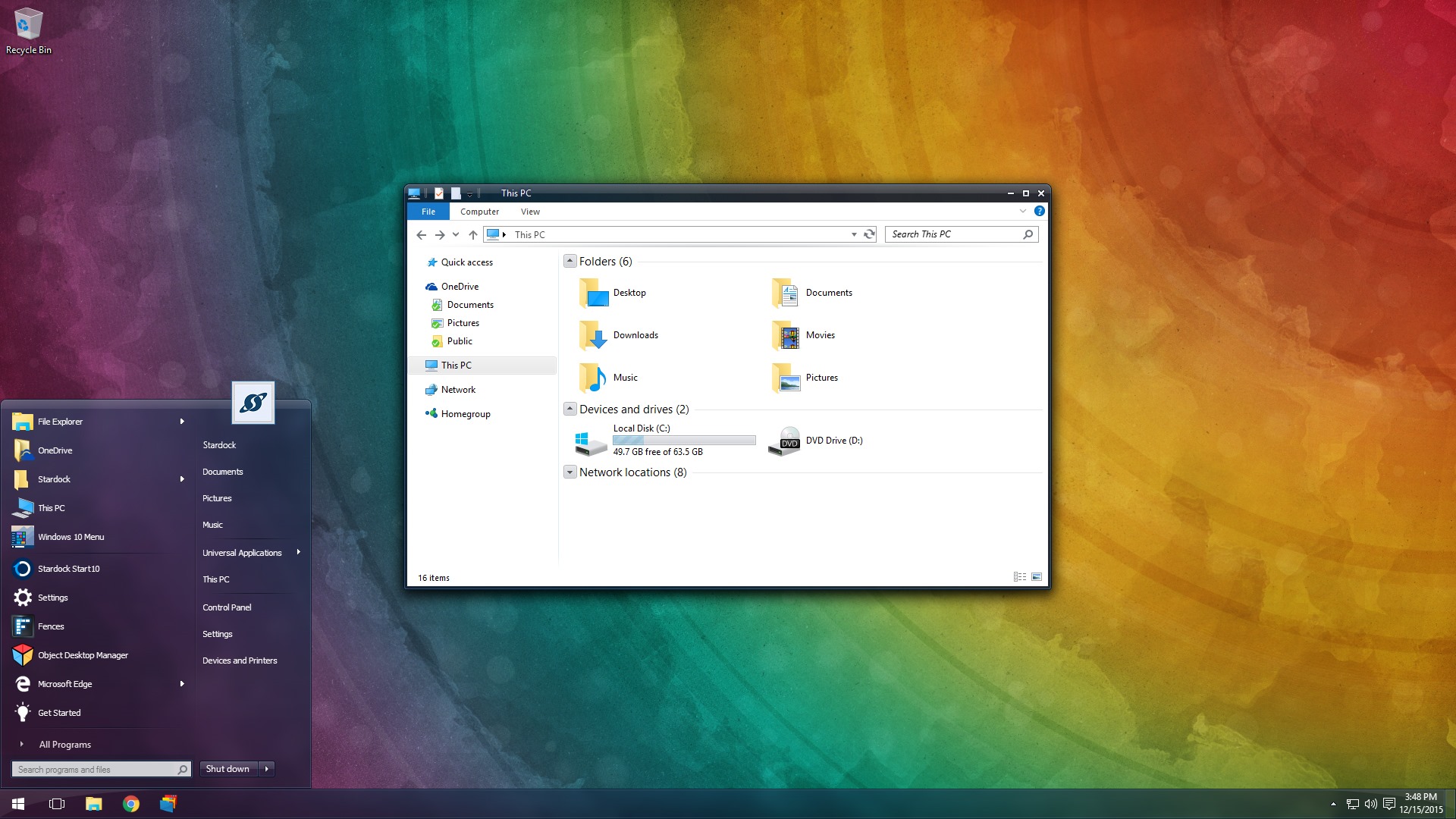
This beta includes support for Windows 10 and a new UI.

Object Desktop members can now get the WindowBlinds 10 beta from your Stardock account hereIn future updates, we'll be including new skins and features.

WB v10.0.1 update:

  • Added skin rebuild list button
  • Fixed config screen resolution
WB10 14 WB10 21


If you're not an Object Desktop member, now is a great time to become one. You get over 10 Windows customization products such as WindowBlinds, DeskScapes, Fences, Start10, and many more. You will also get access to betas and updates first, like WindowBlinds 10 for one year. Get Object Desktop today!

178,813 views 58 replies
Reply #26 Top

It is Jonathon and Thank you all. It has been very rough for me because she passed away here at home where she had wanted to have this happen. God I am depressed and sad, 14 days have passed now and still feels so empty in here, sorry for putting this on here, just happend. Agian thank you for caring! I do have a question about cursor Fx, it seems when I use it that the pointer goes uner the start botton and same with the sart mnue screen to how do I fix it, if possible because I am left handed and that works well for me except this new problem.

Reply #27 Top

Jonathan, the CursorFX question would be better posted here: https://forums.wincustomize.com/forum/177 not here because this thread (and forum) pertain to Wincustomize News. About your recent loss, there are members here who can empathize with you, and many will support your grief. In fact, you might even have been contacted by some already...

This particular forum is  less suitable for that contact...private messaging and this forum are probably better suited: https://forums.wincustomize.com/forum/189 .

Again, please accept my condolences.


Reply #28 Top

Gonna be a bit before I can test this. Glad that it's out because I will most definitely be reinstalling Windows 10 on my laptop to be able to update. I only went back to Windows 8 because I couldn't use my blinds. So woohoo!! on that.

On a sort of off topic note, does anyone know what or where the wallpaper is that they are using in the screenshots above? Is it supplied with Windowblinds 10? I love the rainbox effect.

Thanks and Happy Holidays, Merry Christmas (if you celebrate)
Jeremy :) 

Reply #29 Top

well likeing it so but still no skinning for windows 10 menu which i have grown used to lol ...so far so good 

Reply #30 Top

Gave it a go today and installed WB again, just for the fun of it not because I've missed it much.
I see that skinning Firefox is still a challenge. No issues with Chrome or Opera.

The caption bar is "missing", no matter what state the window is in:

Fullscreen:


Windowed:

Fully updated Win10 (offcourse)
Happens with all skins.

Reply #31 Top

Quoting Snowman, reply 30

Gave it a go today and installed WB again, just for the fun of it not because I've missed it much.
I see that skinning Firefox is still a challenge. No issues with Chrome or Opera.

The caption bar is "missing", no matter what state the window is in:

Fullscreen:

Reduced 31%
Original 1920 x 1080


Windowed:

Reduced 56%
Original 876 x 773


Fully updated Win10 (offcourse)
Happens with all skins.

End of Snowman's quote

That is particularly odd as WB does not skin Firefox on Windows 10.  It is excluded due to Firefox rendering its own Win 10 look on the titlebar.

Reply #32 Top

I'm seeing the same thing with Firefox 43, ie no skinning along the title bar.  This is also true for Microsoft Outlook 2013.

Reply #33 Top

Quoting Neil, reply 31

WB does not skin Firefox on Windows 10
End of Neil's quote


Victek, Stardock has stated that WindowBlinds does not skin Firefox on Win 10.


MS Office apps have never skinned good, if at all. Nothing new there.

Reply #35 Top

Quoting delve-miller, reply 34

Can only Object Desktop users download Window Blinds 10?
End of delve-miller's quote

While WindowBlinds 10 is in beta only active ObjectDesktop subscribers can download it.

Reply #36 Top

Quoting RedneckDude, reply 33

MS Office apps have never skinned good, if at all. Nothing new there.
End of RedneckDude's quote

Office 2010 skins fine on WB8 - only quirk is titlebar text not skinning.

Reply #37 Top

I sit corrected.  :blush:

Reply #38 Top

Quoting Daiwa, reply 36

Office 2010 skins fine on WB8 - only quirk is titlebar text not skinning.
End of Daiwa's quote

Daiwa, I also use 2010. Word and Excel have always skinned. However I use Outlook all the time and it has never skinned. How did you manage to skin that?

Reply #39 Top

Didn't have to 'manage' to do it.  It just skins the same as Word & Excel here, 'out of the box' so to speak.  Only the frames, just to be clear.

Reply #40 Top

Quoting Daiwa, reply 39

Didn't have to 'manage' to do it.  It just skins the same as Word & Excel here, 'out of the box' so to speak.  Only the frames, just to be clear.
End of Daiwa's quote

To be clear Office 2010 has the standard title bar, while Office 2013/2016 have the new "app" (aka metro) look which doesn't accept WindowBlinds skinning.  It's a bummer because Outlook 2013 and Firefox v43 are the two applications I have open all the time.

Reply #41 Top

Quoting victorsacco, reply 40

Office 2013/2016 have the new "app" (aka metro) look which doesn't accept WindowBlinds skinning. It's a bummer
End of victorsacco's quote

One of the reasons Office 2010 will have a long & healthy life here.

Reply #42 Top

Quoting Daiwa, reply 41

One of the reasons Office 2010 will have a long & healthy life here.
End of Daiwa's quote

Thanks for the reply. 

I use outlook all the time and word sometimes. Since retiring not to much need for the office products anymore except outlook. Keep what I'm using as it works just fine.

Reply #43 Top

DaveBax -

Is OL2010 not skinning for you but Word2010 is?

Reply #44 Top

Pretty much sucks that people who bought and paid for their windowblinds can't download the beta.  it's not like we've already waited forever.  Not a happy camper.  :annoyed:

+1 Loading…
Reply #45 Top

Stand-alone purchase is different than an Object Desktop subscription, as it appears you understand.  When the release version is ready (should be soon given how long the beta has been out) you'll be eligible for upgrade, either free (if your purchase was recent enough) or at a discount.

I'd spring for the OD subscription & eliminate the wait, but that's me. :thumbsup:


Edit to clarify (I hope) -

Historically, SD has provided free updates to interim dot-x releases of the same base version (e.g., 6.0 thru 6.99) and offered upgrade discounts to existing standalone owners when a new base version was released (e.g., discount on 7.x for 6.x owners).  In some cases, they've offered a free base version upgrade if the prior version was purchased within a defined recent time window.  I'm not speaking on behalf of SD, however, and those policies are always subject to change (and may actually have changed) without my being aware as I'm just an OD subscriber.

Reply #46 Top

Quoting Daiwa, reply 45

I'd spring for the OD subscription & eliminate the wait, but that's me.
End of Daiwa's quote
Yeah, of course ! :thumbsup:

- Lol, "Soxylady", why complain when it's a Great choice you have.

Reply #47 Top

Quoting soxylady1, reply 44

Pretty much sucks that people who bought and paid for their windowblinds can't download the beta.  it's not like we've already waited forever.  Not a happy camper.  :annoyed:
End of soxylady1's quote

One of the benefits for Object Desktop members is the ability to have access to betas of applications that are included in Object Desktop, along with getting the newest version as part of their membership.


Reply #48 Top

Quoting Daiwa, reply 43

DaveBax -

Is OL2010 not skinning for you but Word2010 is?
End of Daiwa's quote

actually the background does color but not the titlebars. no big deal as it's fine like it is. 

Reply #49 Top

Strange.  I get full-frame skinning of OL, Word, Excel & PP 2010 on Win7 Pro.  The interior controls are not skinned of course.

Reply #50 Top
Quoting DaveBax, reply 48
Quoting Daiwa,

DaveBax -

Is OL2010 not skinning for you but Word2010 is?


actually the background does color but not the titlebars. no big deal as it's fine like it is. 

End of DaveBax's quote

Usually if the frame is not skinning you excluded it.

Either that or your Outlook is newer or you used a keyboard shortcut to launch it which you hold down ctrl with.