Savyg Savyg

Windows 8 Consumer Preview

Who's excited?  I'm excited.

I love the idea of the Metro UI to remove distractions and make computers more efficient (suspended apps will be taken off the CPU scheduler and most likely the video resources will only be in virtual mem).  It was a little awkward on the Dev Preview but that isn't what the CP will look like anyway.

Storage spaces is probably my favorite feature they've talked about so far.  I'm not sure I want to ditch my Win7 install yet though, but it probably won't take long using 8CP before I do.

I do wish ReFS was in the client builds, but it doesn't sound like it will be.  (At least in the final OS...don't know about the CP.)

I definately like the plugin free browser idea too.  Most of the time you browse they're unnecessary anyway.

Otherwise it's mostly just more efficient, and I can't argue with that!

457,908 views 196 replies
Reply #76 Top

Quoting Uvah, reply 74
Okay....need some help please....so what velse is new.....I copied the ISO to a USB drive. Clicked on the setup.exe and got all the way to putting in the product key and had to stop. There wasn't an option, that I saw, to install it on a separate partition. What did I do or not do?

 
End of Uvah's quote

You didn't go far enough. It'll ask you if you want to upgrade or full install on a second partition. You do need to have the second partition ready in advance.


Also, Ross, if this is your ONLY laptop, I would be extremely careful about this. Maybe best not to do it at all, on your main rig.

Reply #77 Top

Quoting RedneckDude, reply 75

Quoting JcRabbit, reply 71Can someone here running Windows 8 install the trial version of Winstep Xtreme and see how the NextSTART component behaves in Windows 8?

If you don't know, NextSTART is a complete and mature (been in development since 1999) Windows taskbar replacement. If it works properly under 8, it kind of makes not having a Start Button in it a moot point. Especially because the Start Menu in NextSTART is fully functional, skinnable *and* configurable (you can add whatever you want to it, even new menus, via the built-in Menu Editor).Want me to try the full version?
End of RedneckDude's quote

Yes, please! :)

Reply #78 Top

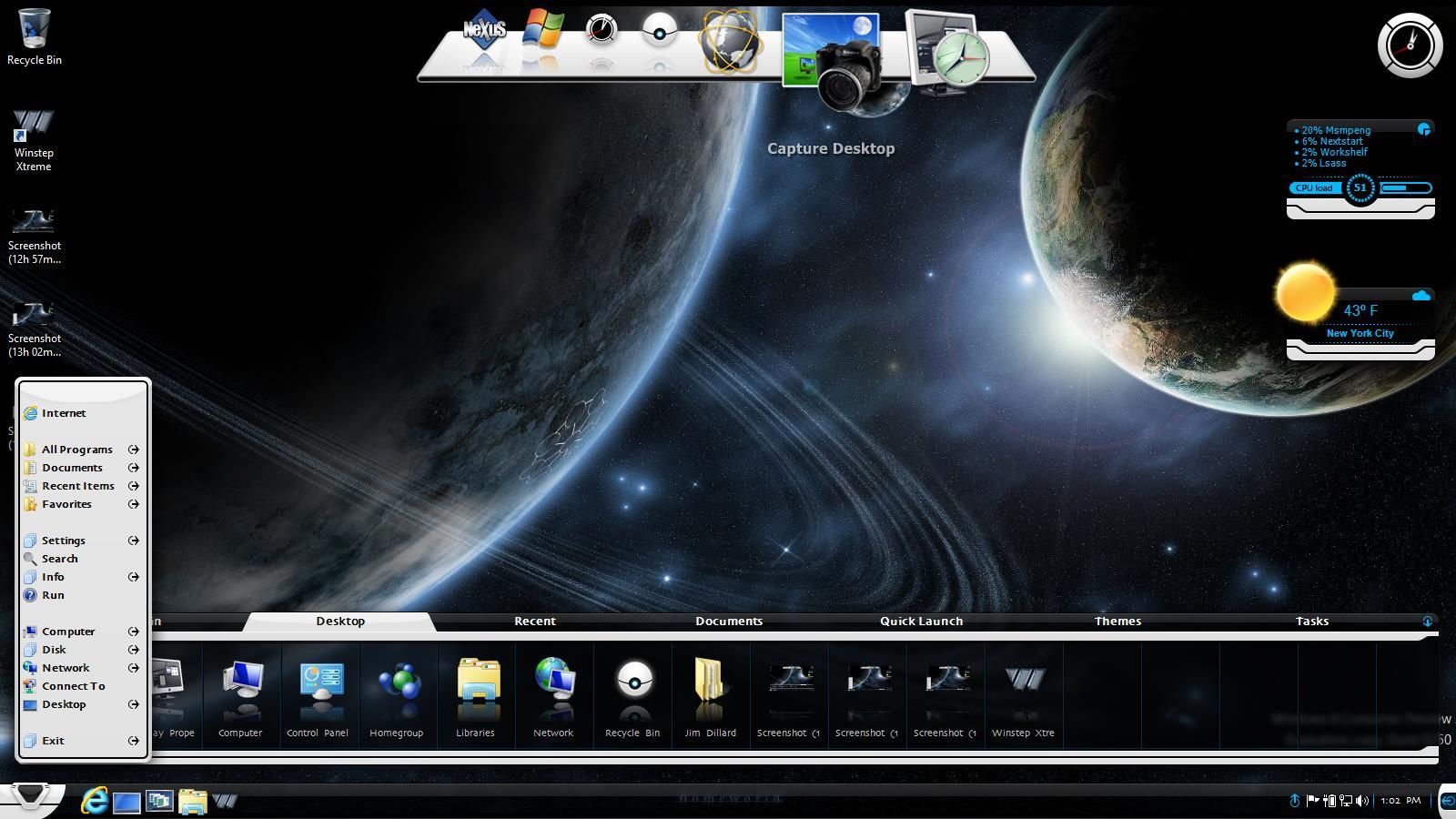
Hey Jorge, I have Winstep Xtreme 11.6 installed in Win 8 and both NexStart and Workshelf installed without issue... as did Nexus.  As far as I can tell everything works as it should.  I've created some shortcuts in Workshelf... all are working okay.  I've fiddled with Nextstart and all seems to be working there also.  However, I've not long installed it, so there may be kinks I haven't encountered as yet, but should I find any I'll post here with the glitch/issue, okay.

Oh yeah, the going to bed bit... didn't happen... damned insomnia.  It's now 7.58am and I'm not even slightly tired... got a second wind about 3.40am and that was that as far as sleep went, so I figured I'd make myself useful and install WSX

:) :thumbsup:

Reply #79 Top

NextStart works fine. If you disable NextStart, the Nexus start button errors. Other than that, same as Starkers.


Reply #80 Top

YAY Jorge!!!    \o/ \o/ \o/ \o/ \o/ \o/ \o/ \o/

Reply #81 Top

Oh, and Winstep Xtreme definitely adds functionality to the Win 8 desktop.... no real need for Metro at all , everything become accessible and no need for that butt ugly interface.

Yay Jorge, you're the man. :thumbsup: :thumbsup: :thumbsup: :thumbsup: :thumbsup:

Reply #82 Top

I'm not familiar with Winstep. Is it an alternative to Objectdock? (looks that way??)

Reply #83 Top

Winstep Xtreme is much, much more than an Object Dock replacement. Much, much, much more.


It's almost like Object Dock, WindowBlinds, DesktopX, and one helluva app launcher all rolled into one!


Just the Nexus Dock (top) is sort of an Object Dock alternative (on steroids).

NextStart kinda replaces the windows taskbar and the start menu.

WorkShelf is an app launcher/container system that is amazing on it's own.


Winstep has a lot going for it. And each part can be run individually of the others if desired.


Reply #84 Top

Stardock is fast....I just got this and now, here I am!


Reply #85 Top

We mentioned non SD customizing software...they are watching!!!

LOL
:rofl:

Reply #86 Top

Oh, and thanks RND, i might check it out. Cheers!

Reply #87 Top

Quoting Neilo, reply 86
Oh, and thanks RND, i might check it out. Cheers!
End of Neilo's quote
Stardock loves WinStep and what Jorge has done.  Some of us use WinStep and WinCustomize hosts themes for it.

Yes, we watch . .but we approve.

Reply #88 Top

Well it seems that I have done something wrong... when I perform a restart in Win 8 I get a message at boot saying that it cannot be started, that a file is either missing or corrupt.  Win 7 still boots as it should but not Win 8. 

Now I can boot back into Win 8 if the disc is in the drive, but not otherwise, so it seems there may be something wrong with the MBR and Win 8 hasn't registered correctly or something.  I haven't invested a lot of time or effort into it so I'm going to reformat as the repair options have not restored the ability to boot without the installation disc in the drive.

Oh well... later. o_O

Reply #89 Top

Hi all

I have been using the Win 8 CP for the last week now,and have figured out how to resize the tiles on the Metro Start by right clicking and choosing size from the bottom menu.  You can also drag the tiles to diffgerent columns and resize them in those columns.   Also, you can individulally hide the tiles from view you dont want to see like txt or doc files or any you choose.

I have also installed Tiles on the build.  I can only use the unactivated FULL tiles Bundle though,and yes, i know that Stardock has said earlier that Stardock Apps are not ready for Win 8 yet and dont plan on it anytime soon, but they did say ask and maybe some help. :) I try to activate it, and i get Email or Password not recognized?

Anyone got it to work?

Cheers

GigaByte69

Reply #90 Top

Quoting Zubaz, reply 87
Stardock loves WinStep and what Jorge has done.  Some of us use WinStep and WinCustomize hosts themes for it.

Yes, we watch . .but we approve.
End of Zubaz's quote

(((hugs)))

Of course, at the end of the day Winstep and Stardock *are* 'competitors', but in a healthy and friendly way... and it's been like this for the past 12 years. Over the years Winstep has been a little bit like Stardock's baby brother. :)

Anyway, competition is 'a good thing', gives people choice and prevents things from getting stale. Stardock keeps me on my toes, and, knowing Brad a little bit, I'm almost certain he enjoys the 'competition' too... At least I hope so. :)

Reply #91 Top

Quoting RedneckDude, reply 79
NextStart works fine. If you disable NextStart, the Nexus start button errors.
End of RedneckDude's quote

You mean it gives you a message that 'NextSTART is not running or is an incompatible version' ? That's by design, since the Start Button in Nexus will activate the NextSTART menu, and it can't if NextSTART is not running.

Hmmm, I'm curious about one thing: try adding a 'Start Menu' internal command to the dock (right click on any item in the dock -> Insert New Dock Item -> Internal Command -> Desktop -> Start Menu') then click on it. Under previous versions of Windows that would open the Windows Start Menu (NOT the NextSTART menu), my guess is that under Windows 8 it will open the Metro interface?

Reply #92 Top

Quoting JcRabbit, reply 90
I'm almost certain he enjoys the 'competition' too... At least I hope so
End of JcRabbit's quote
You are still breathing, right? :D

Reply #93 Top

Quoting Zubaz, reply 92
You are still breathing, right?
End of Zubaz's quote

lol. Yep, still in one piece. For now. :grin:

Reply #94 Top

Well I dunno, did a reformat and I still have the issue of Win 8 not booting without the disc.

I used the Win 8 Customer Preview Setup exe to download the file, which checked out to be complete, etc, then during the installation I selected 'Install to a different partition'.  I was then instructed to save the ISO to burn later, which I did, but during the subsequent installation booting from disc, there was no option to select dual boot, just the standard installation for a single OS machine.  Upon completion, however, both OSes were present on the boot menu, and again, Win 7 booted okay but Win 8 would not boot without the disc being present... so something f**ked up and I have no idea what.

So, it's back to the drawing board for now. >:(

Reply #95 Top

Quoting JcRabbit, reply 91
You mean it gives you a message that 'NextSTART is not running or is an incompatible version' ? That's by design, since the Start Button in Nexus will activate the NextSTART menu, and it can't if NextSTART is not running.
End of JcRabbit's quote

Yes, I mean that. I usually tell NextStart to use the windows start menu.


Quoting JcRabbit, reply 91
Hmmm, I'm curious about one thing: try adding a 'Start Menu' internal command to the dock (right click on any item in the dock -> Insert New Dock Item -> Internal Command -> Desktop -> Start Menu') then click on it. Under previous versions of Windows that would open the Windows Start Menu (NOT the NextSTART menu), my guess is that under Windows 8 it will open the Metro interface?
End of JcRabbit's quote

Brings up the 8 start screen.


BTW, Winstep and Start8 can both be installed without interfering with each other.


Both work fine.


Reply #96 Top

Well I have no idea what it is I have to do to get Win 8 rebootable without the installation disc on-board.

I tried a different partition because I felt there may have been issues with the SSD I first tried, but it will not reboot on a standard HDD partition, either.

The error I get is....

File: Windows\System32\winload.exe

Status: 0xc000000f

Info: The selected entry could not be loaded because the application is missing or corrupt.

Now this is in a clean install of Win 8 x64 with nothing added whatsoever... just what was on the installation disc.

I followed all the steps during installation and it seemed to complete without issue, but the one thing I did not see was a dual boot option.  I read an article that stated an option to change various defaults and settings would appear towards the end of the installation, and from there a dual boot configuration could be selected, but that did not occur... well not that I could tell.  Just prior to the log in page a screen appeared with some network and other settings on it, but it was gone before I could read all that was on it... which also happened the previous 2 times

Now I'm running the installation from bootup and selecting custom install to choose the partition, etc, as I always have for clean installs, but obviously I'm doing something wrong.  If anyone can advise as to how I can fix this I'd sure as heck appreciate it, whether it be another clean install using different steps or something, or maybe using one of the repair options to replace the corrupt or missing file.

Anyhow, this ol' pirate be tired as buggery now and be g'wen t' bed. -_-

Reply #97 Top

My experience is as follows. Somewhat loosely, because it was so easy, I don't remember step by step.


I downloaded the iSO, burned it as a disk image. Boot from it. Get the install started, give it the key, when prompted to do so.

It will copy a few things, maybe ask your location, etc.

Then it will offer two options. Upgrade or Custom Install.


Choose Custom Install. Tell 8 where you want it to install, this assumes you have a partition already made. Tell 8 to install to the second partition and let it go.

It pretty much does it's thing from there on and when it reboots, (can't remember if it's once, or twice), you'll see a screen asking which OS you want to boot to.


You should not need the disc in at this point.

Reply #98 Top

Also note that if you shutdown from Win7, upon reboot you'll see an ugly black screen with white text to choose your OS from. If you shutdown from Win8, upon reboot you'll get a pretty blue screen offering two OSes to choose from.


Just a note.

Reply #99 Top

Quoting RedneckDude, reply 97
It pretty much does it's thing from there on and when it reboots, (can't remember if it's once, or twice), you'll see a screen asking which OS you want to boot to.
End of RedneckDude's quote

That's the part I'm missing, I don't get a screen offering OS or boot options.

Quoting RedneckDude, reply 98
Also note that if you shutdown from Win7, upon reboot you'll see an ugly black screen with white text to choose your OS from. If you shutdown from Win8, upon reboot you'll get a pretty blue screen offering two OSes to choose from.
End of RedneckDude's quote

That doesn't happen, either.  When I boot out of Win 8 there's no Blue screen with OS options, just a blue screen and shutdown.

Now the thing is, did you install from within Win 7, or did you boot from disc, like I did?  The reason I ask is that it may be the difference, and why I don't see the dual boot option.  I just booted from disc because I was worried that there wouldn't be an install to another partition option and was afraid of losing my Win 7 installation if if I tried to install from within it.  So yeah, if there is a safe way to instan Win 8 from within Win 7, please advise so that I can proceed that way instead. 

Thanks, mate. |-)

Reply #100 Top

Quoting starkers, reply 99
Now the thing is, did you install from within Win 7, or did you boot from disc, like I did?
End of starkers's quote


Quoting RedneckDude, reply 97
My experience is as follows. Somewhat loosely, because it was so easy, I don't remember step by step.

I downloaded the iSO, burned it as a disk image. Boot from it.
End of RedneckDude's quote


Quoting starkers, reply 99
That doesn't happen, either. When I boot out of Win 8 there's no Blue screen with OS options, just a blue screen and shutdown.
End of starkers's quote

You misunderstood me. You get the screen with OS options when booting into it, not out of it. Only if you are dual booted.


Quoting starkers, reply 99
That's the part I'm missing, I don't get a screen offering OS or boot options
End of starkers's quote

This is when you first boot up after installing 8.