Skin Request: Windows 7 Xtreme

Hey folks,

could someone create a WB to match JcRabbit's Windows 7 Xtreme Winstep Theme?

Link: https://www.wincustomize.com/explore/winstep/501/
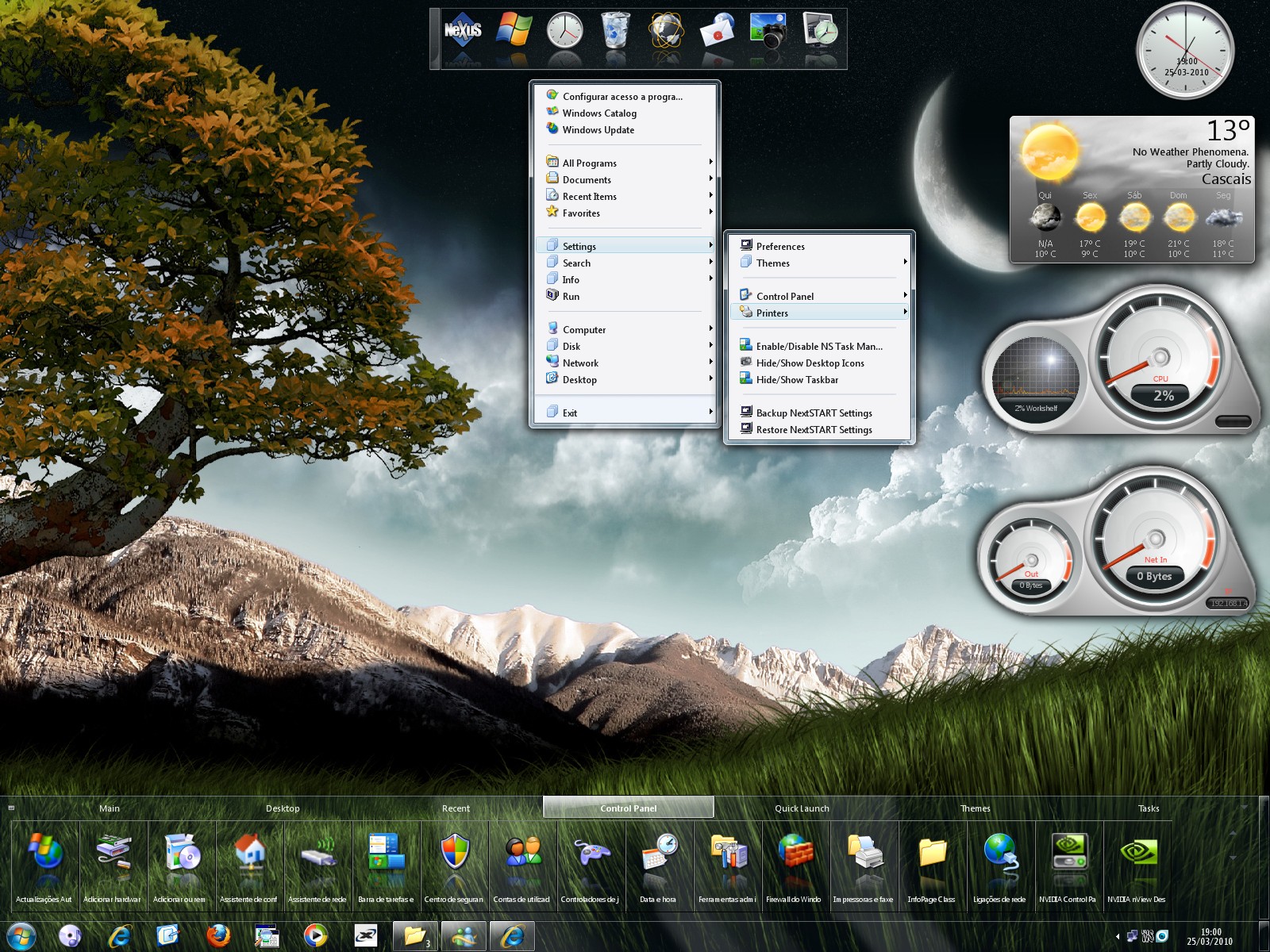
I can't find a WB wich is completely transparent.


Thx in advance, 

Tom


12,242 views 11 replies
Reply #1 Top

Looks like plain old Aero to me.

Reply #2 Top


I can't find a WB wich is completely transparent.
End of quote

There is a tab in Windowblinds called "Transparency" where you can adjust this to your desires, therefore you could make any WB completely transparent.

Reply #3 Top

Have you looked at the Naked or Naked Noir themes by vStyler?

Reply #4 Top

Quoting LightStar, reply 3
Have you looked at the Naked or Naked Noir themes by vStyler?
End of LightStar's quote


These WB's are not Win 7 compatilble

And the transparency option in WindowBlinds is not what i'm looking for...


Reply #5 Top

Quoting Onklifiziert, reply 4
These WB's are not Win 7 compatilble

And the transparency option in WindowBlinds is not what i'm looking for...
End of Onklifiziert's quote

try out butch's wb's ..... most of them are by default transparent !!

Reply #6 Top

Quoting 2of3, reply 1
Looks like plain old Aero to me.
End of 2of3's quote

:|

Reply #7 Top

Quoting 2of3, reply 1
Looks like plain old Aero to me.
End of 2of3's quote

It does look like that only the Aero blur is disabled.  I've been checking around and the Windows 7 release client had the ability to turn the blur on and off.  Now, apparently, you have to re-write a registry key to do it. http://www.themobicrunch.com/2010/05/remove-or-stop-the-aero-blur-effect-in-windows-7-how-to#more-7943

Reply #8 Top

Quoting 2of3, reply 1
Looks like plain old Aero to me.
End of 2of3's quote

In Windows 7 got to Control Panel\All Control Panel Items\Personalization\Window Color and Appearance

click enable transparency, choose the clear color (bottom right)and slide the color intensity all the way to the left

clear windows aero with blur off like shown above

Reply #9 Top

Quoting Lantec, reply 8
In Windows 7 got to Control Panel\All Control Panel Items\Personalization\Window Color and Appearance

click enable transparency, choose the clear color (bottom right)and slide the color intensity all the way to the left

clear windows aero with blur off like shown above
End of Lantec's quote

The blur is still there after that, but thanks for the reply Lantec

Reply #10 Top

Quoting LightStar, reply 3
Have you looked at the Naked or Naked Noir themes by vStyler?
End of LightStar's quote


Elemental Air by 1MrPaul1 also works pretty well with 7 Xtreme.

Reply #11 Top

Clear Vista by Butch123 comes close, and works ok with Win7.