HTC 2.0 Widget
It's Doc's Fault...
from  WinCustomize Forums
WinCustomize Forums
What in the heck?
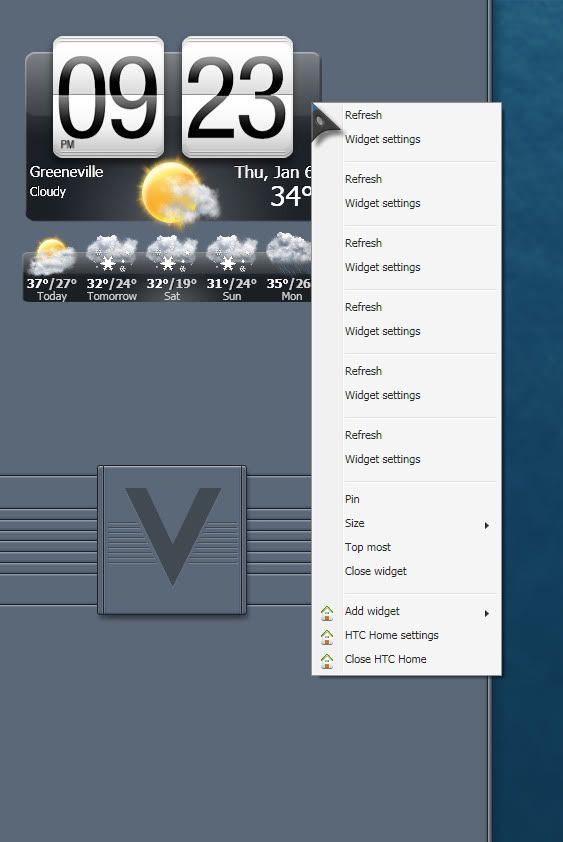

Hey Gary! Good to see ya! Where is that elusive blind? 
(I shouldn't talk, I have two started..... )
)

Hey mate where can i get that.....? 
Not to worry i found it mate..... 

There you go, Robbie_Boy
Jim.... you're hopeless. This happened because you chose "Hillbilly Mountain Time" in your Setup.
All is not lost. shut it down, and reopen it.
Well, my time zone is what I want, isn't it.
Did closing it and reopening help?
*not just computers want to strangle him. apparently widgets, too.
Answer to why so many open: There are lots of Mountains. Actually? Because you configured it several times.
Restarting the app worked, Doc. Dunno about your multiple configuration theory tho....
Incidentally, There are several skins for the app. They are available HERE
The app is slightly buggy. If you are running it as an Administrator, you have to drop the skin file into HTCHome.exe according to Snapdragon (a Mod in their Forums). I have tried this, but it still hasn't worked for me. I'll update things when I know more.

As many as it takes to "Git'R dun."


This does work for me. Done it on 2 rigs.
 Ok, guys, come and get him!!!
Where is a squirrel when you need one?
Not at all, Philly. As I posted, I will update as a solution to the skinning becomes available, and for those who want another, we thankfully have many themed widgets from great artists.

Because I found it funny I'm all zipped up in a walnut. You could at least left the A/C on. 
No.....Hell No! DX Weather is king!!
Uvah, we like our nuts hot!

That's getting squirrely. Way too squirrely. Also, way TMI.
-----------------------------------------------------------------------------
Fixed the HTC problem:
Using the apps uninstaller (C:User/appdata/roaming/steathsoftware/uninstaller/uninstall.exe) I removed the app.
Then, Task Manager to close uninstall.exe. Then remove the HTCHome folder (simple delete).
Reinstalled, went through the wizard, and downloaded skins. Now can simply drop them in.
Umm ...... is the video supposed to look like that? Just curious.

I downloaded this thing a while ago. I loved it, Then it stopped refreshing and would lock up. I want to try it again, but not until it's fixed.
Po', I believe you had the beta version (if it was a while ago). Give it another try. Uninstall it the way I described in #20, bud!
Decided to check out the widget. Works pretty good. Setup took less than a minute. Good one doc. 
Welcome Guest! Please take the time to register with us.
Select a reason for giving karma:
You're about to visit an external site:
Sign up here to get the latest news, updates, and special offers delivered directly to your inbox.