Where's all the support for 30" LCD Displays that put out max res of 2560x1600?

screen resolution

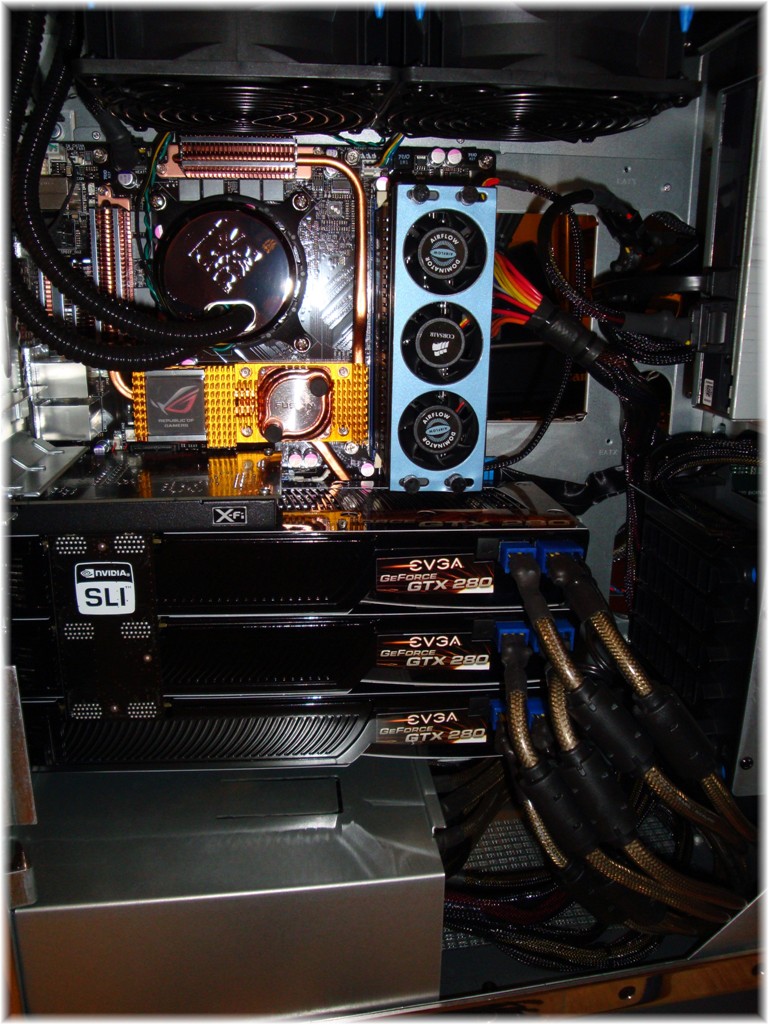
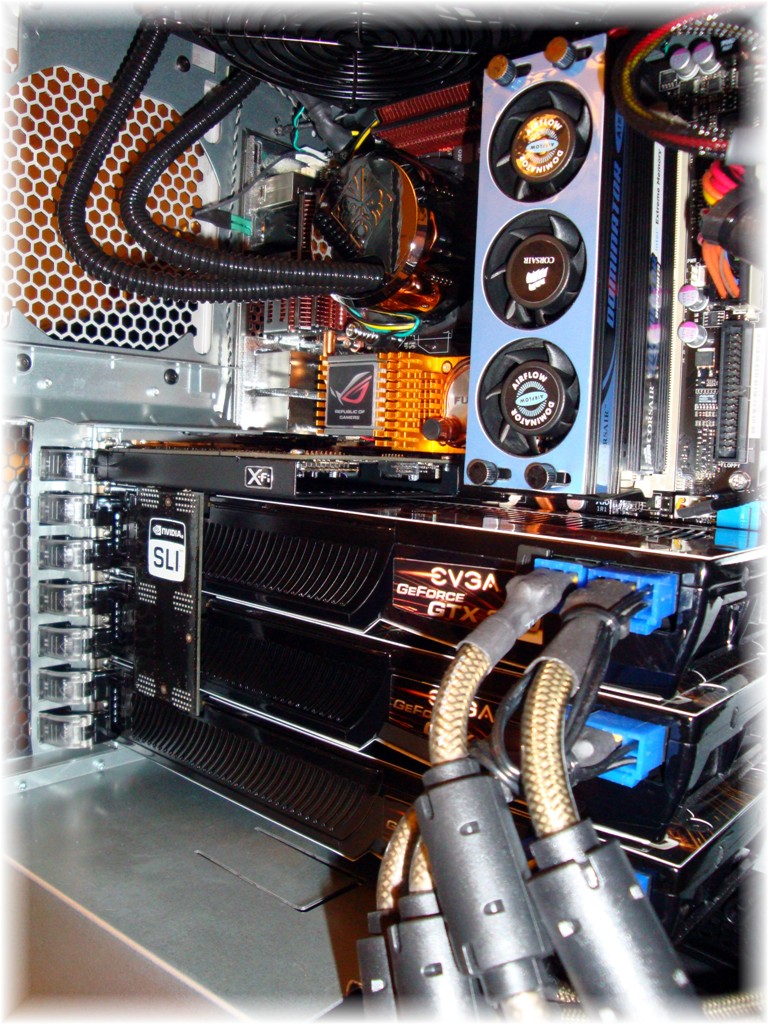
I noticed on my newest version of WindowsBlinds v6.4 that when trying to run eye-candy skins at higher resulotions such as 2560x1600 that it was not possible. Anyything less would be supported which I found to be very odd indeed. Below is a screenshot of the new Prowler by John Gordon - vStyle. Look how bad the screen resolution looks when running at 2560x1600. I even run the best hardware with three NVIDIA graphics cards in 3-way Tri-SLI with Qty. 3 EVGA GTX 280's FTW Edition.....

9p7yt


25,825 views 47 replies
Reply #1 Top

Um, I'm using WindowBlinds skins on monitors that large with no problems.  What drivers are you running?  What OS?

Reply #3 Top

I am running the newest NVIDIA driver set version: 182:06

My OS is Microsoft Windows Vista x64 Ultimate Edition.


Reply #4 Top

What does that window look like when it is not maximized?

My Reply: When the screen is maximized it looks like this normal but when inlarged it looks like crap.

80876876

Reply #5 Top

We've been able to reproduce this here, and it seems to be skin specific on hi res displays like this.  Does the same thing happen with other themes, like Dragon (it's included with WindowBlinds)?

Reply #6 Top

Skin specific in what way?

Reply #7 Top

Hello vStyler and company,

Yes your theme and a couple of others like Diamond replicate the same bad effects. I purchased your Prowler theme and even a valid copy of Windowsblinds v6.4 and I'm not even getting premium levels of service from the products I purchased. I'll still keep them without a refund in hopes that there's a fix soon or a version patch update to fix this problem. Question, vStyler? where can I get that wallpaper you have shown in your theme Prowler because it didn't come with the software I purchased.

On a final note I am running everything on my Gateway 30" LCD Model: Gateway XHD3000 Quad HD 1600p

My second monitor which is a Dell Ultrasharp 30" Model: 3007WFP is not used or turned on that much unless I'm doing a special project....


0i

Reply #8 Top

where can I get that wallpaper you have shown in your theme Prowler because it didn't come with the software I purchased.

a selection of Prowler wallpapers here including the ones in the screenshot preview:


https://www.wincustomize.com/skins.aspx?libid=8&search=prowler


and a dream....

https://www.wincustomize.com/skins.aspx?skinid=1762&libid=50


Reply #9 Top

3Dfusion....I hate you. X( :(O

2x30" screens? Gah. I don't run anything fullscreen on my 24" (other than movies) just because the size is overwhelming, but on a 30? Wow. Interesting problem.

Reply #10 Top

We've been able to reproduce this here, and it seems to be skin specific on hi res displays like this.

A skin specific bug in WB...good catch all around!

Reply #11 Top

3Dfusion....I hate you


You'd hate me more. :blush:

Seriously, this monitor/tv makes me happy!


http://www.guru3d.com/news.html#8642


Reply #12 Top

Shirley: We've been able to reproduce this here, and it seems to be skin specific on hi res displays like this.  Does the same thing happen with other themes, like Dragon (it's included with WindowBlinds)?

My reply: This did not happen with dragon but it did happen with Diamond and Prowler and a couple of others.... :(

Reply #13 Top

Guys, where's the wallpaper that supports 2560x1600? Come on these 30" LCD's with max res of 2560x1600 have been out for at least 3 1/2 years now and I don't even see wallpaper offered for this high resolution on any page on wincustomized.

Oh, here's what the inside of my HP Blackbird 002 Liquid Cooled looks like....

08u

0[u


Reply #14 Top

Quoting 3Dfuzion, reply 13

Oh, here's what the inside of my HP Blackbird 002 Liquid Cooled looks like....
 

You are officially hated.... X|

Killer setup! :thumbsup:

Reply #15 Top

Guys, where's the wallpaper that supports 2560x1600? Come on these 30" LCD's with max res of 2560x1600 have been out for at least 3 1/2 years now and I don't even see wallpaper offered for this high resolution on any page on wincustomized.

so....you gonna start and make some?.... :D


https://www.wincustomize.com/skins.aspx?skinid=30362&libid=8


jpeg at 3872x2592


you can crop it.... ;)

Reply #16 Top

I suppose when someone at Stardock on a 2560x1600 monitor figures out what the deal is on the Diamond skin and lets me know what the problem is I will make adjustments. Until then I reckon the only answer is to not maximize.

I am on a 24' 1920x1200 monitor and cannot duplicate it.

You said a 'couple of other themes' did this... how many have you tried..? I think you'll find its much more than a couple if you check many more.

I have a feeling its going to be easier to fix the issue within WB than to change thousands of skins that I assume will have similar issues.

Knowing that 30' 2560 monitors arent that widespread yet, it may be some time before there is full support for them

Reply #17 Top

I am on a 24' 1920x1200 monitor and cannot duplicate it.

I have a 26" monitor/hdtv and I can't get past 1360x768 for a resolution, anyone know why? I think it has something to do with it's native res.?

Reply #18 Top

Guys, where's the wallpaper that supports 2560x1600? Come on these 30" LCD's with max res of 2560x1600 have been out for at least 3 1/2 years now and I don't even see wallpaper offered for this high resolution on any page on wincustomized.

You can find what you want here ( http://www.3ddesktops.co.uk/ ) but to get walls of that res you will need to join and be a VIP member. They take donations to be a VIP. I am one and they have great stuff!

Reply #19 Top

anyone know why

Probably your video card not supporting any higher res. than that.

Reply #20 Top

26" monitor/hdtv and I can't get past 1360x768 for a resolution

could be the TV is 720 instead of 1080

Reply #21 Top

Guys, where's the wallpaper that supports 2560x1600? Come on these 30" LCD's with max res of 2560x1600 have been out for at least 3 1/2 years now and I don't even see wallpaper offered for this high resolution on any page on wincustomized.

I can rarely find anything above 1280x1024 on here, there are just no real options for widescreen. Not enough people here have them or don't bother to try to make their wallpaper at a high enough res so everyone can use them, regardless of what their own res is. I go to deviantART and interfacelift for my wallpapers.

Reply #22 Top

I will start making some walls in this res, but you may have to go to my personal page to see them, that seems to be where most of mine go...lol.

Update: I just uploaded my wall pack for SDV Windowblind by Robbie Boy. There is one in there in your size.

Reply #24 Top

I'm with Lantec on this Jim, it's likely a limitation of your TV and not your card.

Reply #25 Top

I'm with Lantec on this Jim, it's likely a limitation of your TV and not your card.

Bummer......