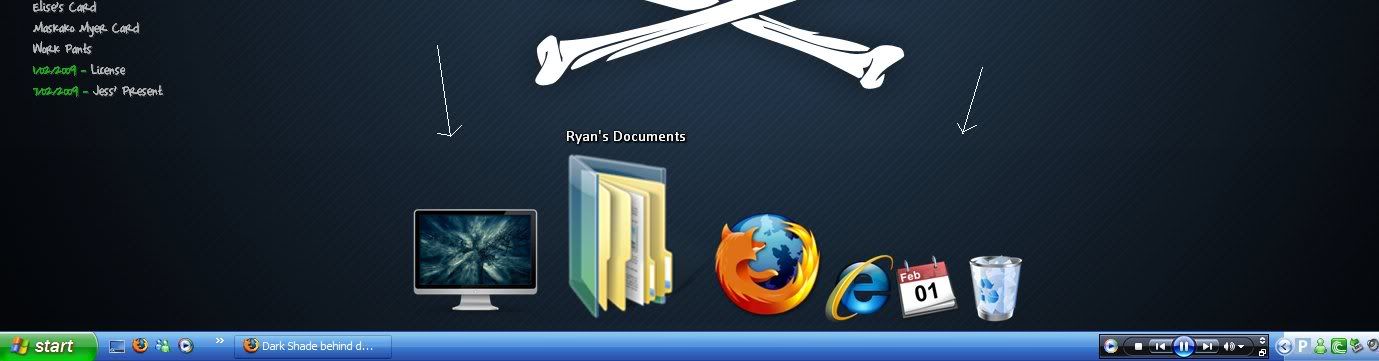
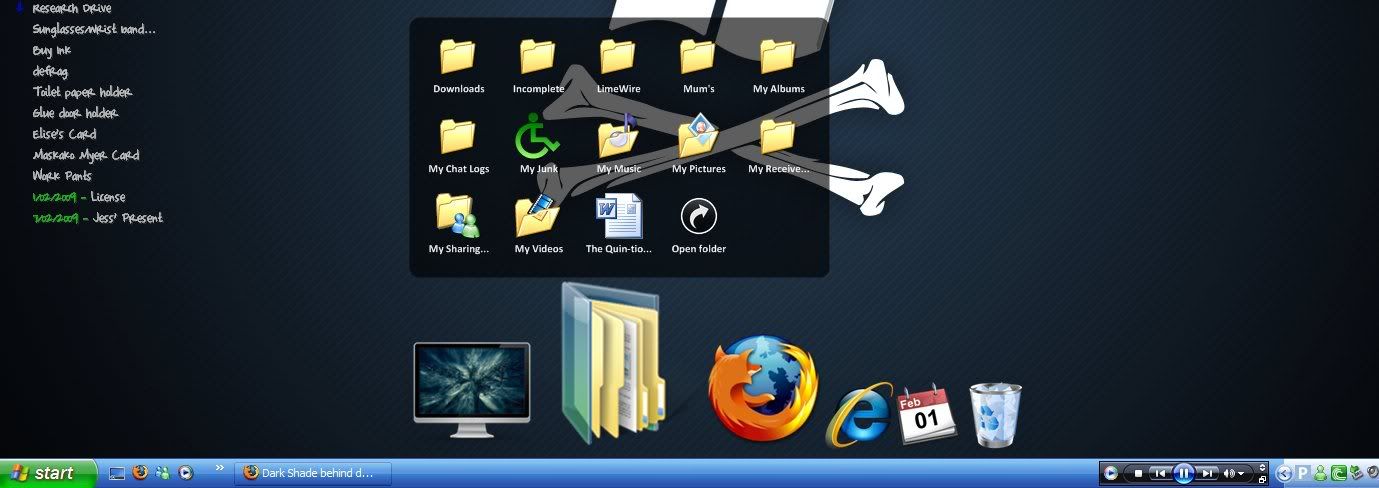
Dark Shade behind docks on hover

Can't find anything on this.

Has nobody else noticed this, or is it just a personal problem?

I have my docks on Zoom Effect, and when on mouseover/hover, a dark shade appears under the dock being hovered over; questions, is anybody else finding this & any idea on how do I get rid of it?

Thanks in advance.

5,507 views 31 replies
Reply #1 Top

Isn't it just an effect? :)

Reply #2 Top

The shade behind the dock? I don't think so.

I should also add, the shade only appears on the desktop, if it's ontop of programs it doesn't happen.

Reply #3 Top

i have OD+ and i see a shade type of effect from the icons themselves....sometimes they are made with the image....is the shaded part bothering you or is the shade your descibing not really a shade and just a black blotch??:S

Reply #5 Top

I know what you're saying, but I doubt that's what it is because it appears as a giant rectangle much larger than the dock itself covering itself full length (all of the icons), as opposed to some icons.

Yes, it is bothering me.

Reply #6 Top

 jojo, it's sounds just like a shadow to me.:blush:


Edit.. Have you tried different skins with the dock? and gotten the same problem?

Reply #8 Top

and try different skins and icons....play with it a bit....ive never had a problem like taht before.....do you use WB?


Reply #9 Top

A screenshot would be helpful. ;)

Reply #10 Top

if all else fails do an uninstall and reinstall...then if that fails write to stardock and start up a service ticket...they will get to you as sonn as possible, they are always willing to help...just give them time:)

Reply #12 Top

At least you don't have my dock problem, the mark mine left is permanent, a gigantic line right across my screen, yep, burnt into the LCD.. and I use screensavers.. which must be utterly useless after allX|

Reply #13 Top

I am using plus.

I would have tried diff skins and so forth, but I have all of that transparent.

I have messed with settings, the colorize is not ticked, no stretching of bgs, i played with the quality settings and everything.

I shall be back with a screenie that best demonstrates.

Reply #14 Top

Okay, I doesn't show in a screenshot, I don't think. Tried it on a white bg aswell, discovered that it's only on darker wallpapers.

I guess there might be nothing else, unless I discover anything else that is of possible cause, thanks a lot for some help. Plan is, uninstall, reinstall as advised, if no change, i pass the issue onto Stardock, also advised, thanks again.

Reply #15 Top

Okidoki buddy, I hope it gets sorted out, maybe it's to do with the transparency settings.. don't know..  :)

Reply #17 Top

If your using an lcd screen it is possible it's something with the screen itself. I've been using OD + for years and just recently I started getting some sort of bleeding...as though something is dripping down from the top of my screen. I don't think it OD related and it only shows up on certain backgrounds even though when I open the backgrounds up in photoshop and nothing is there.

Reply #19 Top

Something on the screen itself.. yes.. a BURN on mine hehehehe, actually, it's not funny.:'(

Reply #20 Top

I managed to get some screenshots. As i'd mentioned, it only happens on the desktop, never ontop of windows, well the same goes for the Stacks Docklets when it is opened. It's hard to see so Ive put arrows, just look closely, trust me, it's more noticeable when it keeps appearing and dissapearing.

Sgade behind odno line because of stack

Reply #21 Top

Buddy, if it's not happening all over the place, it has to be a shadow effect in-built into certain Docklets, or icons, IMO of course.. I could be wrong.:blush:

Reply #22 Top

In Firefox I had first image zoomed to 800%, I can't see what you are talking about.

As for the stacks docklet, when in Grid or default Automatic ( fans up to so many shortcuts, grid if more than whatever that cut of is) there is a background when in grid mode, just as a background behind names when in fan mode. So I see nothing wrong with it in image 2.

Reply #24 Top

I think there's a very slight color variation there Cavan.

Are you sure it's not just part of the wallpaper?

Reply #25 Top

That's what I think.. it's his transparency settings, mixed with whatever wallpaper, and possibly, Docklets/effects, I don't think anything's wrong buddy. :)