Help with Icon alinement

Systray wrong movement

Hi

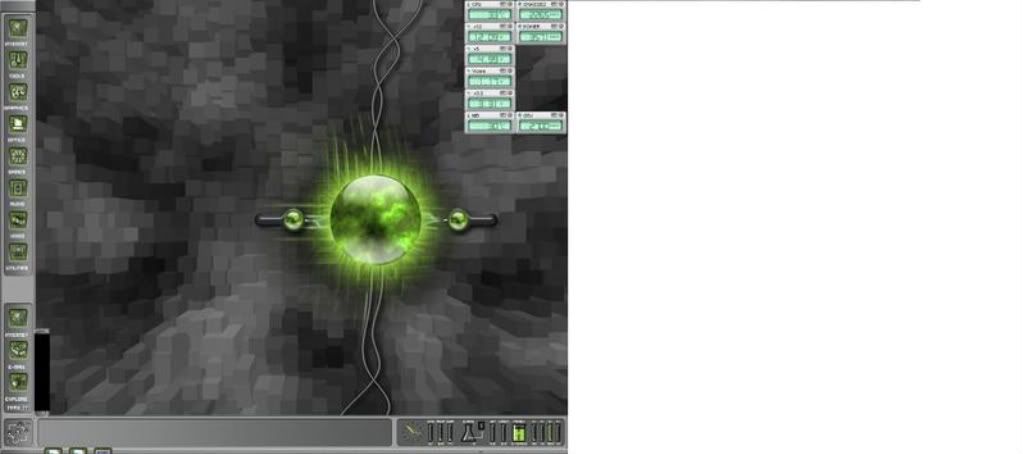
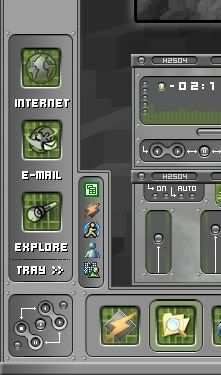
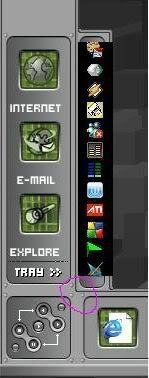
I am having a problem with the sys tray not displaying icons and its black and icons not sitting correctly on the taskbar.

Please see the pics and look at the area bottom left :-

My Screen above.
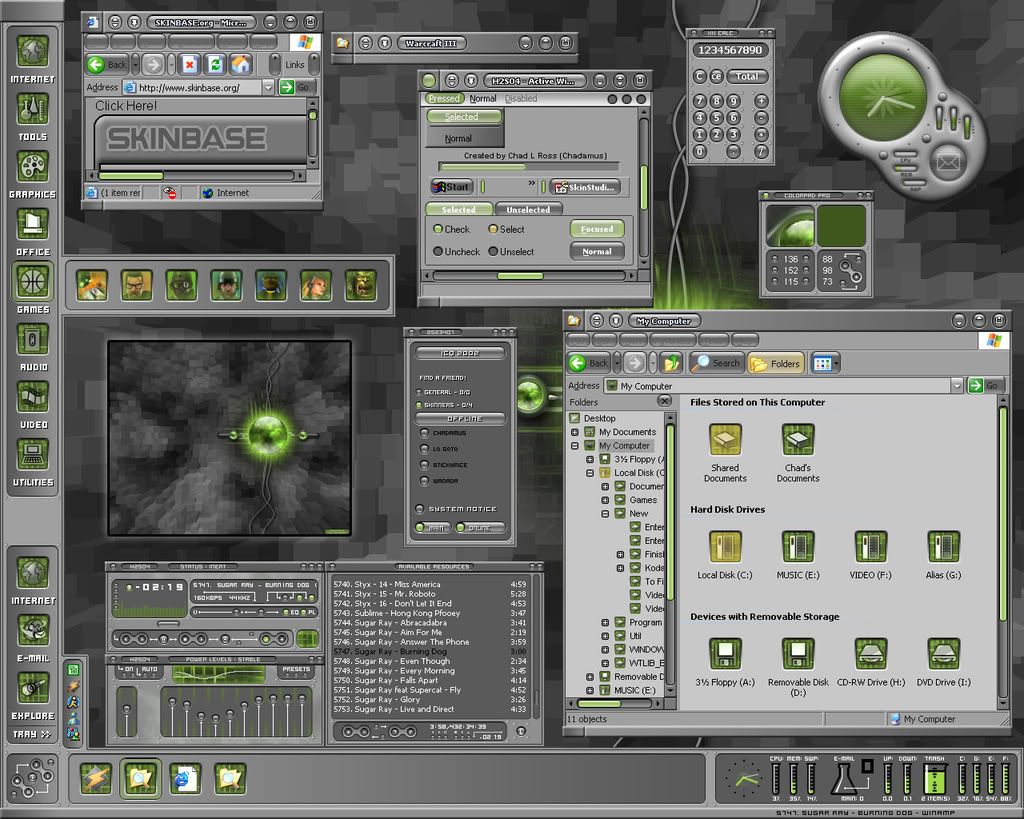
 

As it should be.

 Can anyone help.

Thanx

15,216 views 18 replies
Reply #1 Top
sdmcp.exe running?
Reply #2 Top
Sorry what does that mean.
I'm new to this..

Thanx
Reply #3 Top
SDMCP.EXE is what pulls the systray info from the systray and lets DesktopX show it

check under processess in TaskManager

or if you're using StarDock Central browser (aka SDC) open it,

tools > settings > then in the left pane: Settings > general = then on the right under general: check 'enable mcp notification area support'


and... what's your operating system? xp? vista? x32? x64?
Reply #4 Top
Sdmcp is there.
I have XP-32
Reply #5 Top
Sdmcp is there.I have XP-32
End of quote


where?

SDC? and is it checked?
Taskmanager?

Reply #6 Top
I think I found it...


switch to builder mode - right click the tray - properties

click the 'change' button in general tab - set the icon offset between 0-5
Reply #7 Top
Progress has been made.The icons are now on show.

If i exit a program so the icon disapears the tray reduces in size but from the bottom up .How do I get the bottom in a fixed possition and the top to move.
Why is the background black ,it's like they have been pasted on the tray.
And if you look at the pics (pink circle) see how it blends in and on mine it does'nt.

Thanx for your time and effort


The pic with pink circle is mine and not how it should be
Reply #8 Top
give me a minute - gotta run it again (and it's at the wrong resolution for me - I'm locked at 1024x768)
Reply #9 Top
crap! dtx crashed!!
Reply #10 Top
states tab

advanced

set horiz & vert to stretch

vertical margins - set top and bottom to about 15

use ctrl+mouse drag to set it where you want it to appear
Reply #11 Top
Reply #12 Top
If i exit a program so the icon disapears the tray reduces in size but from the bottom up
End of quote


crap... I'll probably crash again... be patient.. notice the time from #9 to #10
Reply #13 Top
I can no longer find the direction options

used to be an option for direction expansion

one possible way I find, it to rotate 180 (gotta redo the bmp and flip it 180 1st) - only trouble is icons get blurry and they're upside down

you're gonna have to wait for a dtx skinner to come along for this one
Reply #14 Top
Hi
What a difference a few numbers make .
Vert margins were on 13/12 changed to 15 and the black background is gone.
Do you know how I can make the icons appear central in the bar as they are closer to one side.
Also any ideas on how to solve the problem shown in the pink circle .Systray corner over lapping and not blending in.

Reply #15 Top
I have managed to solve the problem in the pink circle.It all blends together now.
The main issue is if i open a program and it adds a icon to the tray it expands from the bottom going down where it should expand from the top going up.Same thing happens if i exit a program the trat shrinks from the bottom and not the top.
Reply #16 Top

...
Do you know how I can make the icons appear central in the bar as they are closer to one side.
End of quote


general tab...click 'change'= icon offset = set at 0


The main issue is if i open a program and it adds a icon to the tray it expands from the bottom going down where it should expand from the top going up.Same thing happens if i exit a program the trat shrinks from the bottom and not the top.
End of quote


yes

I can no longer find the direction options

used to be an option for direction expansion

one possible way I find, it to rotate 180 (gotta redo the bmp and flip it 180 1st) - only trouble is icons get blurry and they're upside down

you're gonna have to wait for a dtx skinner to come along for this one
End of quote


OR

general tab - change - put a check in 'fixed size'
then = in summary tab = set height to about 150 (or what works for you){just click on the 'value' already set and you can put what you want} == that will lock the height and when you have too many icons to fit you will get up and down scroll arrowss

Reply #17 Top
Thank you for all your help.
It looks fine now.
Reply #18 Top
:)