Start11 2.81 Taskbar Icon shifting

Taskbar Icon shifting

Windows Version Number: Windows 11 Pro Insider Preview 25H2 (26220.9757)
App Version: 2.81

I'm a Windows Insider giving you folks a heads up for a new issue with the latest Insider Preview I'm running.
This issue just appeared with this latest Insider version.


My computer:

Device name Jaelithe
Processor AMD Ryzen 7 5800X3D 8-Core Processor (3.40 GHz)
Installed RAM 64.0 GB
Device ID 6848C513-0593-4994-B570-161C747D82BD
Product ID 00330-80000-00000-AA993
System type 64-bit operating system, x64-based processor
Pen and touch No pen or touch input is available for this display

Windows Info:
Edition Windows 11 Pro Insider Preview
Version 25H2
Installed on ‎08/‎01/‎26
Evaluation expires on ‎10/‎31/‎27 19:43
OS build 26220.9757
Experience Windows Feature Experience Pack 1000.26100.489.0

With an open window on the desktop, and the mouse pointer hovering over the Taskbar Icon of the open window, the Icons image cycles back and forth for the time that the Icons window is open.

Here is a short video of what's happening. As I said before, this is new only in this latest Windows Insider version. It dropped on Saturday Oct 24th.

This short 27 secs video is shared from my OneDrive.

Taskbar Icon Window Shifting

Cheers.

390 views 7 replies
Reply #1 Top

Does this happen if you don't have autohide enabled on the taskbar?

Reply #2 Top

Yes.

Reply #3 Top

I've tried to post an update this this thread but your system would not allow it. Don't know why. There was another short video in the post, but, it was similar to my first post in this thread.

Start11 V2.8.1 is, in my opinion, no longer conpatible with the latest Windows 25H2 Insider build of:

Windows 11 Insider Preview Quality Update (26220.9836)

My Windows Info:

Edition Windows 11 Pro Insider Preview
Version 25H2
Installed on ‎08/‎01/‎26
Evaluation expires on ‎10/‎31/‎27 19:43
OS build 26220.9836
Experience Windows Feature Experience Pack 1000.26100.494.0

The Start11 Taskbar has become unsusable under this Insider build.
I have a short video of the Taskbar. If you'd like to see it please provide a link to which I can send it.
If a Beta version of Start11 comes alone I'll check it out for you if you'd like me to.

Cheers.

Reply #4 Top

Hello again,

I believe Dev currently looking into similar report and have resolved internally a new beta should be release soon. Perhaps temporarily try these suggested workaround mentioned in this post by Dev: https://forums.stardock.com/542770/os-build-26220-9836-start11-v2-release-2-81/page/1#4149243. Try the workaround and report back.

Thank you,
Basj,
Stardock Community Assistant.

Reply #5 Top

Hi basj,

I have done as you suggested.
The left-aligned taskbar and standard Start Button are working more or less normally. There is some hesitancy of the bar to fully populate, after a restart until a 'hide-unhide' action takes place.
Until that happens only the bottom half at the Start Button, Search bubble, and Task tray are showing. The Task Bar Icons are good and properly positioned.

Hiding, and unhiding the Task Bar fixes that.

However, if I use the 'Center' position, the Task bar reverts back to the cycling mentioned in the OP. Resetting the Task Bar to Left alignment AND restarting the computer are necessary to restore correct operation.

I'll look for the Betas when they come out.
Just another note, I'll be removing this computer from the Insider Program due to other issues with this Insider build not associated with this Start11 issue. The 25H2 path seems to be developing more, rather than less, issues as the path advances.

Cheers.

Reply #6 Top

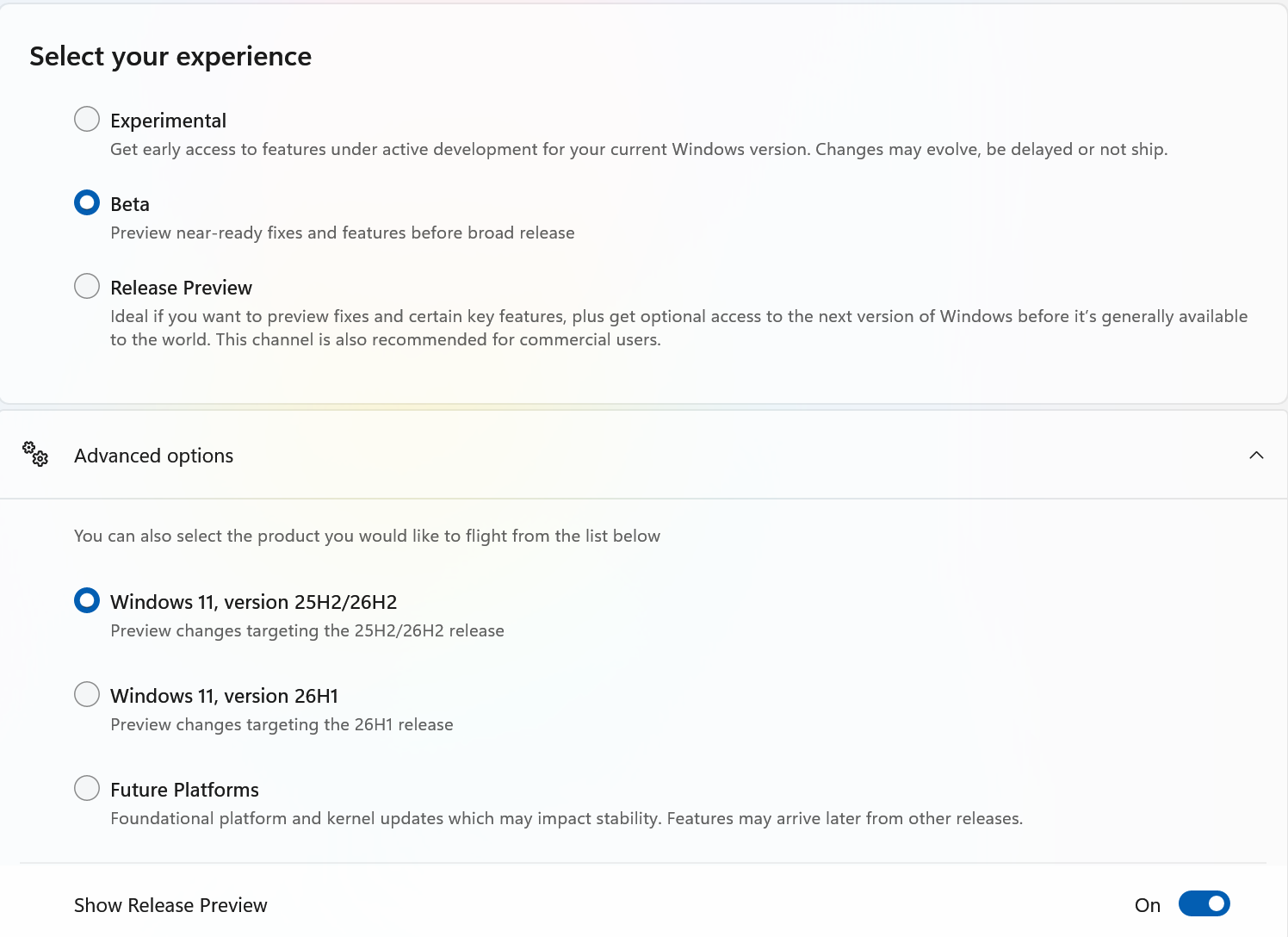
I am confused as to how many channels they seem to have for insiders now.  It was much simpler when it was just 3.

Reply #7 Top

I hear you Neil,
Despite showing that I'm on - Windows 11, version 25H2/26H2 - I haven't seen any 26H2 builds on this computer. I manage two other computers, both of which are on retail Windows 11 Pro 26H2, and they have no problems.
I'm currently getting only 25H2 preview Insider updates which seem to be regressing rather than progressing. I think MS is trying to improve the Shell operations but, that doesn't seem to be happening. In fact it's getting worse each week, hence my reluctance to continue on this branch.
I'll keep an eye out for the new Start11 betas when they come and check them out.  

Here's what I have available now.

Cheers.