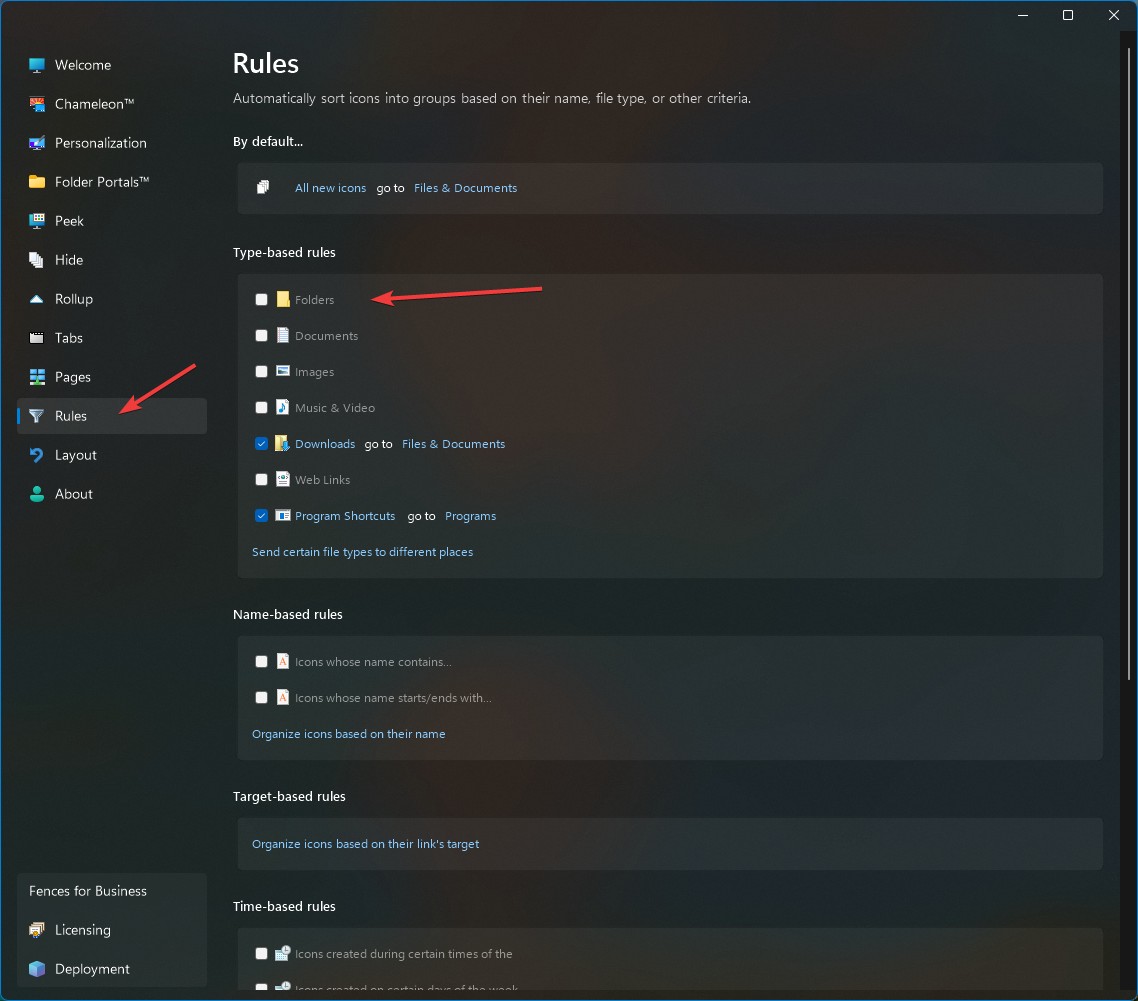
Creating new Windows Folder places it inside a Fence

Windows Version Number: Windows 11 25H2 (26200.9457)
App Version: 6.54

Creating a new default Windows folder (nothing related to Fences) will automatically place this folder in a Fence. Not another FolderPortal, but just Fences. 

- deleting the Fence and creating a new one results in the same issue
- creating a new Shortcut (for example for a folder) won't result in this behaviour
- restarting the computer did not help
- all settings are default (I literally installed it 10 minutes ago) including "All new icons >> "the general desktop"
- full version (not trial)

On a side note: Why is "All new icons" a button if it does not lead to any options?  

433 views 3 replies
Reply #2 Top
Answer

It's doing this because the "New folder" action created an icon named "New folder", which remains a stored setting from the previous icon on your desktop that was removed. It is this way for compatibility – there are apps that temporarily delete their files and then recreate them, etc, as well as syncing programs. So, if you rapidly create and delete "New folder", it may appear in the group it was in last, or in the position it was last.

This settings cache is generally cleared every 10 minutes, and sometimes sooner.

Jump to answer in thread
Reply #1 Top

Hello,
Sorry to hear you are having issues. For the new Windows folder automatically move to a Fences, try looking into your type-based rules.


Basj,
Stardock Community Assistant.

Reply #2 Top
Answer

It's doing this because the "New folder" action created an icon named "New folder", which remains a stored setting from the previous icon on your desktop that was removed. It is this way for compatibility – there are apps that temporarily delete their files and then recreate them, etc, as well as syncing programs. So, if you rapidly create and delete "New folder", it may appear in the group it was in last, or in the position it was last.

This settings cache is generally cleared every 10 minutes, and sometimes sooner.