Start11v2 Menu - Can't Disable Auto-Updates
 Stardock Forums
First, I have to ask why a program like Start11 has updates on a seemingly weekly basis? What can you possibly be adding to software like this that necessitates such frequent updates?
And that inquiry leads to my bug report.
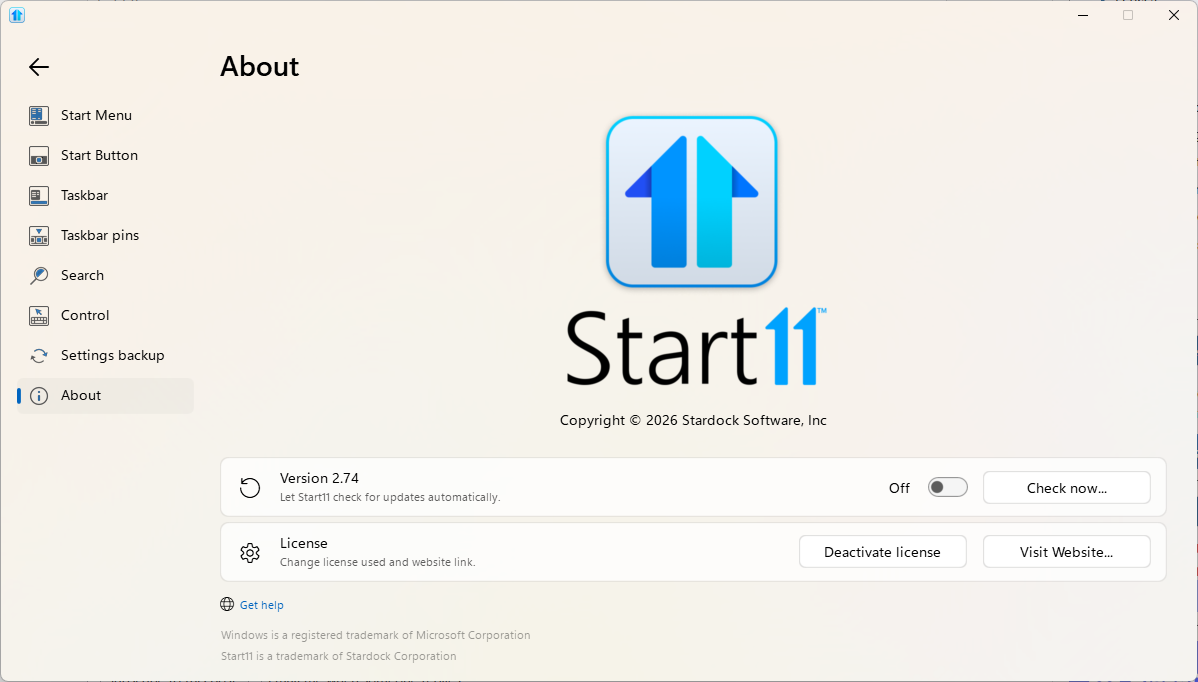
I clearly have automatic updates disabled, and yet Start11 still sees fit to bother me about updates on a near-weekly basis - I got another one just now. Why? I'm tired of updating this software for no reason. I'm tired of it bothering me even after I've told it to stop. And now, even if you fix this issue, I'm still going to have to apply updates to it until the updating problem is updated. This is entirely too much time and too many brain cycles for me to be wasting on an issue like this. Please, fix your software. Make disabling auto-updates great again.
- SneakyBuffalo