



How does Start11v2 Decide Icon Colors [RESOLVED]
Custom Icons render White when Icon is Balck
 Stardock Forums
I have figured it out. It has to do with the Group setting Appearance > Invert text color. If the text color is set to white prior to the pinning, the icon is white. If the text color is set to black prior to the pinning, the icon is black.
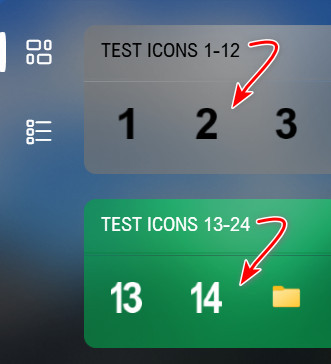
ORIGINAL POST (below)
I have created a set of Number Icons that are black. The icons are actually folders where the icon was changed to the Number Icons I created. The Icons are true Windows Icons and they are all black.
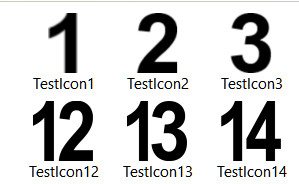
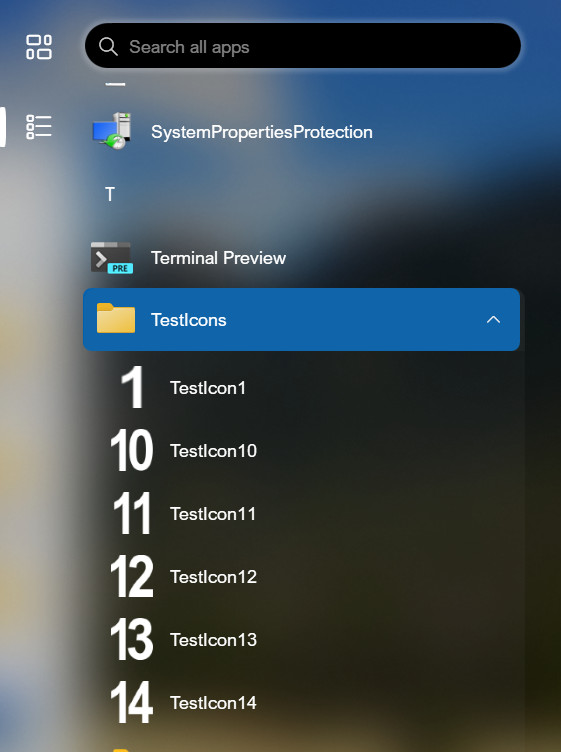
I have created a folder "TestIcons" in "C:\ProgramData\Microsoft\Windows\Start Menu\Programs" and then placed shortcuts to the Windows Icons (folders with the number icons) in this folder. The "TestIcons"folder now appears in the "All Apps" section of the Start11v2 (Windows 10 style) menu and they have been pinned to the Start Menu from there.
As you can see, they appear in the "All Apps" section as white when they are actually black as shown above.
Now in the Start11v2 (Windows 10 style) menu where they have been pinned, one group displays the pins as black, and another group displays them as white.
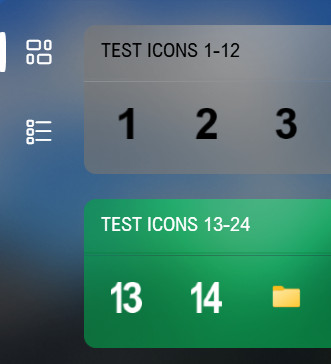
My question is, how or why does Start11v2 decide what color to display the icons?
My system is Windows 11 Pro - 26200.8973; and Start11v2 - 2.7.4.0