Can't Move fence on Desktop because Top Bar Outside Windows

One fence is on the Top of my Desktop but the Top Bar of the fence which I need to move it is outside the Monitor and so I can't select the fence to move ist. The problem is I can't move it and I can't delete it...

In which way can I move oder delete the fence without using the Top Bar with the Mouse?

Many Thanks Sebastian
139 views 3 replies
Reply #1 Top

Hello,

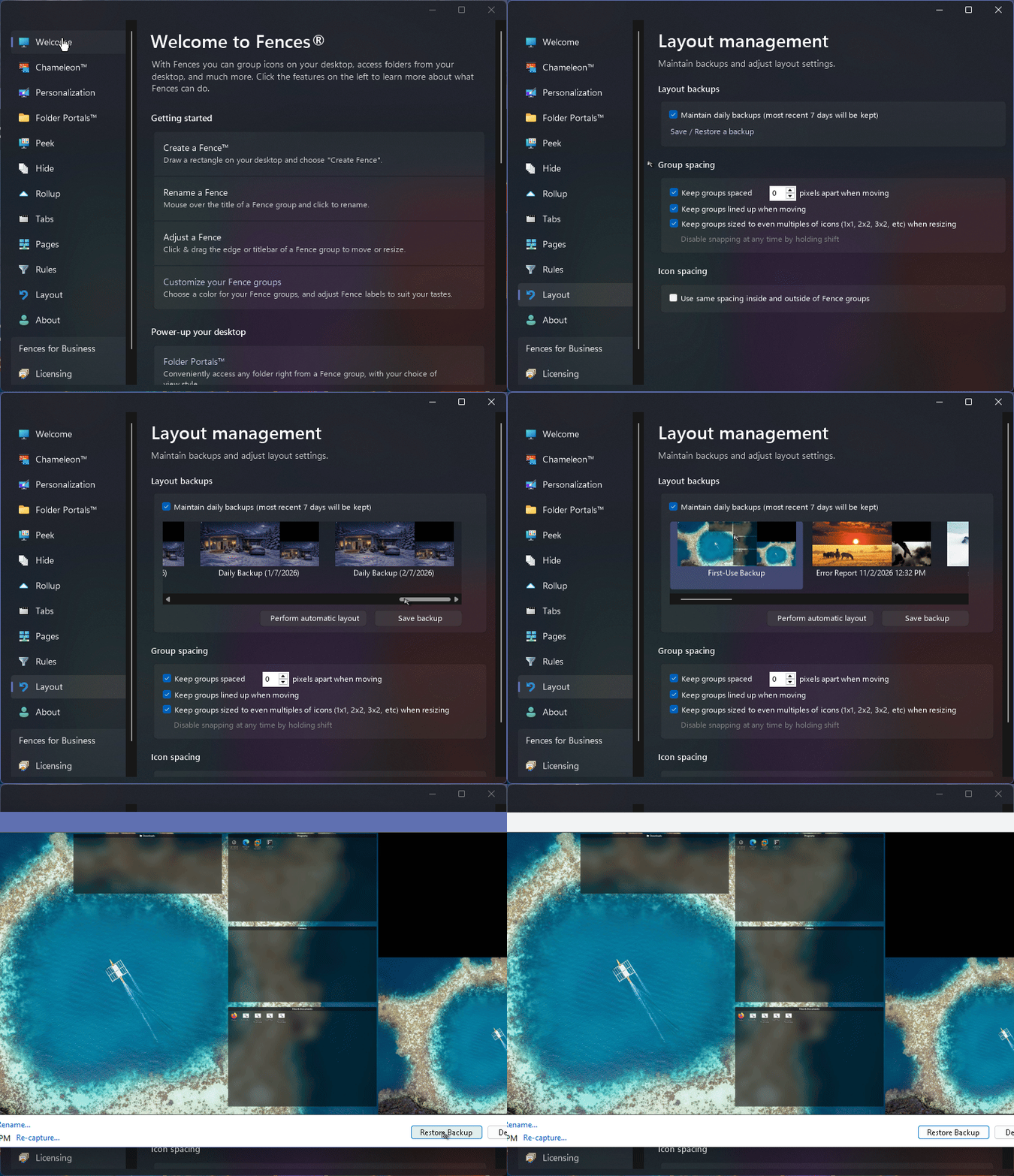
Sorry to hear you are having issues. Is this a new install or an upgrade install? If you ever use Fences before today, there should be at least one saved daily backup from yesterday you can use to restore your yesterday layout. If its a new, just installed today, you should do the "First Use back up" Restore. Refer to my short video below on how to find where your backup located and how to restore it.

If the "First Use Backup" don't show up or don't work you could try the "Perform automatic layout" button.

Thank you,

Basj,

Stardock Community  Assistant.

Reply #3 Top

Great, glad to hear that. Remember to do a manual backup once you get all your fences layout properly so you can return to it if you have ever have similar issue in the future.

Thank you,

Basj,

Stardock Community  Assistant