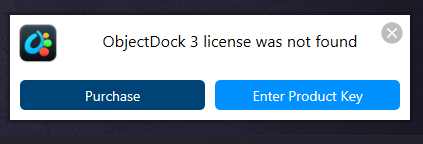
Activation

Works for a day or 2 then activation issues

I am having an issue with Object Dock, a couple of weeks ago I was doing system maintenance, one of the options I ran was to delete redundant files. A short time after that on reboot Object Dock screen appeared wanting my activation code; I entered it but OD would not activate. I uninstalled OD, reinstalled it, entered the activation code and it activated. After that I was good for several days, but the same thing happened again, I did the uninstall/reinstalled again, good for a few days the back to the activate screen; I've had to do this at least 4 times over the last couple of weeks. This morning, the same thing happened, uninstall/reinstalled OD is up and running but it is a matter of time until I will have to do it again. I have been using OD for many years and have never had any issues.

269 views 10 replies
Reply #1 Top

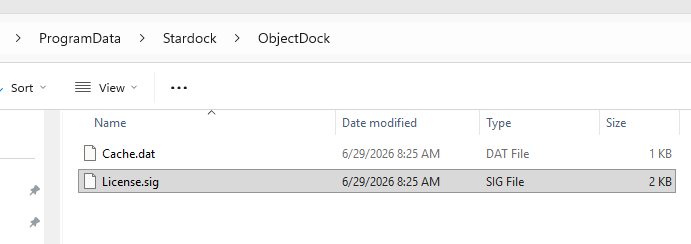
What ever you are using to clean up redundant files is deleting the Activation file. Check this folder for License.sig

"C:\ProgramData\Stardock\ObjectDock\License.sig"

Maybe white list this file in your maintenance program.

Maintenance programs that delete redundant files are notorious for deleting files that are required for other software.


Reply #2 Top

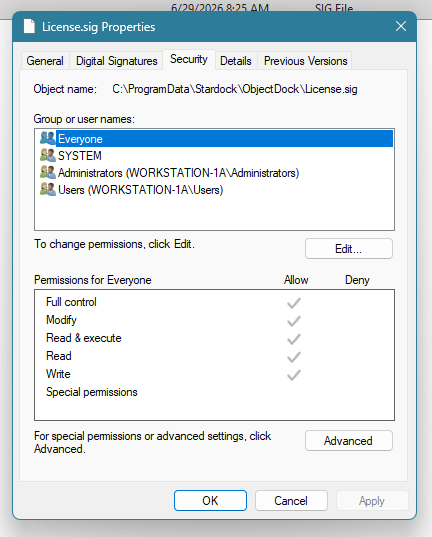
I rebooted an hour or so ago, and Object Doc is gone again. I checked for the license file, and it is there, time stamp is 8:25AM, which is when I reinstalled OD. I checked permissions, its set to allow for all users and groups, see image below...


Reply #4 Top

I haven't run my system maintenance program for a couple of weeks and haven't run the program that deleted redundant files since this issue started back in June. The License.sig file hasn't been deleted as I can see it in file explorer. OD started again yesterday asking for me to enter the license code, I reinstalled it 3 or 4 days ago, so I had to uninstall and reinstall today to get OD back, but it won't last.

Reply #5 Top

Hello,

Sorry to hear you are having issues. Have you tried the purge and reinstall steps as suggested by pelaird above? Also, do remember to redownload latest version from your account page. Reboot after the purge and reboot again immediately after the installation finish.

Thank you,

Basj,

Stardock Community  Assistant.

Reply #6 Top

I followed your instructions to the letter including downloading the installation package, which I already but downloaded again anyway. Ran the install and it's been working for the last 2 days. This morning I woke my computer up from sleep, there was a box on the desktop entitled ObjectDoc, with an error message, and I am paraphrasing, something about a startup issue, I did a screen capture of the box containing the error message, went to save the image, screen went black with a message that said device malfunctioned, the computer restarted on its own and I lost the error message screen capture. After restart, the ObjectDoc enter key code window appeared, and as before it will not accept any key code. I ran through a series of DISM and an sfc /scannow commands via the command as administrator, which I normally do at least once a month... I am at a loss, i.e. I have no idea where to go from here.

Reply #7 Top

Need more information on your system, Need to know:

  1. Windows 11 full version and OS Build number. Use Winver.exe.
  2. Your computer CPU, Intel, AMD or ARM base?
  3. Which System security and Antivirus software you have running in your system?
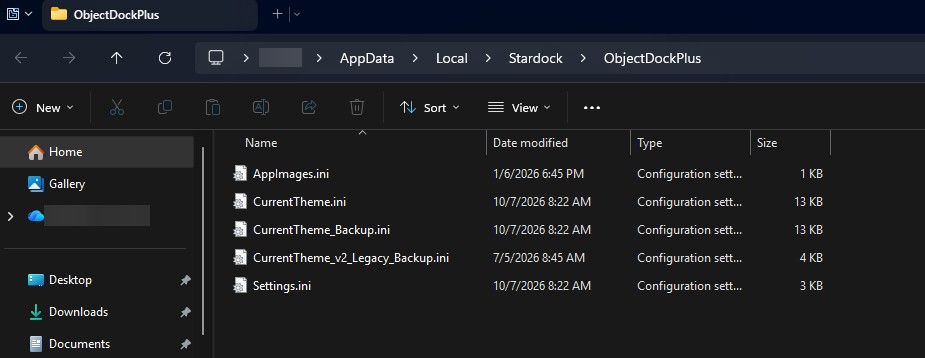
  4. Also if you browse to this folder: C:\Users\(usename)\AppData\Local\Stardock\ObjectDockPlus. Do you see something similar files show in it? Refer to my screenshot below.

Thank you,

Basj,

Stardock Community  Assistant

Reply #8 Top

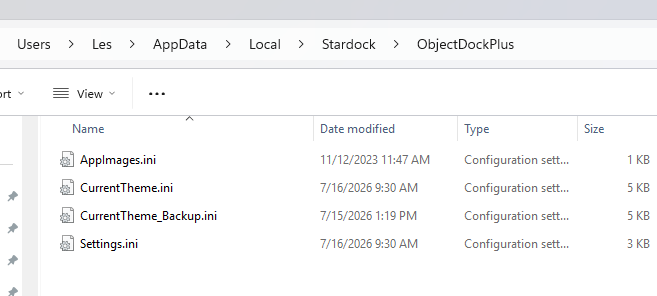
Here is a screenshot of the ObjectDockPlus folder. There is also an ObjectDock folder with a SasLog.txt file which I would attach, but there isn't an attach file here. 

Security Software
Antivirus: Advanced System Care Ultimate, Malware Bytes (have been using these 2 programs for many years)

Edition: Windows 11 Pro
Version: 25H2
Installed on: ‎12/‎16/‎2024
OS build: 26200.8875
Experience: Windows Feature Experience Pack 1000.26100.334.0

------------

Device name: Workstation-1a
Processor: Intel(R) Core(TM) i9-14900K (3.20 GHz)
Installed RAM: 64.0 GB (63.7 GB usable)
Graphics card: NVIDIA GeForce RTX 4060 Ti (16 GB)
Storage: 803 GB of 3.64 TB used
Device ID: B70F1B8D-E177-41B6-B97D-09A3A1BCC1FD
Product ID: 00355-60701-47108-AAOEM
System type" 64-bit operating system, x64-based processor
Pen and touch No pen or touch input is available for this display

Reply #9 Top

This just popped up a few minutes ago and nothing I was doing was related to ObjectDock. The SasLog.txt file I mentioned earlier the last modified date/time changes about every 30 minutes; it is trying to do something. I have not uninstalled since the last OD crash so its still there trying to, as I said do something.