Start11 Task-Switching bug in V 2.7.x
 Stardock Forums
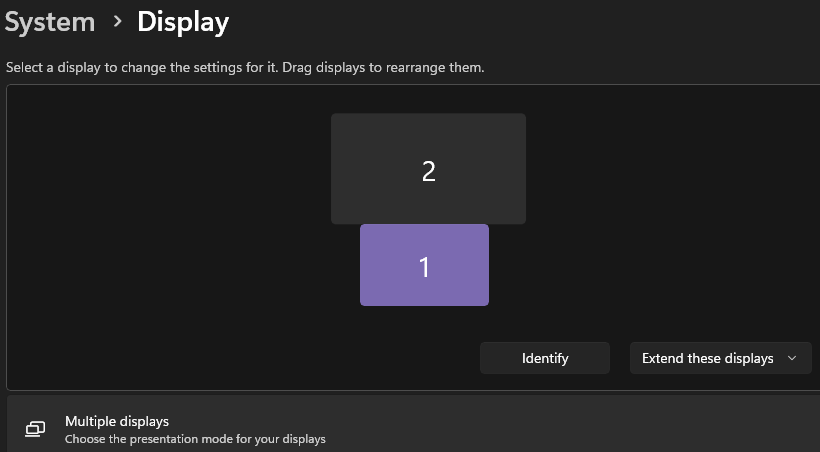
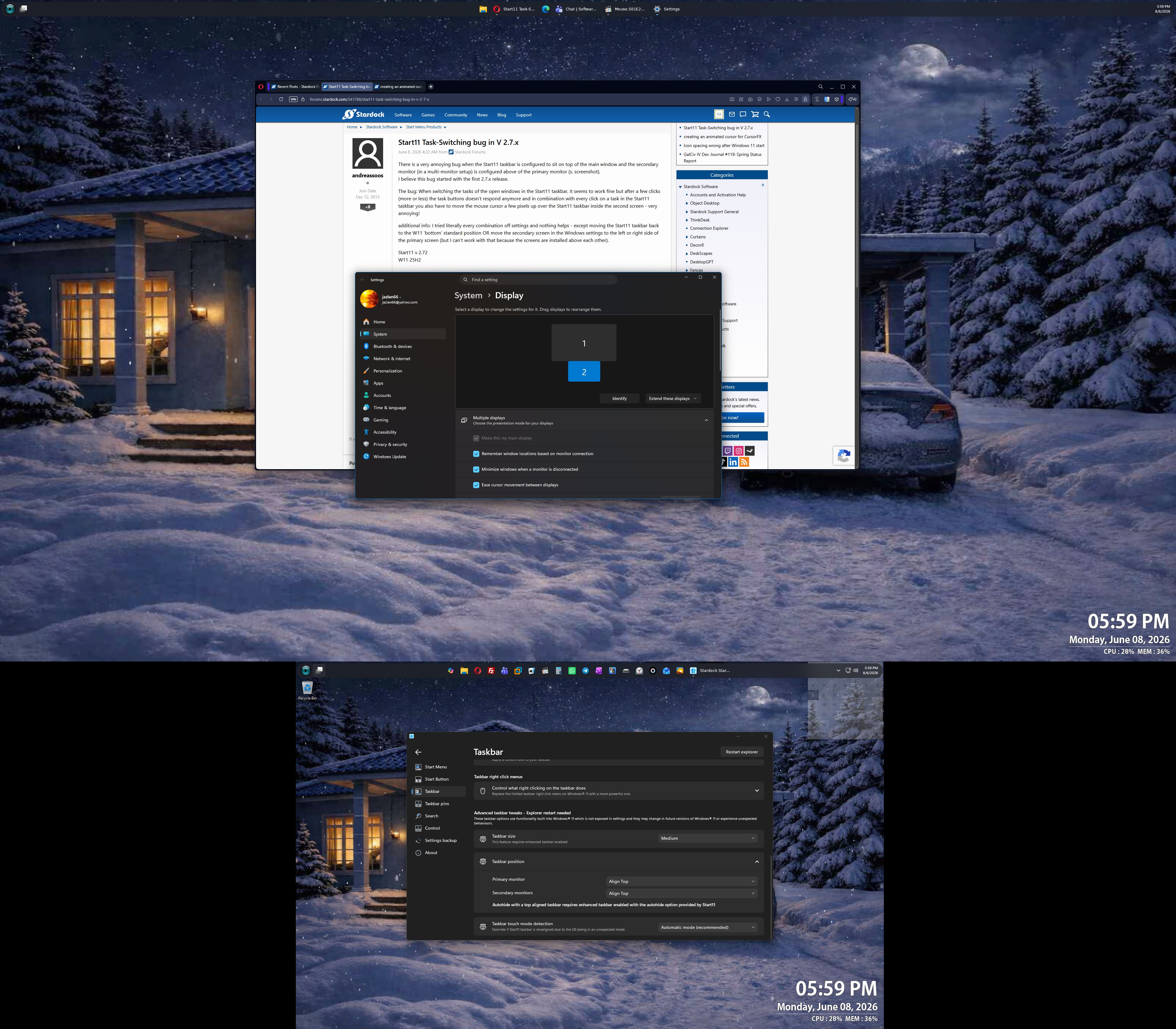
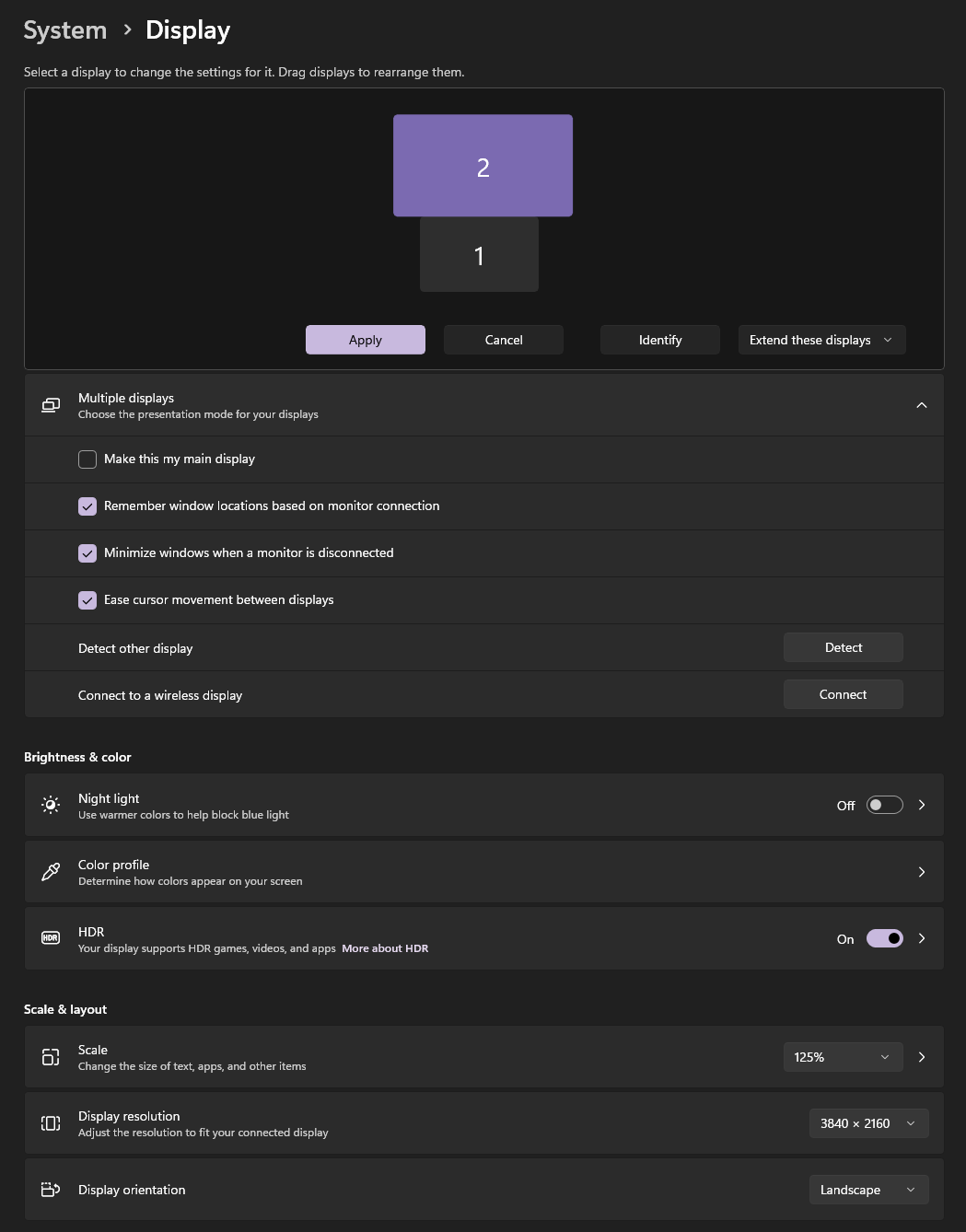
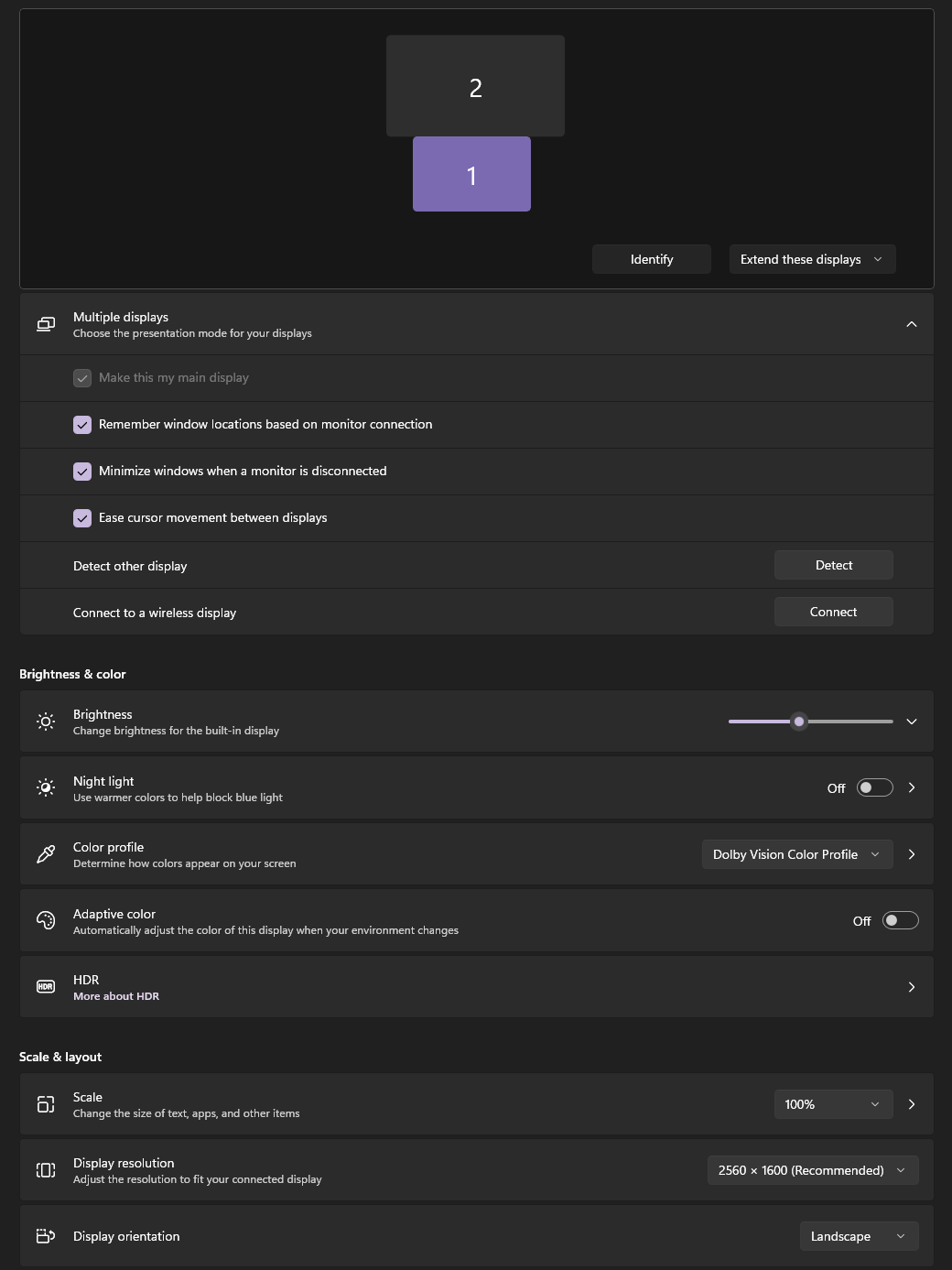
There is a very annoying bug when the Start11 taskbar is configured to sit on top of the main window and the secondary monitor (in a multi-monitor setup) is configured above of the primary monitor (s. screenshot).
I believe this bug started with the first 2.7.x release.
The bug: When switching the tasks of the open windows in the Start11 taskbar, it seems to work fine but after a few clicks (more or less) the task buttons doesn't respond anymore and in combination with every click on a task in the Start11 taskbar you also have to move the mouse cursor a few pixels up over the Start11 taskbar inside the second screen - very annoying!
additional info: I tried literally every combination off settings and nothing helps - except moving the Start11 taskbar back to the W11 'bottom' standard position OR move the secondary screen in the Windows settings to the left or right side of the primary screen (but I can't work with that because the screens are installed above each other).
Start11 v 2.72
W11 25H2