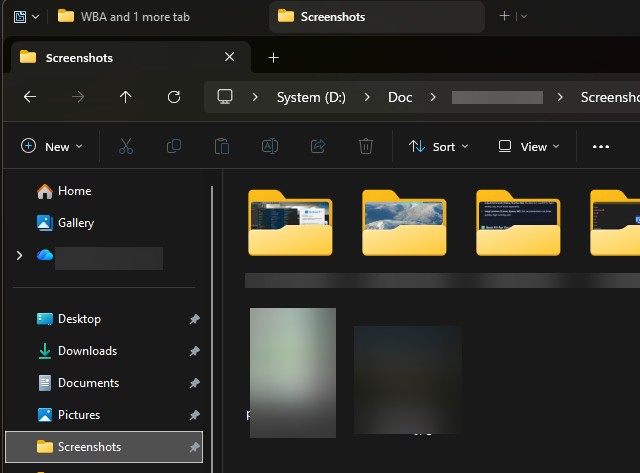
Groupy tabs right click
 Stardock Forums
Hi,
I want to know if the below features are available in Groupy and how to enable them. If they are not available, then can Stardock implement them in the next update?
(1) This applies to windows explorer. When you right click on a groupy tab for a folder in Windows explorer then it should show the right click menu of the folder just as it shows when you right click a folder in Windows file explorer. Of course, this windows explorer folder context menu on a groupy tab for a folder would show the folder context menu in addition to existing groupy menu shown on a groupy tab.
(2) This applies to a groupy tab for any application window but most relevant and useful for windows explorer. A menu option on groupy tab to reopen the closed tab (undo close the tab that was closed). How to enable this feature? If not available then can it be included in next update?
Issues:
(3) I am having an issue with groupy and windows file explorer. In groupy settings I selected 'Do not replace tabs' for Notepad and File Explorer. This is working well for notepad where I am seeing both notepad tabs and groupy tabs, but in windows file explorer this is not the case. I am seeing only groupy tabs and not file explorer tabs. Is this a bug in groupy? Will this issue be fixed soon?
I am using latest groupy version and windows 11, 24H2.
Thanks