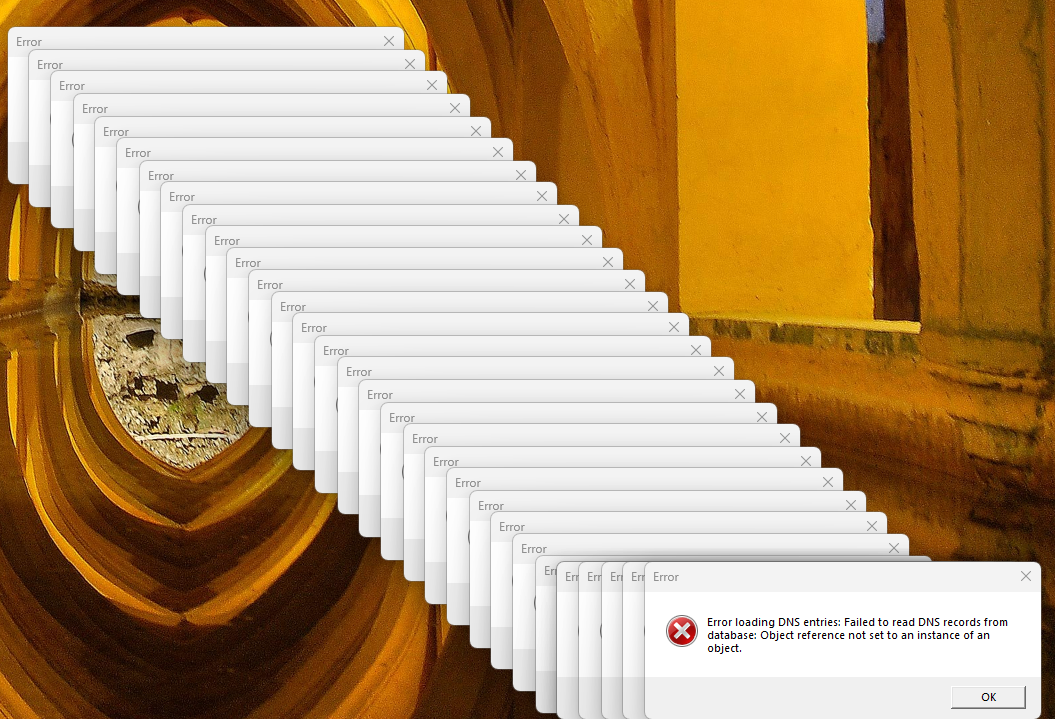
Error loading DNS entries

Process Explorer told me that all of these are coming from Connection Explorer. A new one pops up every 60 seconds. Running Windows 11 Pro 25H2.

174 views 4 replies
Reply #1 Top

Hello,
Sorry to hear you are having issues. Perhaps something went wrong while installing it. Please try, uninstall Connection Explorer, reboot immediately (important), download latest version available in your account product download page: https://store.stardock.com/myaccount/products. Install it, reboot immediately again. Retest it and report back.

Thank you,
Basj,
Stardock Community Assistant.

Reply #2 Top

I uninstalled, rebooted, and reinstalled the latest version of the application and it worked fine for a while, but now it's doing the exact same thing again.

Reply #3 Top

Hello,
I have forwarded your problem/question to Stardock Support Team for their assistance. Please keep an eye on this thread for any updates. We appreciate your feedback and patience. Thank you.

Basj,
Stardock Community  Assistant

Reply #4 Top

Hi allenf3,

Quoting allenf3reply 3992942

I uninstalled, rebooted, and reinstalled the latest version of the application and it worked fine for a while, but now it's doing the exact same thing again.

The error seems to suggest something is internally failing to read DNS records from the database, which I haven't been able to reproduce on my end. 

A few things that might help narrow this down:

  • Are you using any custom DNS servers (e.g., Cloudflare, Google DNS, Pi-hole) or your ISP's defaults?
  • Do you have any VPN or network filtering software running?
  • How long did Connection Explorer work correctly after the reinstall before the errors started again? (ten minutes? a day? a few days? etc.)

Any additional details along these lines could help identify what's causing the error.

Best regards,

Adam McGuinness
Stardock Support Specialist