
2.7 Instability with S11_BLOCKMOSTTASK=1
 Stardock Forums
After upgrading to v2.7, the taskbar positioned at the top of my primary display was no longer responsive. I could hover over app icons, but clicking on them did not bring the app to the foreground. I unloaded Start11 and everything was working normally - except the taskbar was now at the bottom.
I noticed the new registry key S11_BLOCKMOSTTASK in the release notes and set it to 1. Restarted Explorer and the entire desktop shell froze. I rebooted and after login the desktop was black with a spinning cursor...indefinitely. I was able to login with a different admin account to remove the registry key, rebooted, and was able to login with my original account.
The taskbar still was not working as expected until I set Taskbar > Let Start11 enhance the taskbar > Off.
I was only using Start 11 to position it on the top and not any of the other capabilities.
I noticed there is also a switch in the config UI that seems to do the same thing as the registry key.
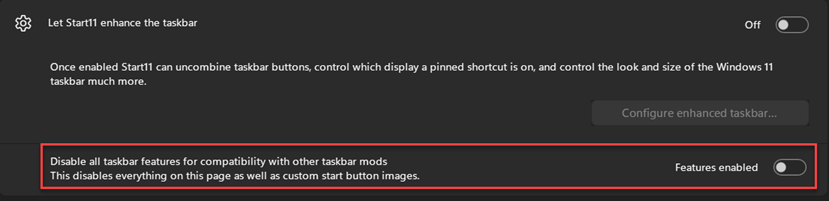
Toggling this to enabled and restarting Explorer completely locked the shell again. I had to remove the registry key using another account as described above.
