Missing "Clear recent items list" from context menu on Recent Items

I am using Start11, Start Menu: Windows Pro style. I noticed it is missing Clear recent items list from context menu on Recent Items on my desktop PC, I have the same config on my laptop PC, but it has the option for clear recent items list.
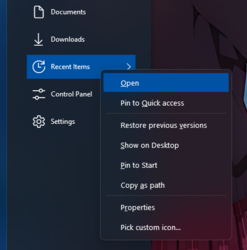


309 views 8 replies
Reply #1 Top

Hello,
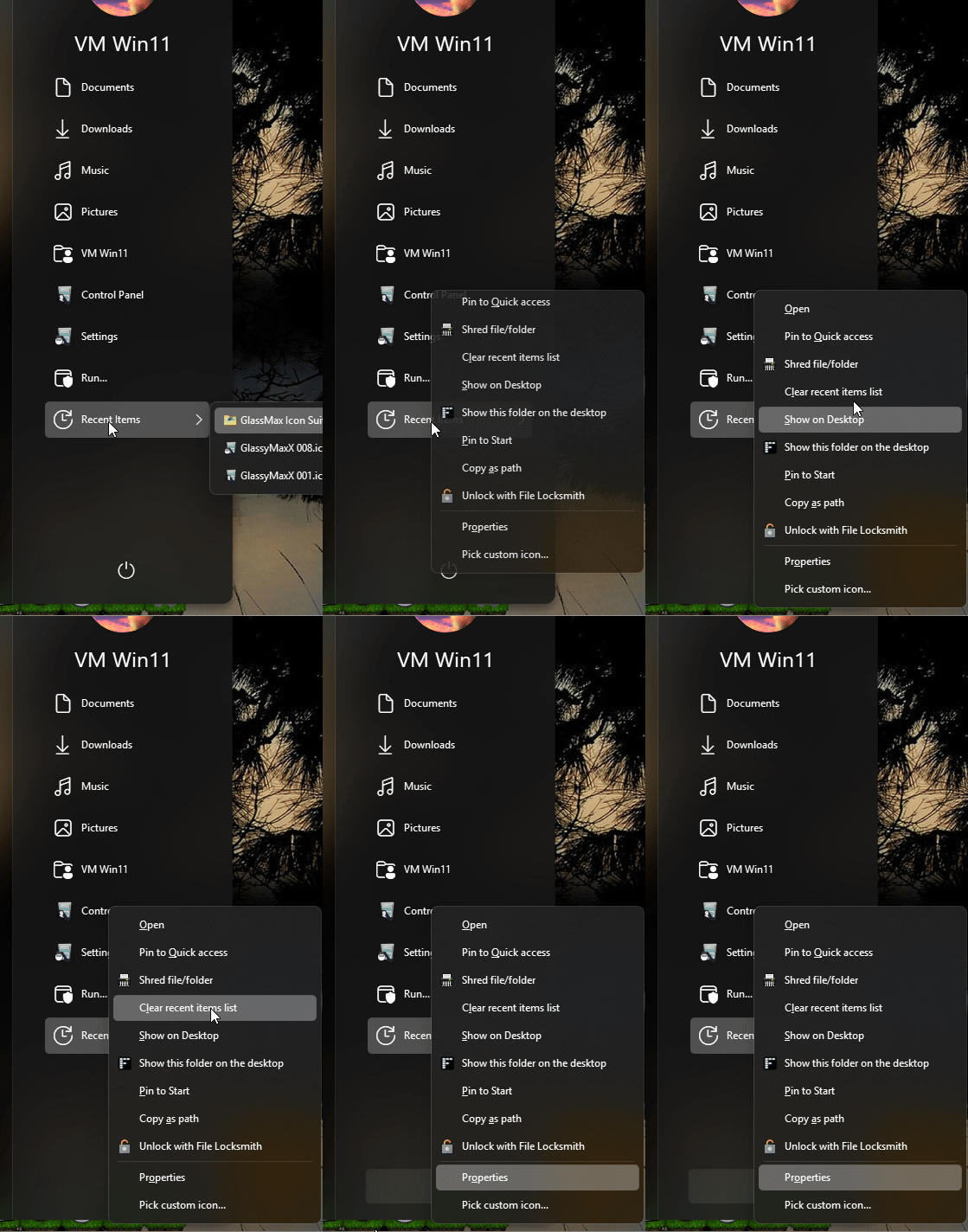
Sorry to hear you are having issues. I am also can not reproduce this issue on my system. Refer to my screen grab below

Please try, uninstall Start11, reboot immediately (important), download latest version available in your account product download page: https://store.stardock.com/myaccount/products. Install it, reboot immediately again. Retest it and report back.

If it still appear, we need more information.

  1. Windows 11 full version and OS Build number. Use Winver.exe to get this numbers.
  2. Start11 full version number.

Thank you,

Basj,
Stardock Community Assistant.

Reply #2 Top

I already try doing that didn't helped.

Windows 11 Version 25H2 (OS Build 26200.8246)
Start11 Version 2.7

Reply #5 Top

Please try purge and reinstall steps as mention here : [Link]. Just make sure to redownload the latest version from your account page. Reboot after the purge. Reinstall and reboot again after the installation. Retest and report back here.

Thank you,
Basj,
Stardock Community Assistant.

Reply #7 Top

Great, glad to hear that.

Thank you,

Basj,
Stardock Community Assistant

Reply #8 Top

I just find the fix for this issue. Tuned out after I create new account, while I was trying to move some folder over to new account I noticed the "Recent Items" folder located (C:\Users\[UserName]\AppData\Roaming\Microsoft\Windows) on new account look different than the one my current account. I thought what if I copy the "Recent Items" folder from new account to my existing account, turned out that fixed my issue.