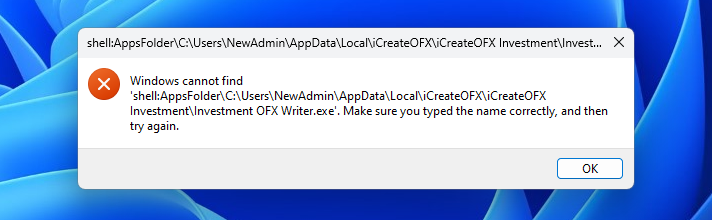
3rd Party Icons missing
 Stardock Forums
Subject: Missing 3rd‑Party App Icons in Start11 After Full Windows Verification
Message:
I’m experiencing an issue where only 3rd‑party Win32 applications (FreeCAD, Substance, Xara, etc.) show blank placeholders in the Start11 menu.
Important details:
• Icons do appear correctly in the taskbar, desktop, and File Explorer.
• Only Start11 (and the Windows Start menu when Start11 is disabled) fails to display these icons.
• Revo Uninstaller, Microsoft apps, and some built‑in apps still show icons normally.
To rule out Windows issues, I have already completed:
1. SFC /scannow – no integrity violations
2. DISM /RestoreHealth – completed successfully
3. Rebuilt Windows icon cache
4. Re-registered all AppX packages
5. Created a new Windows profile – issue persists
6. Verified shell icon resolution works system‑wide (taskbar, desktop, Explorer all correct)
7. Confirmed .lnk files contain valid icon paths
8. Checked for missing or corrupted .ico resources in the affected applications
9. Disabled Start11, tested Windows Start menu – same missing icons
10. Reinstalled Start11 – issue persists
Based on this, the problem appears isolated to Start11’s icon resolver / App Links handling, not Windows.
Please advise on next steps or provide any diagnostic tools/logging options to help identify why Start11 is failing to load icons for classic Win32 apps.