Start Menu Programs button

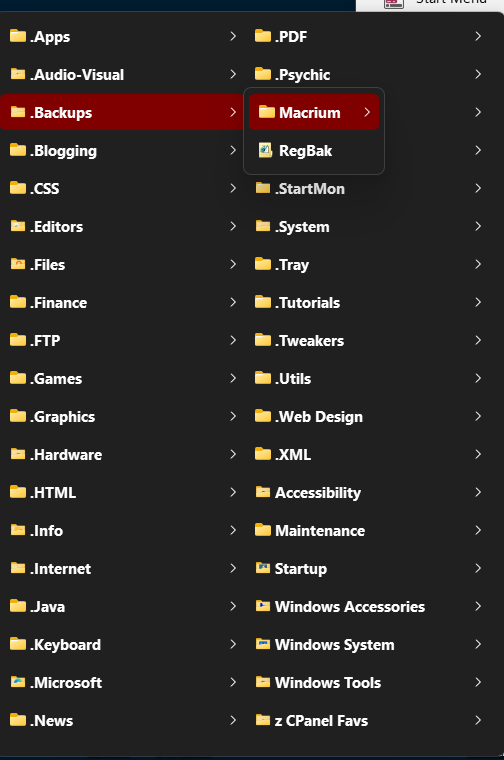
I have a / the button on my taskbar to bring up the Programs menu.  Is it possible to have the Programs menu scroll instead of going into multiple columns?
1,150 views 6 replies
Reply #1 Top

Hello,
Sorry to hear you are having issues. Need more information.

  1. Windows 10/11 full version and OS Build number. Please use Winver.exe to get these numbers.
  2. Start11 full version number installed.
  3. Post screenshot showing us, which programs menu you're referring to.

Thank you,
Basj,
Stardock Community Assistant.

Reply #2 Top

My Windows is 11 v25H2 Build 26200.7462, Start 11 is 2.56


Can't I get a single scrollable column?

Reply #3 Top

with a single scrollable column??

Reply #4 Top

Quoting CWBillow03, reply 3

with a single scrollable column??
End of CWBillow03's quote

Just to confirm, this menu is from pinned folder menu on your taskbar, yes? If so, currently, there is no such option.

Thank you,

Basj,
Stardock Community Assistant

Reply #6 Top

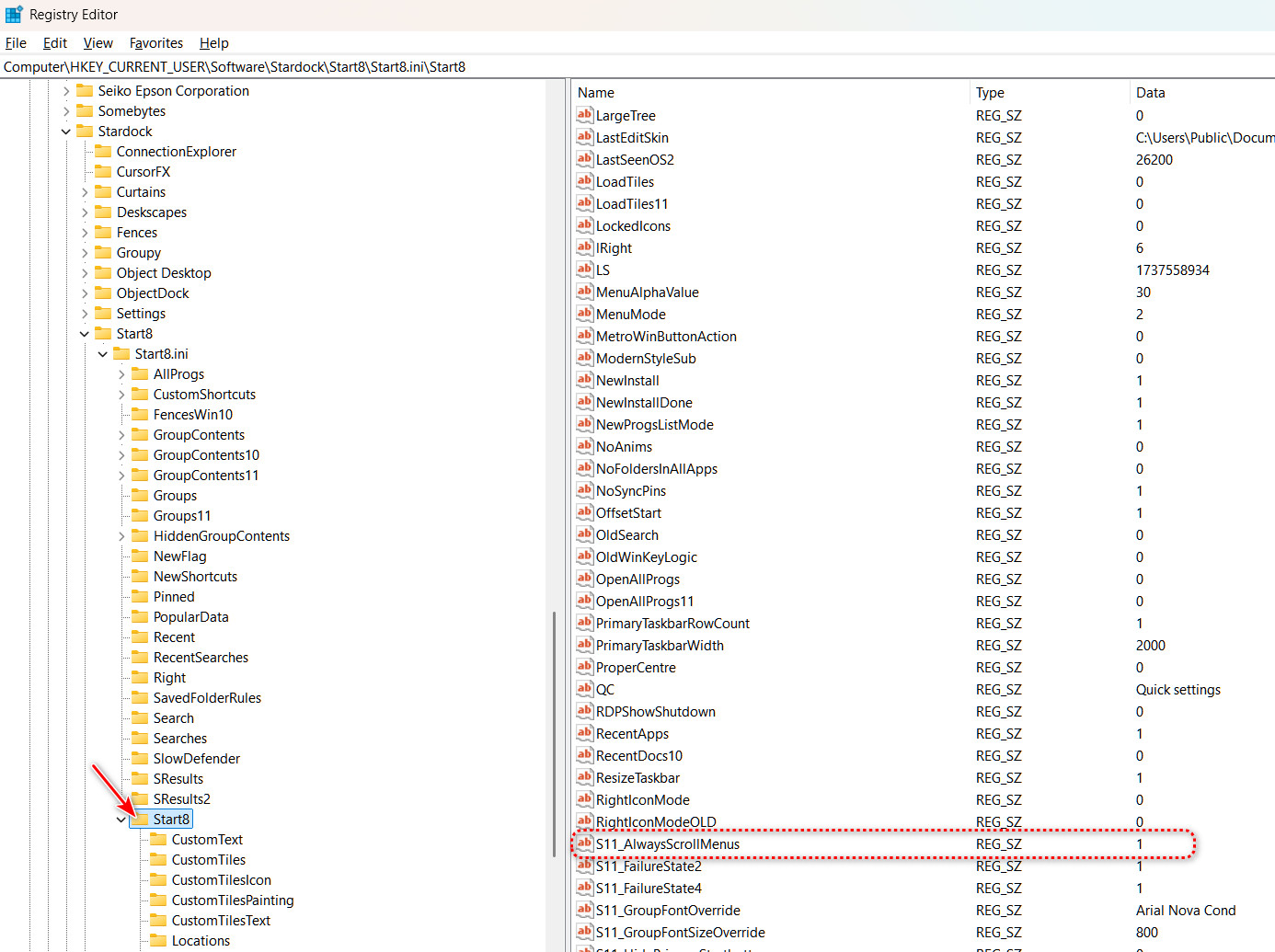
You can do what you want with a Stardock approved Registry tweak.

Add a new registry string value and name it S11_AlwaysScrollMenus which when set value to 1 will stop Start11 making menus multi column and instead use a scrolling list.

Create this new string value in HKEY_CURRENT_USER\SOFTWARE\Stardock\Start8\Start8.ini\Start8

You will have to Sign Out and Sign back in for this to take effect, or you can just make a setting change in the Start11 config app. and then close it.

Ref. https://support.stardock.com/space/SHC/1750138994/Start+Menu+Products+Registry+Settings