"Show search result filtering icons" doesn't work correctly
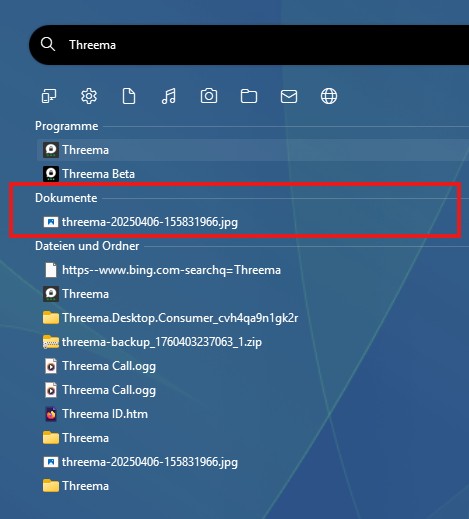
The result after searching for “Threema”.
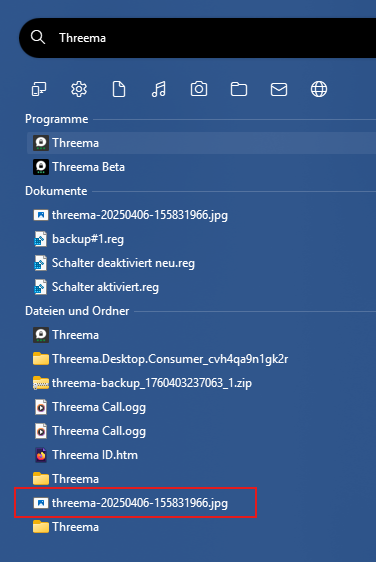

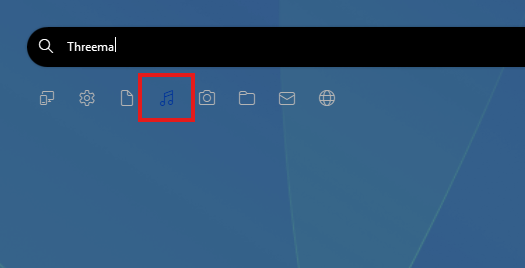
No search results were found.
Other symbols also do not filter the search results correctly.
The result after searching for “Threema”.
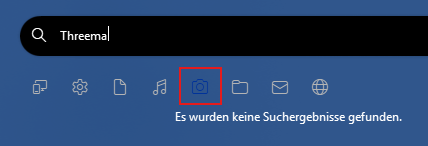

No search results were found.
Other symbols also do not filter the search results correctly.
Hello,
Sorry to hear you are having issues. Need more information.
Thank you,
Basj,
Stardock Community Assistant.
My system:
Windows 11 Professional 25H2 Build 26200.7171
Start 11 v2 2.56
"Everything" is deactivated.
If you turn on "Everything" does it work?

Thank you,
Basj,
Stardock Community Assistant
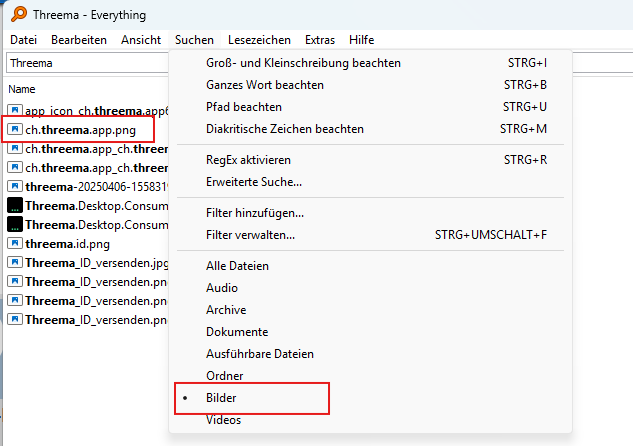
The filters don't work with “Everything” either.
Strange, it work on mine, have you set Everything to scan everything in your system?
Thank you,
Basj,
Stardock Community Assistant
The filters at Everything work perfectly.
But remember, this isn't explicitly about Everything.
The Start11 search filter in general doesn't work. The one from Windows 11 does.
Hello,
I have forwarded your problem/question to Stardock Support Team for their assistance. Please keep an eye on this thread for any updates. We appreciate your feedback and patience. Thank you.
Basj,
Stardock Community Assistant
For me, pictures are not part of documents.
The music filter should at least display the most common music formats. For me, these include .mp3, .flac, .ogg, .mid, etc.
The music filter does not display .ogg files.
What format should the email filter find?
The filter function has improved somewhat, but could still work better for the various formats.
My system:
Windows 11 Professional 25H2 Build 26200.7171
Start 11 v2 2.60 Beta
For me, pictures are not part of documents.
The music filter should at least display the most common music formats. For me, these include .mp3, .flac, .ogg, .mid, etc.
The music filter does not display .ogg files.
What format should the email filter find?
The filter function has improved somewhat, but could still work better for the various formats.
My system:
Windows 11 Professional 25H2 Build 26200.7171
Start 11 v2 2.60 Beta
The filtering is based on the kind of file exposed to Windows. This is controlled by whatever registers the file extension with the OS.
See here for more info https://learn.microsoft.com/en-us/windows/win32/properties/building-property-handlers-user-friendly-kind-names
Email only shows older physical email files stored on the hard drive as individual files.
The top level in search is based on location, not file type. So a picture in my documents would show there.
Please note that Start10 style search is a legacy option which is designed to work like the Windows 7 search.
Welcome Guest! Please take the time to register with us.