Start11 v2.56
No option to set Vertical Taskbar
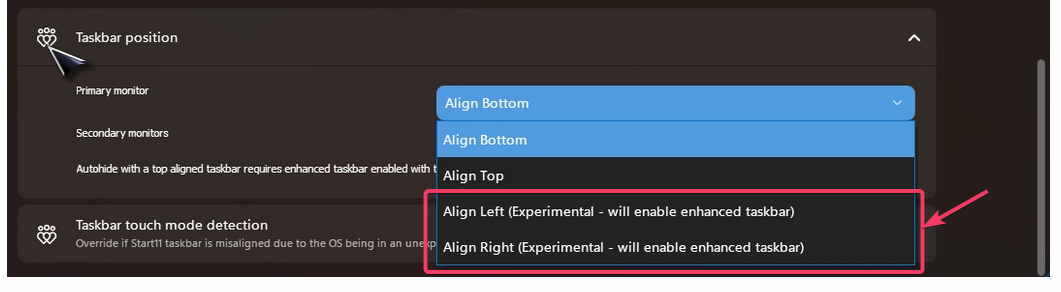
I've never been able to set the taskbar to vertical position. It's not showing up as an available option under "Taskbar Position".
Warren
No option to set Vertical Taskbar
I've never been able to set the taskbar to vertical position. It's not showing up as an available option under "Taskbar Position".
Warren
It sounds like you might be using a too old version of Windows.
You need 23h2 or later.
I have my taskbar set to Opaque when windows are maximized, and 50% transparent otherwise. However when I hover an icon in the taskbar - the popup tooltip/preview turns the taskbar opaque. I there any way to make the previews not activate a full screen window?
Hello,
Sorry to hear you are having issues. Need more details please.
Thank you,
Basj,
Stardock Community Assistant.
Windows 11 25h2 26200.7019 but 24h2 had the same behaviors.
Enhance Taskbar is off
Taskbar auto hide is off
the setting most dealing with this is
Taskbar blur, transparency, color and rounded colors -》Adjust taskbar transparency
Where I have one setting for No Maximized Windows and another transparency setting for When there are Maximized Windows.
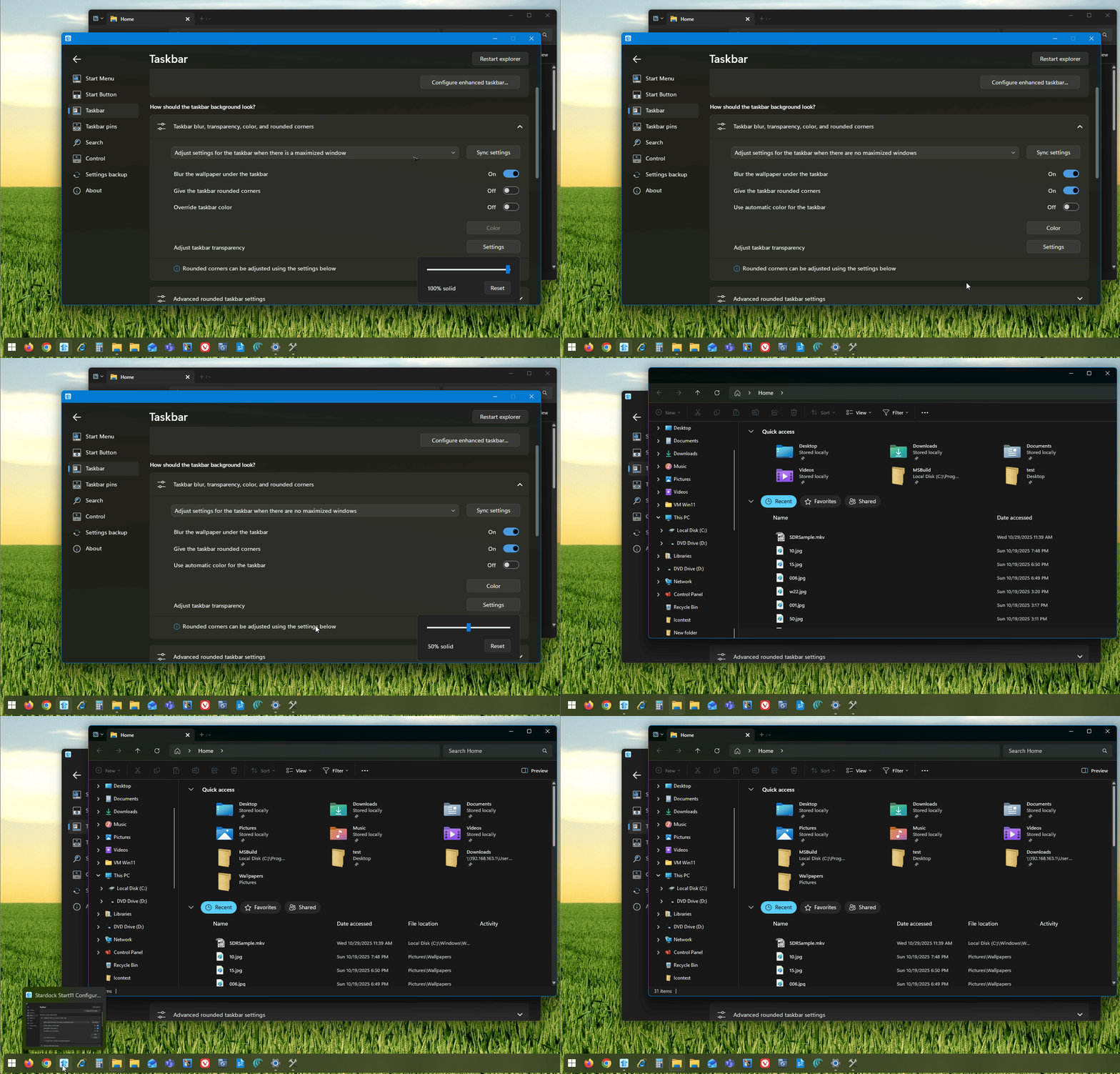
I can't seem to reproduce your issue on my system. Refer to my screen grab below.

Would like to suggest to Please try, uninstall Start11, reboot immediately (important), download latest version available in your account product download page: https://store.stardock.com/myaccount/products. Install it, reboot immediately again. Retest it and report back.
If the issue still appear, perhaps I missed some setting that don't match your, please post a video showing us your issue. So I understand it better and I can try to retest it.
Thank you,
Basj,
Stardock Community Assistant
I don't think you enabled 100% opacity for "When there are maximized windows"
Then set it to 50% for "When NO windows are maximized"
That seems to be the difference why you aren't seeing the same thing.
Please try the uninstall/reinstall steps I mentioned above. Reboot immediately after uninstall is important. So does reboot after the new install. Report back with a video showing us what you see, would help us understand it better.
Thank you,
Basj,
Stardock Community Assistant
That was my problem. I updated Windows and it's now working!
Great, glad you have resolved it.
Thank you,
Basj,
Stardock Community Assistant
Retaking the original subject of this thread.
I've been using start11 most of this year and when I finally had the option to use vertical taskbar I used it without problems until now.
Last week suddenly after some windows 11 update my windows (all of them, browser, email, even start11) appeared to be with black background (some dark mode). Later, I noticed my taskbar wasn't in the vertical left position.
The option to define vertical taskbar was missing from START11. Few minutes ago I updated to version 2.56 and still that option is still missing.
My windows is:
Edition Windows 11 Home Single Language
Version 24H2
Installed on 1/14/2025
OS build 26100.6899
Experience Windows Feature Experience Pack 1000.26100.253.0
Any ideas or things I need to know to share with you?
Thanks in advance.
Hello,
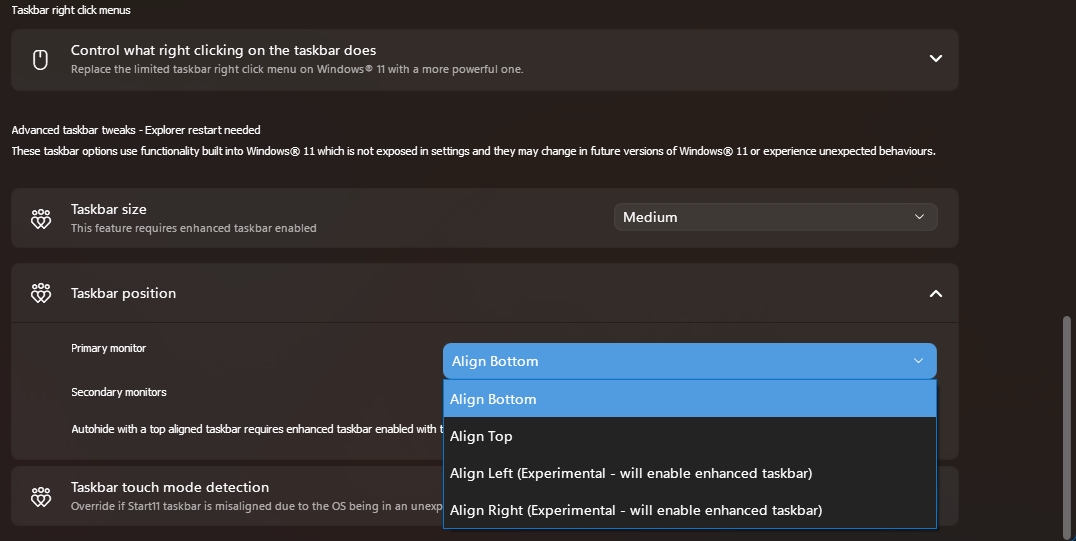
Sorry to hear you are having issues. But, from your screenshot, the vertical taskbar option does appear. It is the Align left... or Align Right.... option. What happen to your taskbar if you choose those two option?

Thank you,
Basj,
Stardock Community Assistant.
I did the reinstall like you said and the behavior is the same. I even tried it on a fresh install of windows with the same result.
I bought 6 licenses for this, and was kind of hoping for more of a response, not just reinstall it.
Hi there,
To avoid confusion with other users' issues, it's best if you start your own thread. That way, we can assist you more effectively.
Moving forward, please repost your issue in a new thread, and we'll do our best to help you there.
The reinstall steps are just a standard first step to help identify the root cause of the problem.
Thank you!
Basj,
Stardock Community Assistant
Thank you very much basj. I was expecting vertical wording instead.
Have a great Halloween.
Great, glad to help.
Thank you,
Basj,
Stardock Community Assistant
Welcome Guest! Please take the time to register with us.