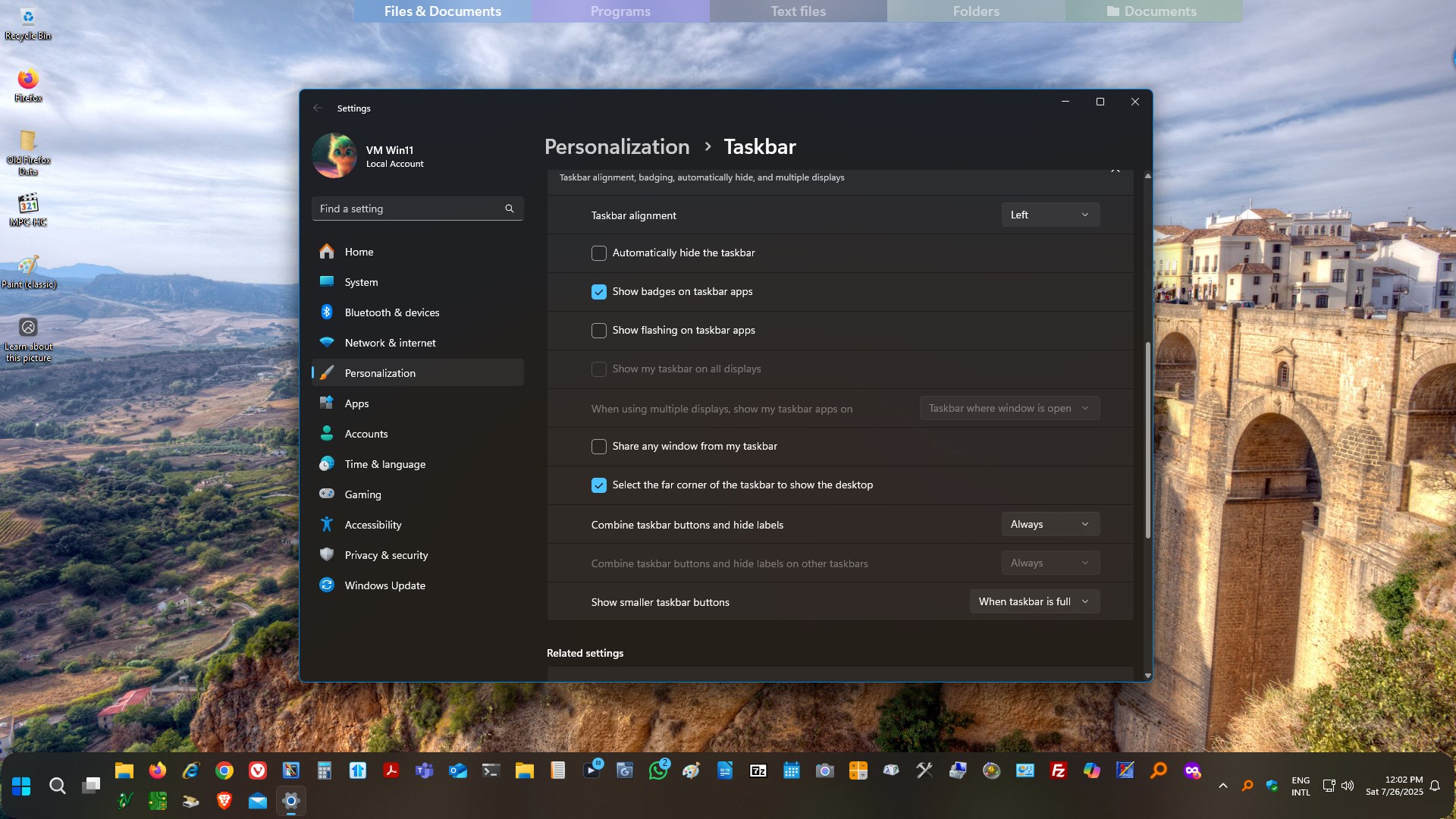
on boot up.start1 doesn't properly display the taskbar unless the explorer process is restarted

I have more icons on my start11 taskbar then what will show on the windows 11 taskbar,   Not sure if that has anything to do with the bug.  But starting maybe up to a month ago, start11 wouldn't be active after booting to windows until I restarted the explorer process.  Hopeully something you can fix?

1,611 views 5 replies
Reply #1 Top

Hello,
Sorry to hear you are having issues. First,p lease try, uninstall Start11, reboot immediately (important), download latest version available in your account product download page: https://store.stardock.com/myaccount/products. Install it, reboot immediately again. Retest it and report back.

If the issue still there. We need more information.

  1. Windows 11 full version and OS build numbers. Use Winver.exe
  2. Start11 full version number.
  3. What changed when it start to happen? New hardware installed? New drivers? Windows update? New software. etc

Thank you,
Basj,
Stardock Community Assistant.

Reply #2 Top

I tried the suggested steps to no avail.  will try again.

winver: 24H2 (OS Build 26100.4770)

start11 v2 version: 2.53

what changed was I added more programs to my taskbar so that there are way more programs to click on then what one row can display.

Currently I restart explorer after booting into windows and then the taskbar is usable.

Note: I like the ability to be "centered" on one row if you don't have to many taskbar pins.  I'm hoping the centered factor can be added to multiple rows.

Reply #3 Top

This is with Start11 Enhance taskbar turn on or off? 

Thank you,

Basj,
Stardock Community Assistant

Reply #5 Top

I can not reproduce your issue on my system. I setup my system to have lots of pinned item on the taskbar so they overflow to second row, but, it load up on Start up without needed to restart explorer. I wonder it has to do with some setting conflict with Windows "Taskbar behaviors"

Thank you,

Basj,
Stardock Community Assistant