How can I make Music and Pictures links *not* link to Libraries?

I just installed Start11 and it's working very well so far, though I noticed some behavior I'd like to change. The Music and Pictures links take me to my Music and Pictures libraries, respectively. Is there a setting for having these links take me directly to the folders instead? I don't use Windows Libraries and don't want to be taken to these views.

828 views 5 replies
Reply #1 Top

Hello,
Sorry to hear you are having issues. Need to know your Start11 full version numbers and which Start11 start panel style you're using.

Thank you,
Basj,
Stardock Community Assistant.

Reply #2 Top

I'm using the Windows 11 style, but I see this same problem with other styles. I'm using the latest version (2.53).

Reply #3 Top

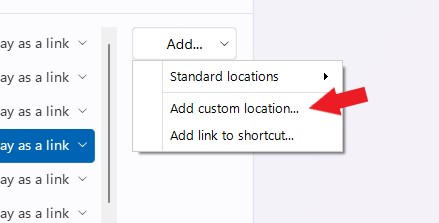
If you referring to your Shortcuts list item to on the Start menu, Windows 11 style, it located at the bottom right of the Start panel, yes? If so, those items can be remove and you can add your own folders.

Thank you,

Basj,
Stardock Community Assistant

Reply #4 Top

Yes, I realize that, but it's a bit annoying to do this, because the icons aren't the same (the icon shows up as a generic folder).

It seems like it would be better to fix the default behavior, because what Start11 is doing isn't the same as what the normal start menu does.

Reply #5 Top

You do know that you can change that icon to any icon you would like.

And, I have forwarded your request to the Stardock Support Team for their review and recommendations. Please keep an eye on this thread for any updates. We really do appreciate your feedback, Thanks

Thank you,

Basj,
Stardock Community Assistant