


Configuring tabs?
from  Stardock Forums
Stardock Forums
Is it possible to configure tabs to have the same behaviour (visually) as the start menu itself - specifically the way the icons are displayed, with a discrete background (i.e. _not_ Windows 11 style). In the image below, the "Graphics" group shows the icons in bounded boxes, but the "Testing" tab does not. I could not find anywhere I could specify the icon style for tabs...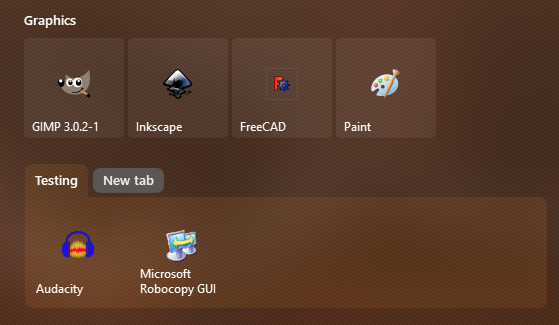
Thanks!
v

