Video

Start11 2.51

Windows 11 24H2 26100.3323


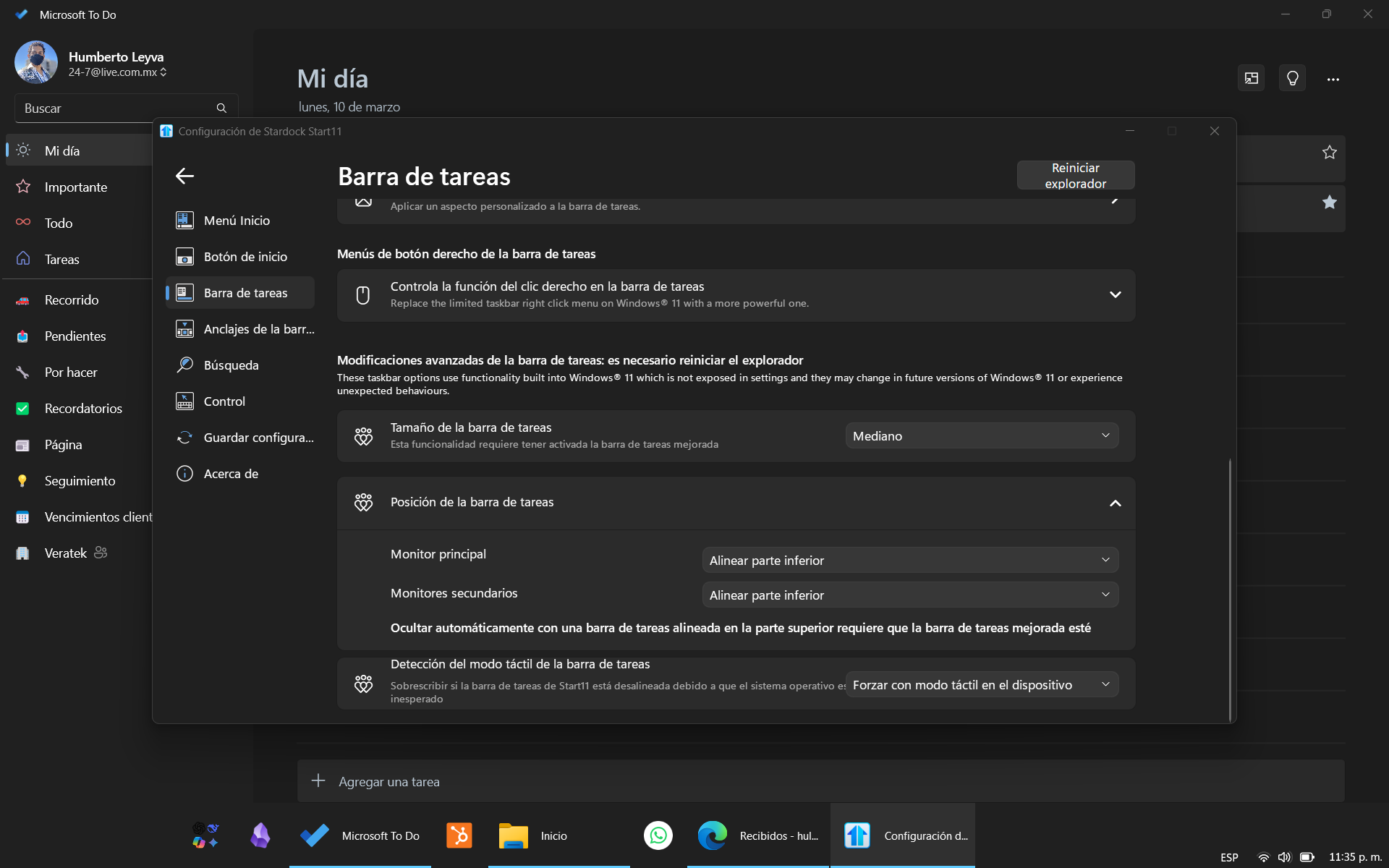
With a touch screen and touch mode enabled in Windows for the taskbar and enhanced taskbar enabled on Start11, the task bar many times fails to load completely (no time and date or tray icons, no start icon) and to autohide when this happens.

Sliding up from the taskbar shows the original Windows' menu and not the Start11's one, and also, this error (the sliding and showing the original menu) seems to force Start11 to completely load again.

Any additional info or file you need, I will gladly share.

P.S.: Is there already a fix in its way for fixing start icon not showing in more than two monitors? I made a post about it about a month ago and the last answer was it would be passed to the team.

Thanks.

1,819 views 7 replies
Reply #1 Top

Hello,
Sorry to hear you are having issues. Please try these settings. If you on Auto, please try Force.

Thank you.
Basj,
Stardock Community Assistant.

Reply #2 Top


It fails less frequently (30% of the time) but it does fail 

Reply #3 Top

Please try Start11v2.52 Beta and see if the issue still there.

Thank you,

Basj,
Stardock Community Assistant

Reply #4 Top

Hi. Installed it and it's exactly the same, fails most of the time when on automatic and some of the time when on force. Thanks. 

Reply #5 Top

Maybe something is blocking Start11 from working properly, do you have any other application that change how taskbar work, such as StartAllBack, ExplorerPatcher, DisplayFusion etc?

If not please try cleanboot and see if you can identify which application is causing the conflict, if any: https://forums.stardock.com/505872/start11-support-faq#cleanboot. Do note that Cleanboot steps need to be carefully done.

Thank you,

Basj,
Stardock Community Assistant

Reply #6 Top

The only other system altering apps I have app are Groupy 2 and Fences 5

Reply #7 Top

Please try the Cleanboot and report back.

Thank you,

Basj,
Stardock Community Assistant