MP3 KVM not displaying on 2nd monitor

Running MP3 KVM (Steam).

Primary PC has 2 monitors, when connecting to secondary pc via kvm it works perfectly fine when viewed on primary monitor.
But I want to view it on secondary monitor, and it doesn't show. i've created a shortcut for the connection, when launched on primary, it opens, when launched on secondary it opens but doesn't display.

Same for when I launch it on primary, and click the icon in the control bar to switch monitors, it acts like its switched (can no longer see it on primary) but still will not show on the secondary. Even when using the side bar, if the bar is on primary it works, if on secondary it doesn't.


Hope someone can help, as it doesn't make sense as to why MP3 is the only program to not display on that monitor.

3,064 views 8 replies
Reply #1 Top

Hello,
I have forwarded your problem/question to Stardock Support Team for their assistance. Please keep an eye on this thread for any updates. We appreciate your feedback and patience.

Basj,
Stardock Community Assistant

Reply #2 Top

Hi Draksidian,


But I want to view it on secondary monitor, and it doesn't show. i've created a shortcut for the connection, when launched on primary, it opens, when launched on secondary it opens but doesn't display.
End of quote

If the KVM connection is only opening on your main monitor, could you try using the KVM connection in windowed mode, then dragging it to the monitor you'd like to use it from?  Once you disconnect, then reconnect, does it open again on the desired monitor? 

I hope this helps, though there might also be something specific to your setup that could be causing another issue.  An advisable next step would be to see if the problem persists on your end with a free trial of Multiplicity 4, available at https://www.stardock.com/products/multiplicity/  

Best regards,

Adam McGuinness
Stardock Customer Support Specialist

Reply #3 Top

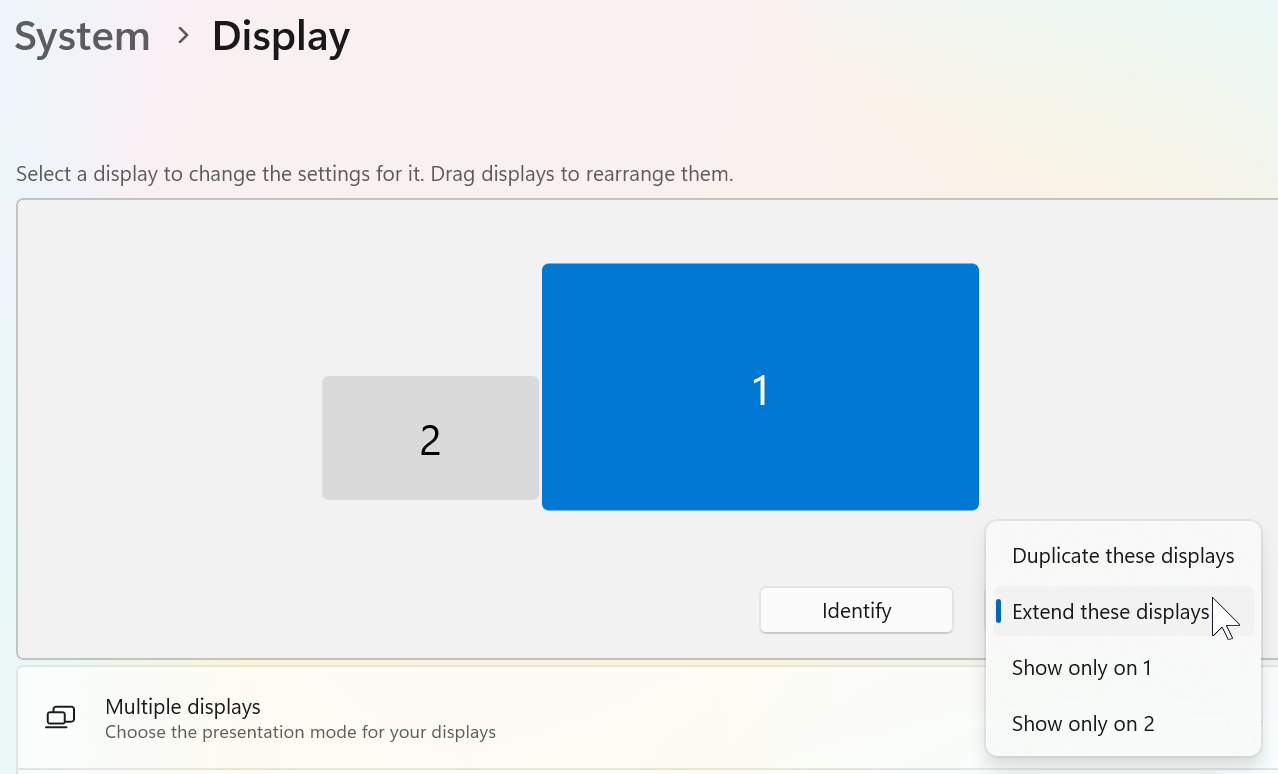
How many displays do you have showing in display properties?

It sounds like Windows is telling Multiplicity that you have another display active which is clearly not visible to you.

If you are able to run dxdiag.exe from a run window (Win+R) and save the log and then upload it somewhere and send me a private message with a link to it then it may shed some light on this.

I also assumed you are not using any software which might be linked to multiple monitors or splitting screens into more than one?

Reply #4 Top

Quoting Abisnabidam, reply 2


If the KVM connection is only opening on your main monitor, could you try using the KVM connection in windowed mode, then dragging it to the monitor you'd like to use it from?  Once you disconnect, then reconnect, does it open again on the desired monitor? 
End of Abisnabidam's quote

When I go windowed and dag it to my second monitor, I can fullscreen it again, and it shows its on monitor 2, but when I close it depending on how I open it, it will either open on my 1st, or open but not visible still. Am yet to try Multiplicity 4, as I have the steam version of 3, and don't intend on buying a new copy for $92 just to fix 1 issue, if that be the case I'd just go back to using seamless mode.
 

Quoting Neil, reply 3

How many displays do you have showing in display properties?
End of Neil's quote


Only the 2 displays, which is all windows is showing. no software to control the displays or anything like that.
It's just strange how Multiplicity KVM is the only thing that is having this issue. Have also sent you link to dxdiag

Reply #5 Top

So, guess the only answer to this is to spend money to upgrade to the newer version, when the function used to work perfectly fine...

Reply #6 Top

Quoting Draksidian, reply 5

So, guess the only answer to this is to spend money to upgrade to the newer version, when the function used to work perfectly fine...
End of Draksidian's quote

Hello,
Sorry to hear you are having issues. Do know that some of us can not respond to your question due to network down, and it only up again today. I have forwarded your problem/question again to Stardock Support Team for their assistance. Please keep an eye on this thread for any updates. We appreciate your feedback and patience.

Thank you,
Basj,
Stardock Community Assistant.

Reply #7 Top

I understand there have been issues, but I made this post 6 weeks ago, sent my dxdiag to one person, who has never responded, and its still been 5 weeks since i last responded, and unless I am missing something, but i seem to think there is no fix for this issue without buying Multiplicity 4, cos if that was to be the case, i could spend like 1/10 the price and get a keyboard and mouse, and just plug it in, or use the physical kvm i currently have since the server i am connecting to is right under my main desktop.

Reply #8 Top

Quoting Draksidian, reply 5

So, guess the only answer to this is to spend money to upgrade to the newer version, when the function used to work perfectly fine...
End of Draksidian's quote

If it used to work 'perfectly fine', something about your PC changed (as MP3 did not).  What was that change?  

  • Did you get a new monitor?
  • Did you install other 3rd party monitor software (DisplayFusion, for example)
  • Did you start using a docking station?
  • On the Primary, are you duplicating or Extending monitors?

You can upload your DxDiag report to a cloud drive service and post a shared link to it here.

You might also try a purge and reinstall:

https://support.stardock.com/space/SHC/1347158073/Multiplicity+purging+and+re-installing

As you have said yourself that MP3 worked 'perfectly fine' prior, I don't suspect that MP4 will act much different but you can uninstall MP3 and install the MP4 trial and tell us if it does.  If it does, it would at least tell us more

https://www.stardock.com/products/multiplicity/download-trial

Sean Drohan
Stardock Product Lifecycle Manager