
Start 11 v2.51
Some Taskbar Icons disappeared after waking up from sleep
 Stardock Forums
Hi all.
I have tansparent Taskbar and Start11 v.2.51 was installed when it was released.

After I have installed Windows Update KB5052093 to make Windows 11 build 26100.3321, I observed this problem: Some Taskbar Icons disappeared after Windows went into sleep mode and then I woke it up.
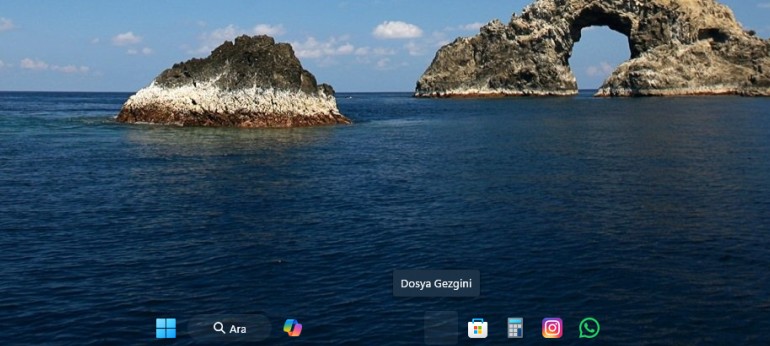
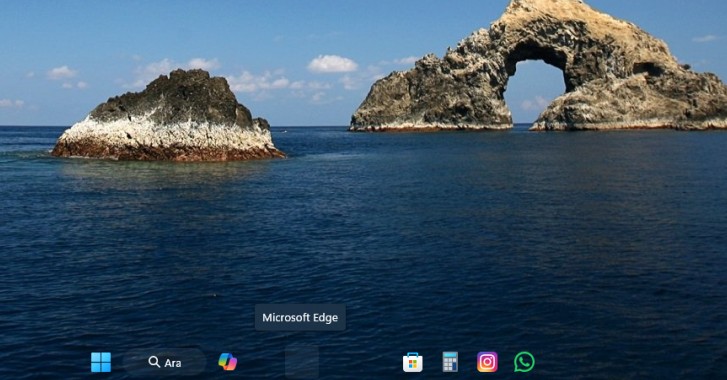
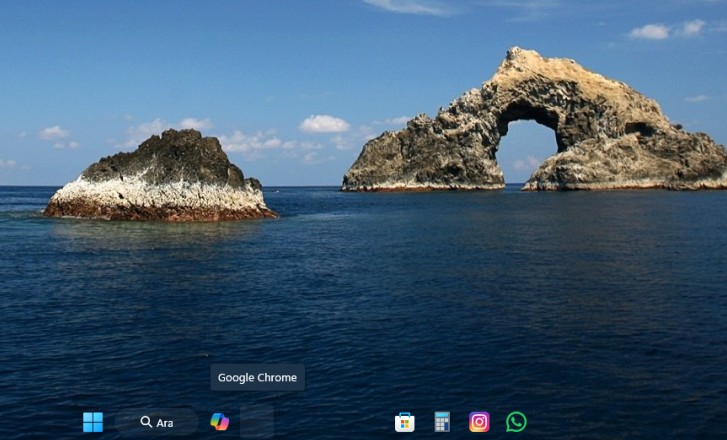
A total of four taskbar icons disappeared: Google Chrome, Microsoft Edge, Microsoft Outlook and Windows Explorer. This I have noticed after I installed this above-mentioned Microsoft KB update patch. When I hovered over the disappearing icons, their names came up. I clicked on them and the corresponding icon apps opened up and the icons re-appeared and re-instated on the Taskbar.
I don't know if there is a conflict between the Microsoft said patch and the Start11 v2.51.
Has anyone else having the same build of Windows 11 24H2 and the Start11 experienced the same issue ??
Have a nice weekend.

