[bug] hide start menu on multiple displays

doesn't hide start menu on third monitor

Hi

Need to report a bug - the option to hide start menu on secondary displays only works on my second monitor - not third.

I can toggle the option, it works, but after a reboot, again the start menu is visible until the option is toggled.

1,474 views 10 replies
Reply #1 Top

Hello,
Sorry to hear you are having issues. Need to know more information.

  1. You on Windows 10 or 11? Also need its full version and OS Build number. Please use Winver.exe
  2. Start11 full version number.
  3. Multi monitors details, resolutions, scales (100%, 150% etc), orientation etc.

Thank you,
Basj,
Stardock Community Assistant.

Reply #2 Top

Hi,

Windows 11. 10.0.26100 Build 26100
Start11 2.51

2x 1920 x 1080 (landscape)
1x 1080 x 1920 (portrait)

scale 100%

Thank you 

Reply #3 Top

Please try, uninstall Start11, reboot immediately (important), download latest version available in your account product download page: https://store.stardock.com/myaccount/products. Install it, reboot immediately again. Retest it and report back.

Thank you,

Basj,
Stardock Community Assistant

Reply #4 Top

Hi Basji,


I have attempted that. I've also attempted on a blank windows installation, the issue persists. Appears to be an app bug..

Thank you

Reply #5 Top

the option to hide start menu on secondary displays only works on my second monitor - not third.
End of quote

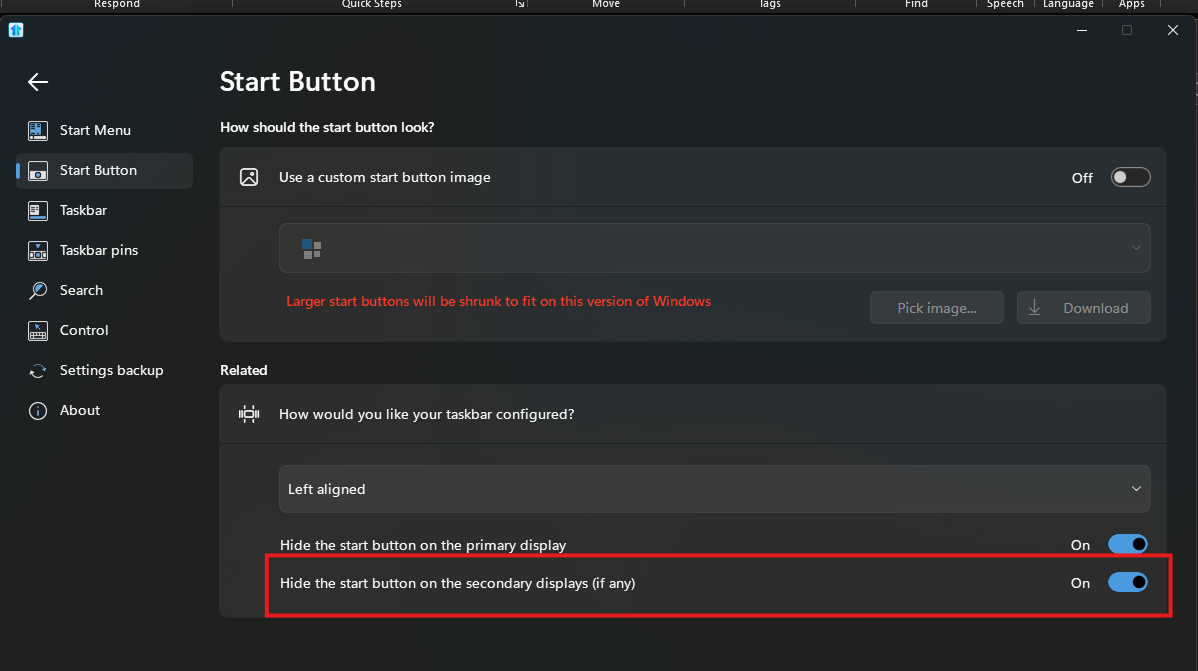
To be sure, please a screenshot of this option. I can't seem to find it in my system.

Thank you,

Basj,
Stardock Community Assistant


Reply #7 Top

That is for hiding Start button, you mentioned hiding Start menu. Also, have you tried version 2.52 Beta?

Thank you,

Basj,
Stardock Community Assistant

Reply #9 Top

Hello,
I have forwarded your problem/question to Stardock Support Team for their assistance. Please keep an eye on this thread for any updates. We appreciate your feedback and patience.

Basj,
Stardock Community Assistant

Reply #10 Top

Thank you for the report.  While we have not yet verified this internally, I have logged it for review.

Internal ref: ODNT-9583

Again, thank you for the feedback.

Sean Drohan
Stardock Product Lifecycle Manager