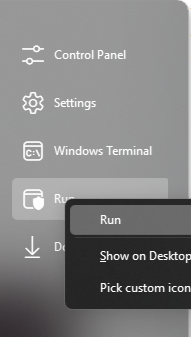
Start11 v2.51 shortcut "Terminal" and "Settings" right click won't bring up context menu

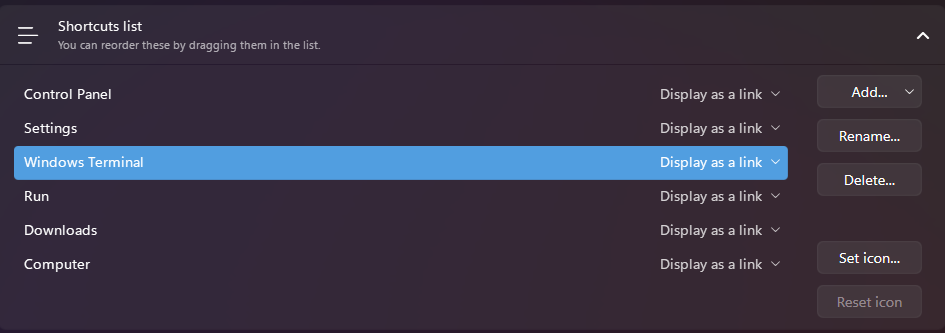
In the shortcuts list, after adding Terminal and or Settings via Shortcuts List > Add > Standard Locations, right clicking the newly added shortcut in the Start Menu won't bring up a context menu to be able to click run as administrator (ctrl+shift+click works) or Pick custom icon (seeing as that is an option for many of the other shortcuts)


Other items, such as Run, Downloads, work as expected.
1,822 views 5 replies
Reply #1 Top

Hello,
Sorry to hear you are having issues. I believe this is known behavior, but to be sure, I have forwarded your problem/question to Stardock Support Team for their assistance. Please keep an eye on this thread for any updates. We appreciate your feedback and patience.

Thanks,
Basj,
Stardock Community Assistant.

Reply #2 Top

Hi rynnus2298,

Thank you for posting.  We have this logged for review.

Internal Ref: ODNT-9506

Best regards,

Adam McGuinness
Stardock Customer Support Specialist

Reply #3 Top

Hello again,

These shortcut list context menus have been addressed in a recent beta release of the program.  We encourage you to give it a try and let us know what you think.  

For instructions how to get the latest Beta, and additional details and feedback, please see:

Thanks again and best regards,

Adam McGuinness
Stardock Customer Support Specialist

Reply #5 Top

Great, glad to hear that.

Thank you,

Basj,
Stardock Community Assistant