Start11 Taskbar

Taskbar Screen Position

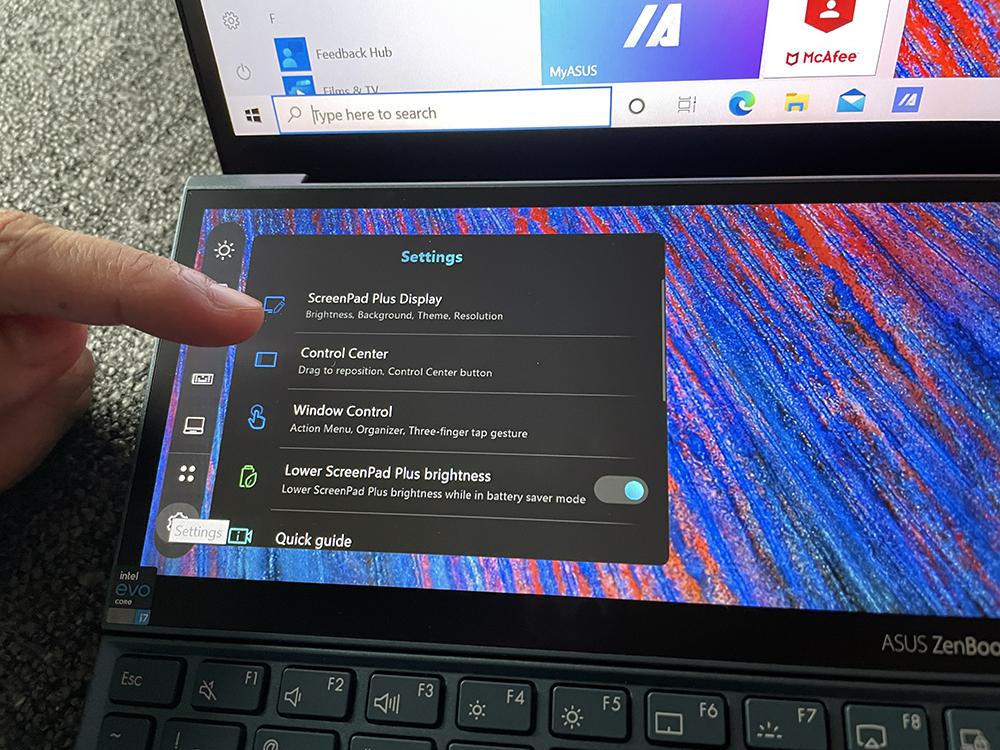
The issue occurs when I activate Start11 and use it to control the Taskbar on my ASUS Zenbook ProDuo. The icons are displayed off-screen whether the taskbar is at the bottom or the top.

1,520 views 7 replies
Reply #1 Top

Hello,
Sorry to hear you are having issues. Please do not post multiple thread on the same issue. As for your issue. Need more information.

  1. Windows 10 or 11 full version and OS Build number. Please use Winver.exe
  2. Start11 full version number.
  3. Post screenshot on this issue so we understand it better.

Thank you.
Basj,
Stardock Community Assistant.

Reply #2 Top

Moderator: The duplicate post has been deleted.

Reply #3 Top

Windows 11 full version and OS Build number.

Edition Windows 11 Pro

Version 23H2

OS build 22635.4435

Start11 full version number. Version 2.11

Post screenshot on this issue so we understand it better.

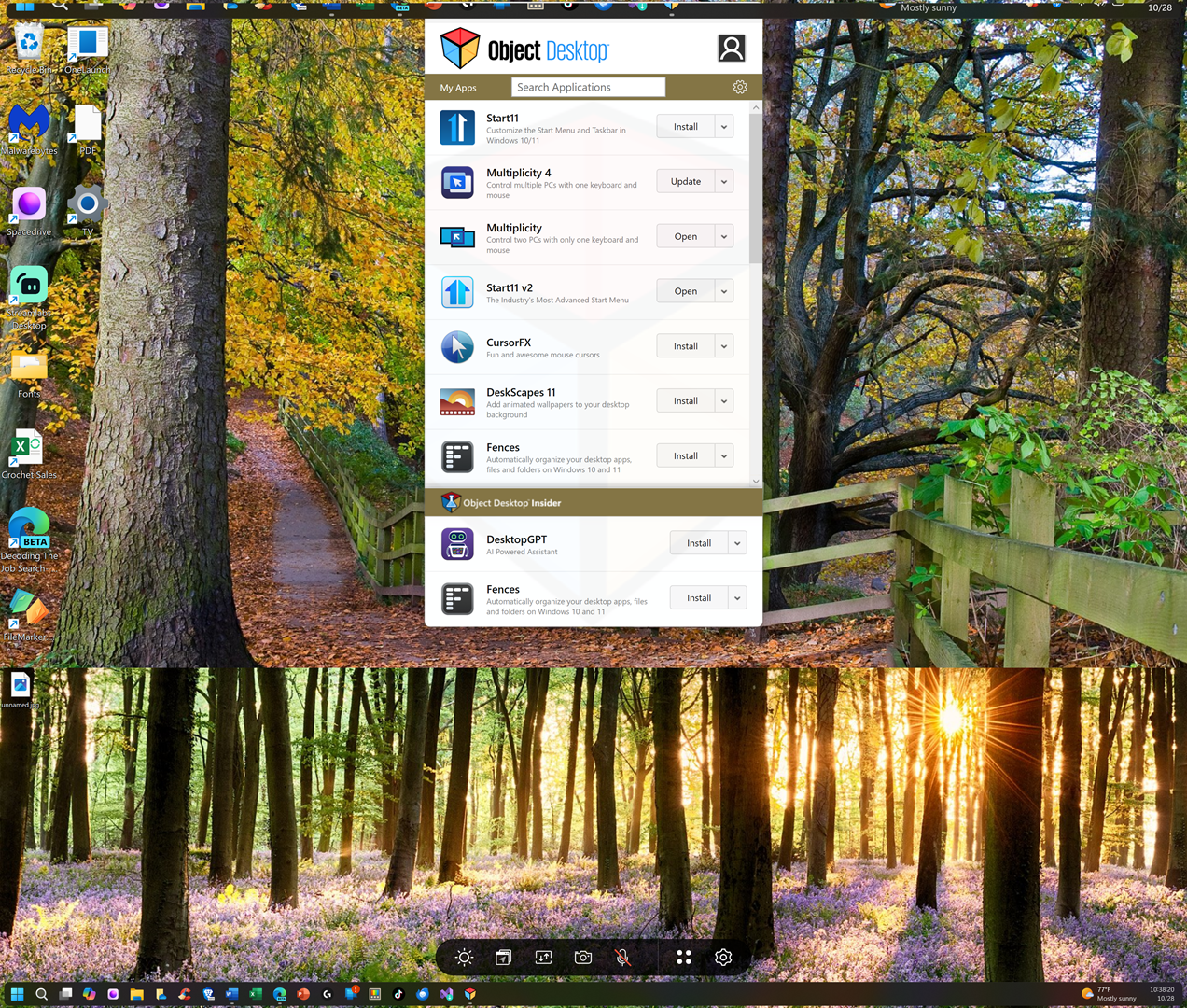
The bottom section of the screenshot is the 2nd built-in display.


Reply #4 Top

Hello,
Sorry to hear you are having issues. Need to know something.

  1. Is Start11 Enhance taskbar turn on? If yes, and as a test turn it off, does the issue go away?
  2. That bottom screen have a control bar floating above the taskbar. If you disable it does the issue go away?
  3. I saw other screenshots and it is possible to move that control bar to the side. If you do that does the issue go away?

Thank you.
Basj,
Stardock Community Assistant.

Reply #5 Top

Is Start11 Enhance taskbar turn on.

YES

If yes, and as a test turn it off, does the issue go away?

I TURNED IT OFF & THE PROBLEM IS STILL THERE

That bottom screen have a control bar floating above the taskbar. If you disable it does the issue go away?

I DISABLED THE CONTROL BAR & IT RESOLVED THE ISSUE.

I saw other screenshots and it is possible to move that control bar to the side. If you do that does the issue go away?

I ENABLED THE CONTROL BAR AND MOVED IT TO THE LEFT & IT RESOLVED THE ISSUE.


Thank You Basj!

Reply #6 Top

Addendum 

This is the taskbar at the bottom of the screen; displaying misplaced items at the left and right sides and a margin at top & bottom. The error is identical when displayed at the top of the screen

Reply #7 Top

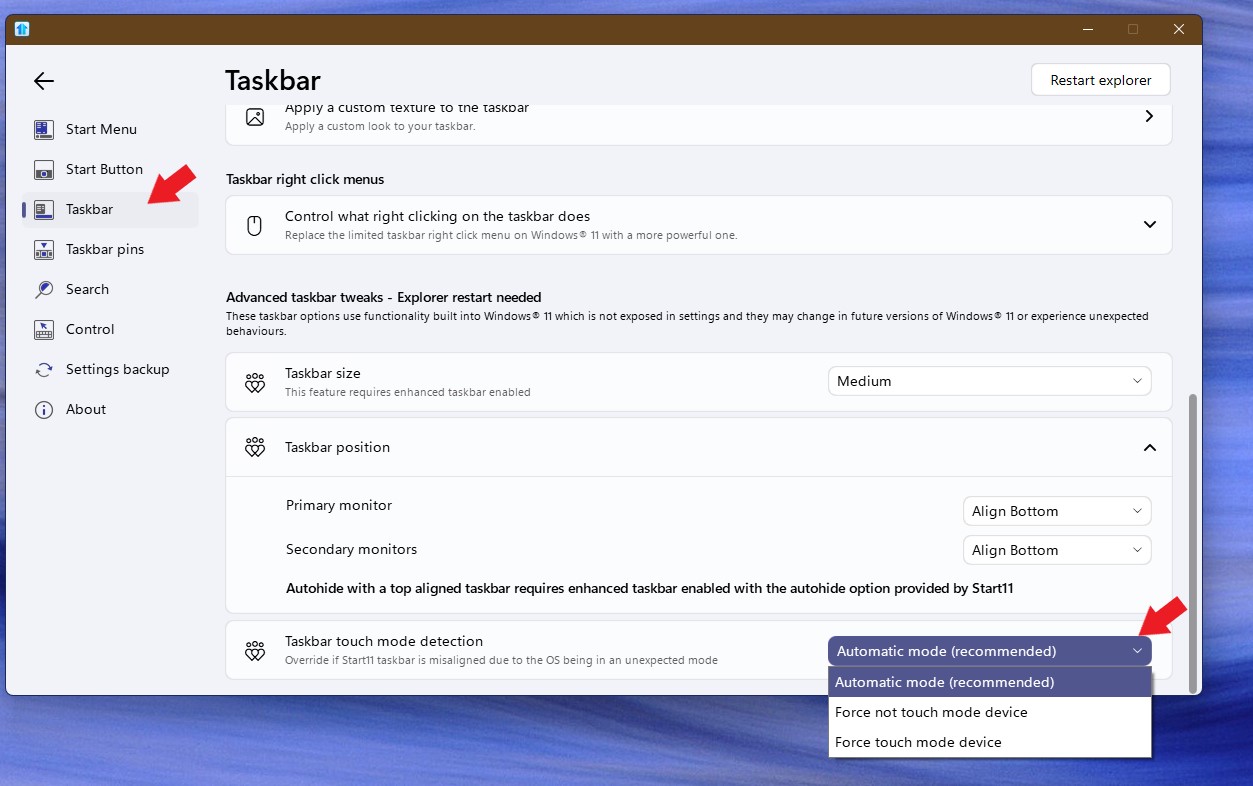
Try changing this setting, If you already on Automatic mode, try the other 2 available options and see if the issue get resolved.

Thank you,

Basj,
Stardock Community Assistant