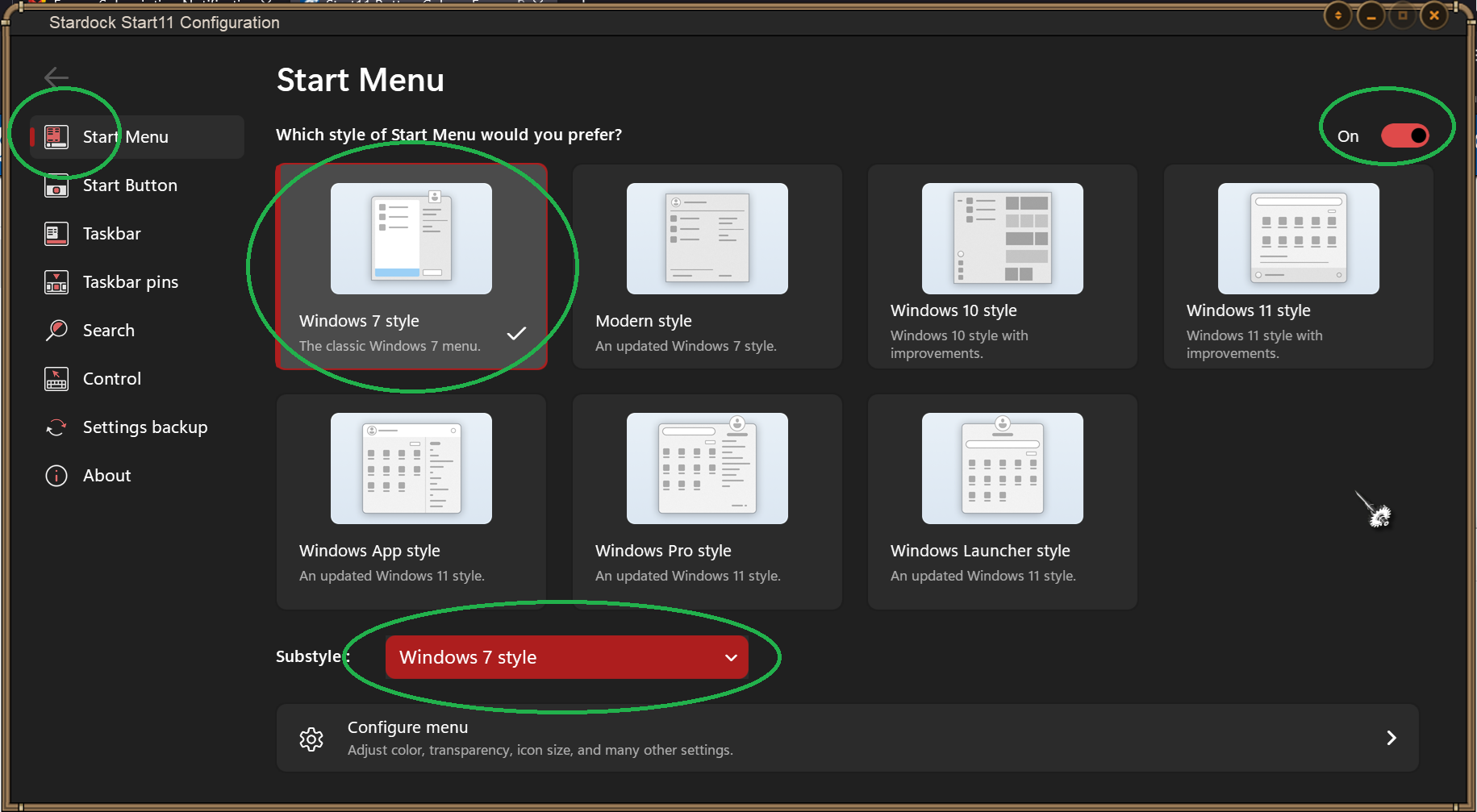
Start11 Button Color

I have been working with the Start11 application which was matching my system colors in terms of the buttons which were brown to show they were turned on. Then they changed to Red to indicate they are turned on now and I have not clue how it happened. Does anyone know how to change it back? Thanks
942 views 6 replies
Reply #1 Top

Hello,
Sorry to hear you are having issues. Need more information please.

  1. You on Windows 10 or 11? Also need its full version and OS Build number. Please use Winver.exe
  2. Start11 full version number. Look for it in Start11 configuration about tab.
  3. The brown->red button, you was referring to The Start button or the Taskbar button or the tiles buttons on Start11 Startpanel? A screenshot should help us.

Thank you.
Basj,
Stardock Community Assistant.

Reply #2 Top

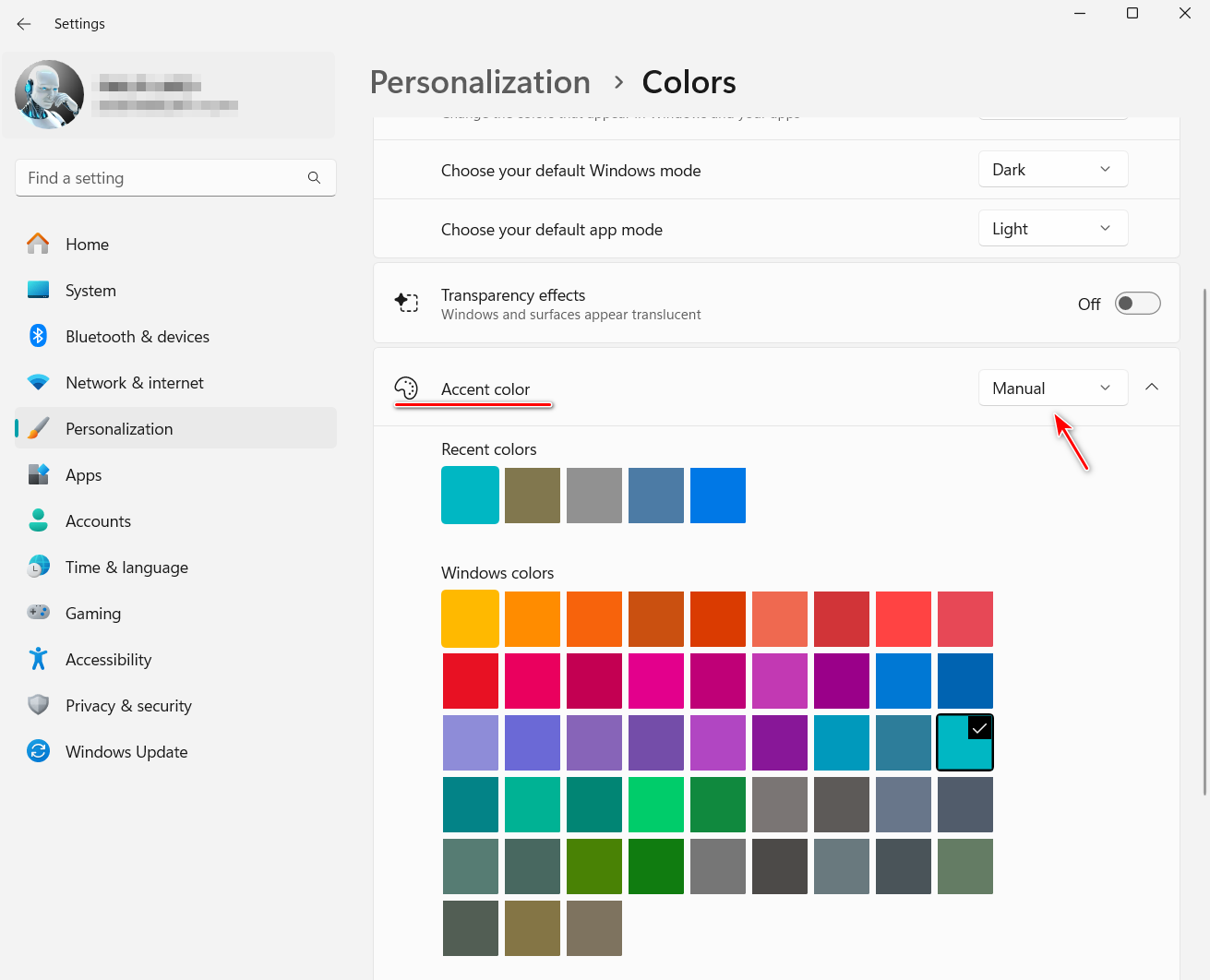
Make sure the Windows setting Personalization>Colors is set to Manual and not Automatic.

Reply #3 Top

Sure here is the info you needed:

Windows 11 Home
Version 23H2
OS Build 22631.4317
Start11 Version
Start11 2.11

The color is in the Start11 app itself

Reply #4 Top

Quoting gregdreelin, reply 3

The color is in the Start11 app itself
End of gregdreelin's quote

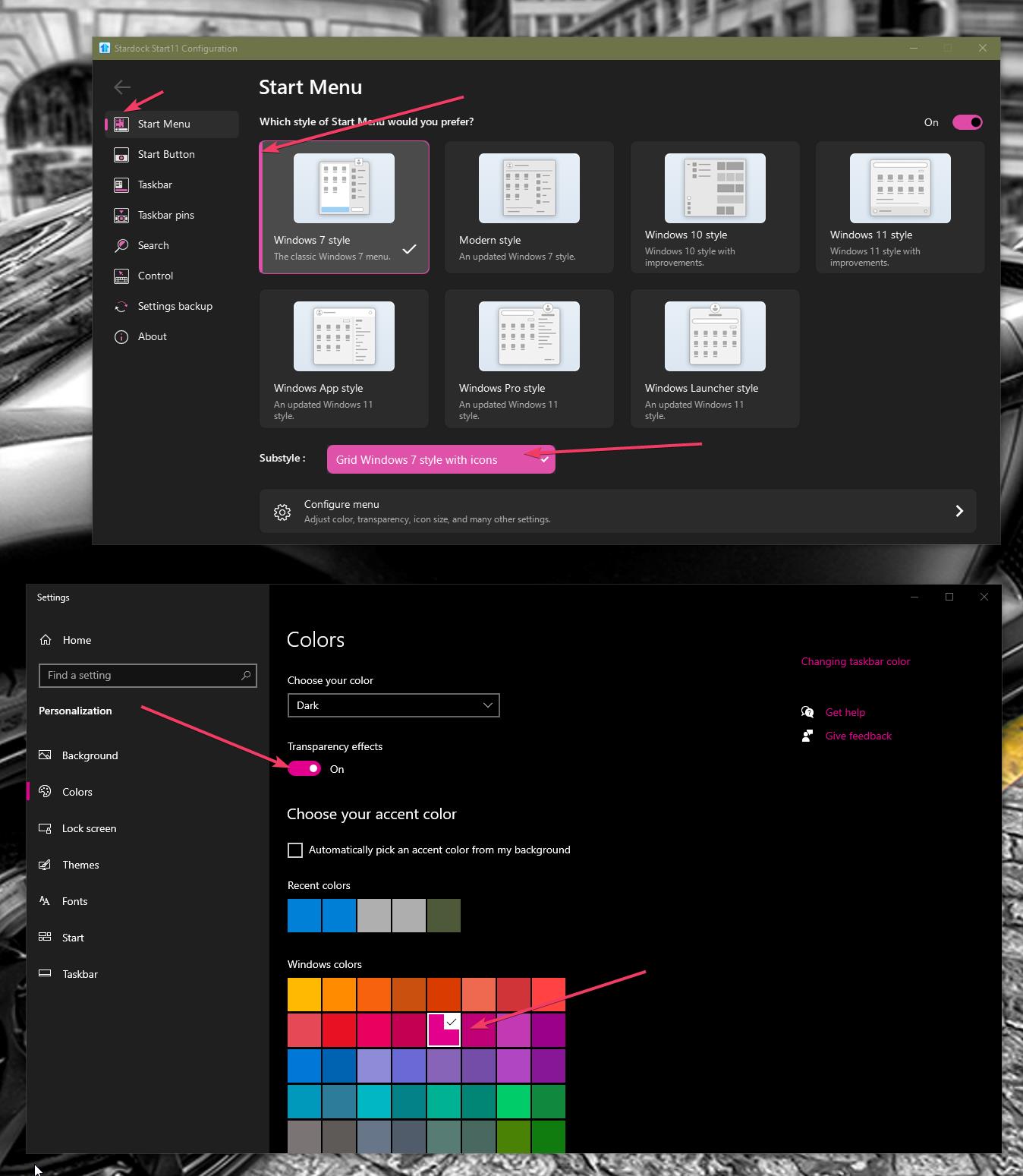
This color is controlled by Windows in the Personalization>Colors>Accent color.

Reply #5 Top

Those is your accent color. Win11 might have different control windows. But should be something like below. If you choose auto than the color will change according your wallpaper.

Thank you,

Basj,
Stardock Community Assistant