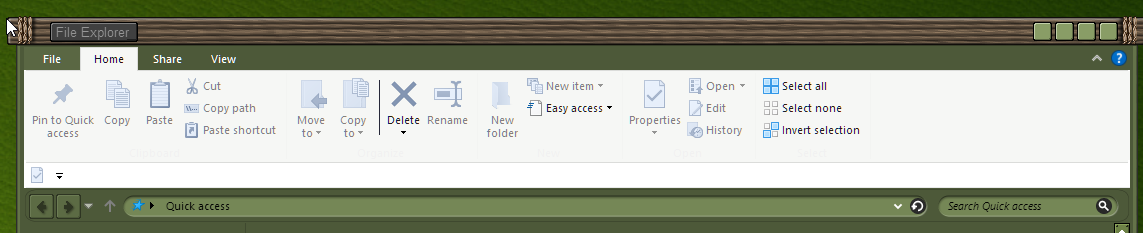
Window Blinds 11.2 Some drop down menu items not showing unless you hover mouse over it
 Stardock Forums
Please forgive me for posting this same post in the feedback thread. I realized it hasn't been posted in since December last year. Please delete the post in the feedback area for Window Blinds 11
Windows 10 Home x64
Version: 22H2
Installed on: 8/16/2024
OS Build: 19045.4894
Windows Feature Experience Pack: 1000.19060.1000.0
Window Blinds: 11.2
1. All I did was install and apply any theme ( I also tried rebooting system after applying any theme)
2. Open Windows Explorer from icon on task bar
3. Click any menu title
Drop down menu below. For example I selected (View):

Explorer main window:

 WinCustomize Forums