



Start11 v2 Start Menu Bug (7)
from  Stardock Forums
Stardock Forums
Start 11 2.0.7
Windows 11 Pro 23H2 22631.3447 Korean
1) Select 'Configure Start11...' in the Start menu
2) Select 'Start Menu->Configuration->Quick access shortcuts'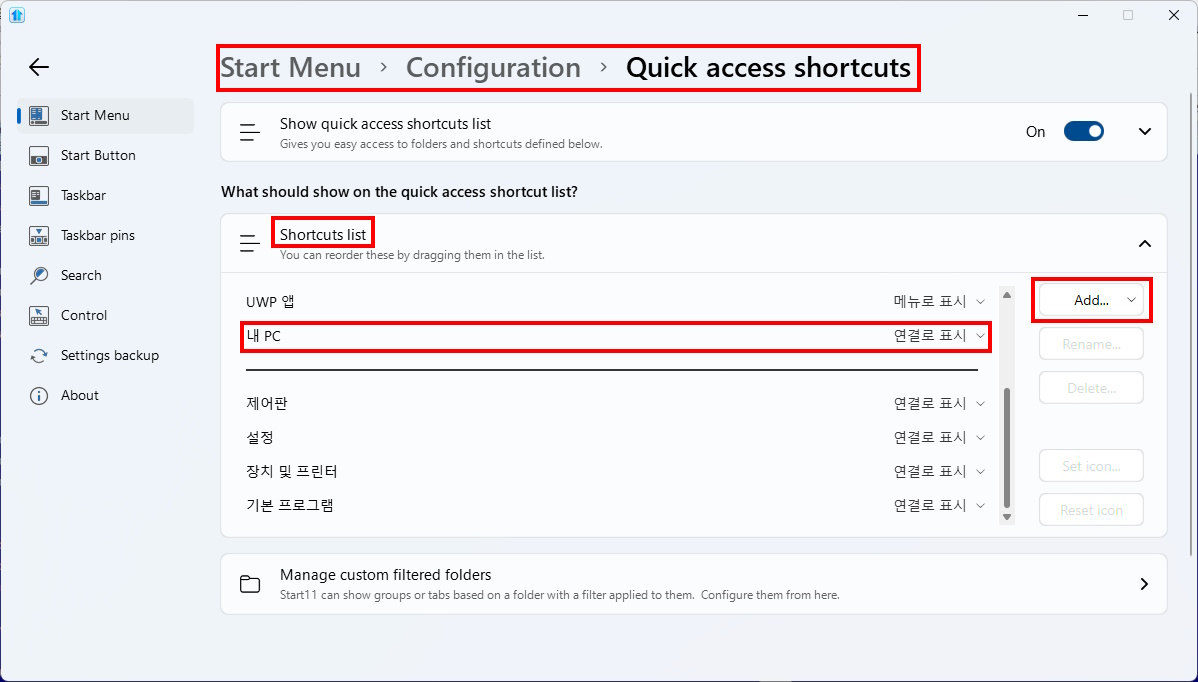
3) Click the 'Add...' button in the 'Shortcuts list' to bring up a menu, then cancel without clicking anything in the menu.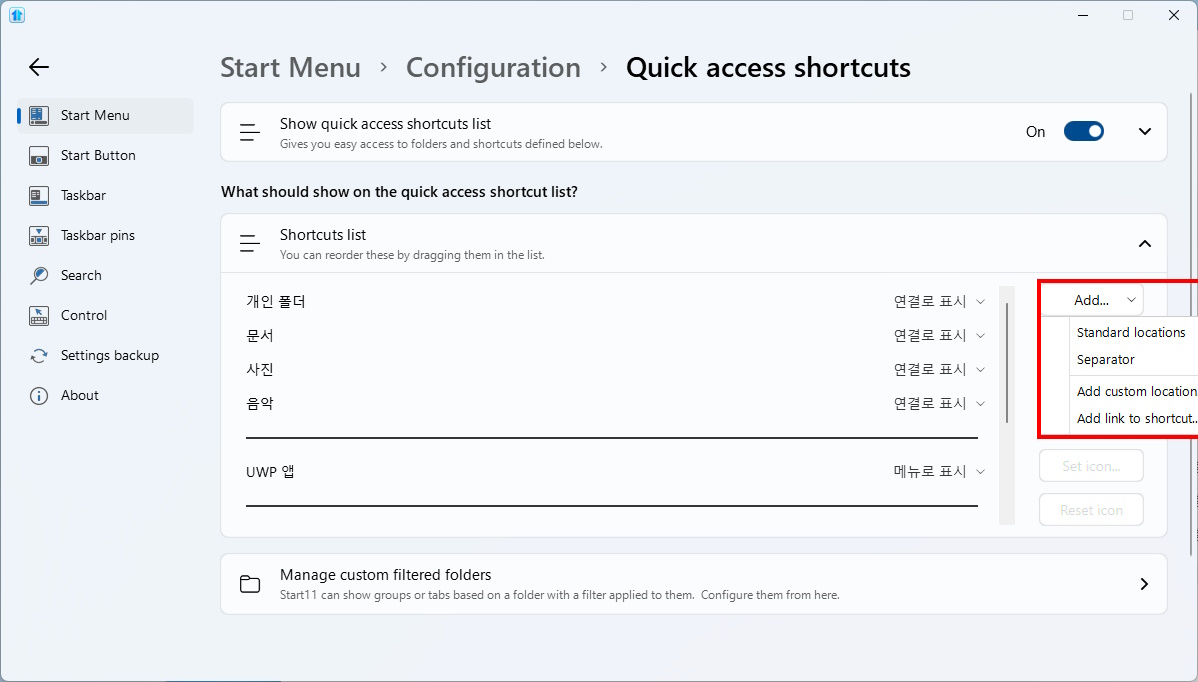
4) The 'Computer' item in the 'Shortcut list' will always be automatically moved to the bottom of the list
and A setting window that wasn't there suddenly appeared.
Note that I didn't touch any of the items in the 'Shortcut List'.
Additionally, the lines that appear when moving items by drag and drop are 'light blue',
which makes them hard to distinguish on a 'white' background.

