Why can't I just remove items from the Win 11 Start Menu?

Hi, I really like Start 11 but only use it for the elevated / detached Taskbar.  I want to be able to use it for the Start Menu but every option available changes the Start Menu considerably.

I want to just be able to remove some items from the Start Menu, namely the Recommended section showing recently accessed files.  I don't want this.  I would also like to be able to remove the search box.  Other than that though I want the Start Menu left expactly how it is, with my avatar in the bottom left, the power button in the bottom right and no other changes.

Please will you implement this in a future release?  

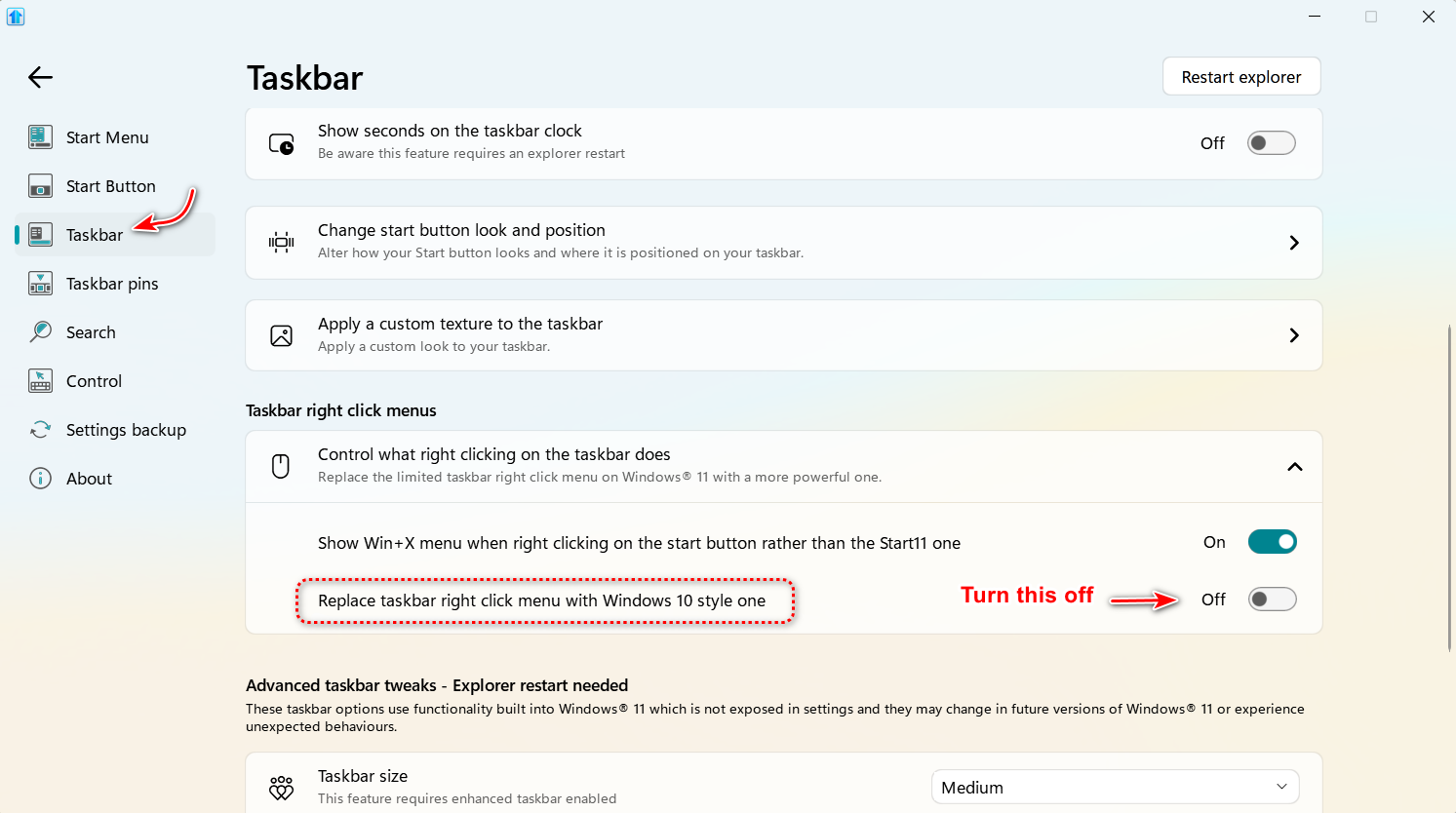
Also, I would also like to be able to keep the existing Taskbar "right click" menu, but there's no option to keep this at all in Start 11, it has to change to your one, which I don't like personally.  Please add this option too 🙂

Many thanks

1,827 views 8 replies
Reply #1 Top

Hello,
Sorry to hear you are having issues. Some of the option you looking for is available in some style. Which style are you using now?

Thanks
Basj,
Stardock Community Assistant.

Reply #2 Top

Okay, so I have found the correct Start Menu options now, but I had to do quite some poking around.  It's really not discoverable at all as it's all hidden buttons.  Could this be better handled in the config options?

Also, can I please have the Win 11 Taskbar right click menu back?

Thanks

Reply #3 Top

Yes, its take some times to get use with things but it a program than have lot of customize option for the user. Just give it some times, once it set as you like, dont forget to save your setting.

As for right click menu taskbar, which menu was you referring to? Win-X menu?

Thank you,

Basj,
Stardock Community Assistant

Reply #4 Top

No, the standard one that just has Task Manager and Taskbar Settings 🙂 I like its simplicity and it would be great to have the option to keep it.

Reply #5 Top

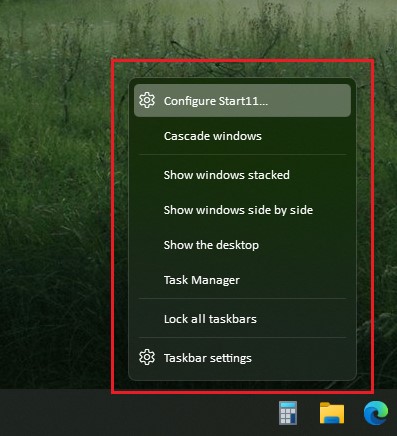
This is what I see when I right click on my taskbar. What you have on your system? Post a screenshot.

Thank you,

Basj,
Stardock Community Assistant

Reply #6 Top

Quoting basj, reply 5

This is what I see when I right click on my taskbar. What you have on your system? Post a screenshot.


Thank you,

Basj,
Stardock Community Assistant
End of basj's quote

Reply #7 Top

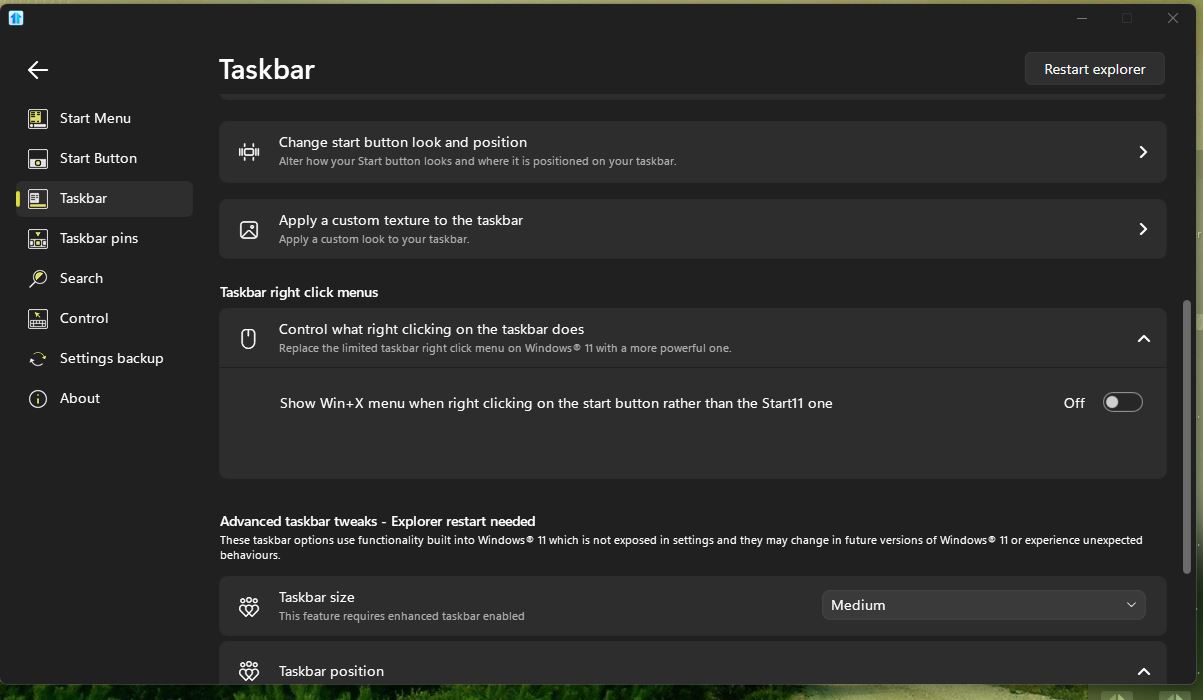
That is strange, I do not see that option on my Start11 v2.03.

Thank you,

Basj,
Stardock Community Assistant

Reply #8 Top

Quoting basj, reply 7

That is strange, I do not see that option on my Start11 v2.03.


Thank you,

Basj,
Stardock Community Assistant
End of basj's quote

That option isn't available if you have the Enhanced taskbar turned on.