Having a problem with Start 11

I had start 10 and just upgraded to Win 11 and it doesn't work in Win 11. So I purchased start 11 and it works but when I have it set to for the Win 7 start menu. When I click start and the menu opens I go to the right side and I want to take some things off the side menu whenever I right click to select what option to select both my monitors go to a blue screen and then comes back in a millisecond but this only happens when I try to edit the right side of the win 7 style of start 11


Any ideas??

1,813 views 5 replies
Reply #1 Top

Hello,
Sorry to hear you are having issues. Try this, uninstall Start11, reboot (important) immediately after uninstall finished. Re-download the latest Start11 version from your Stardock user account. Install it, reboot again after installation finished. Test it and report back.

Thanks
Basj,
Stardock Community Assistant.

Reply #2 Top

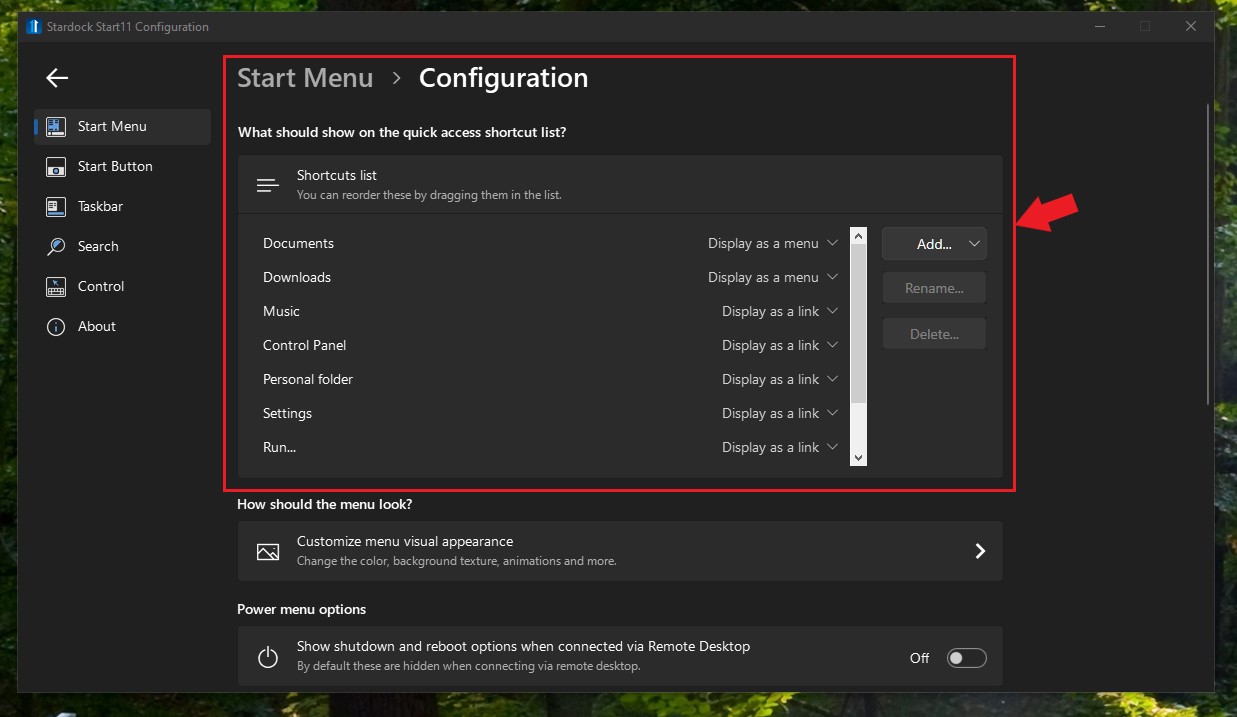
The issue has gone away after reboot download  start 11 again from my account, installed it and rebooted and it has resolved the issue. I would like to control what shows on the right side of the start menu.

Reply #3 Top

Hello,

For Win 7 and Modern style use this setting to select what appear on the right side and select to open as menu or as a link.

Thank you,

Basj,
Stardock Community Assistant

Reply #4 Top

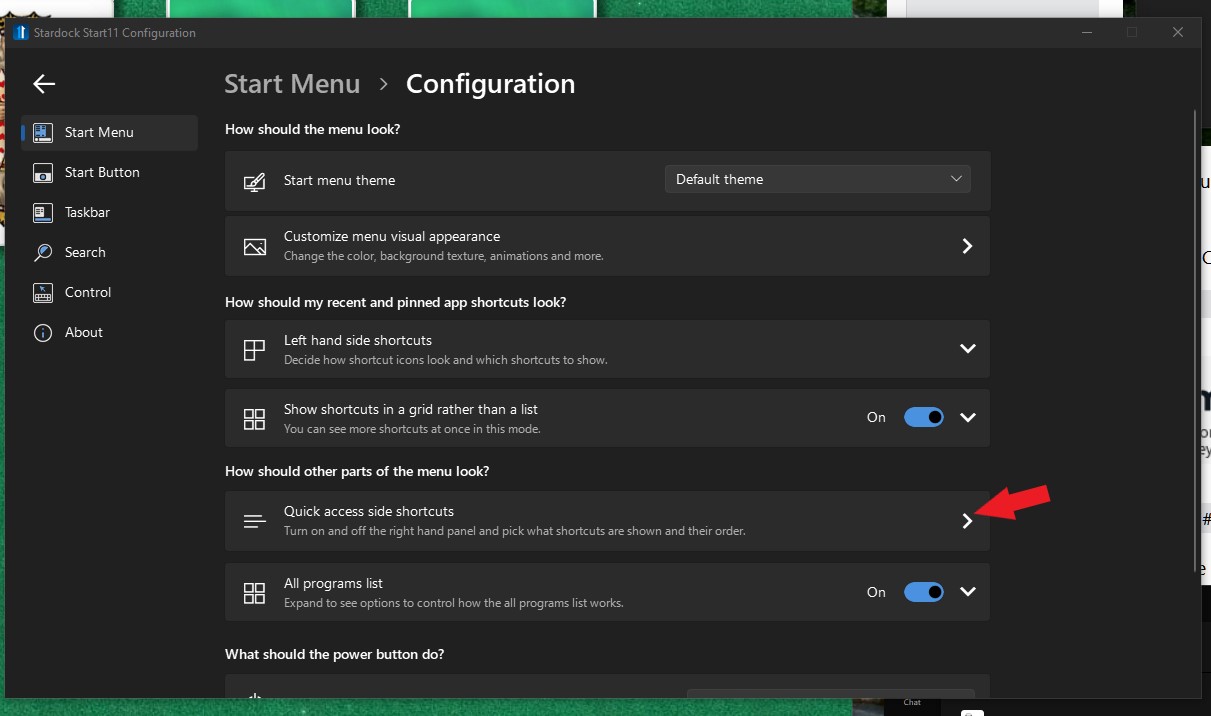
where do I find the above settings for start 11?


 I found it thanks for your reply

Reply #5 Top

Try here:

Thank you,

Basj,
Stardock Community Assistant