


Cannot access pinned/recent items via keyboard
from  Stardock Forums
Stardock Forums
In Start8, you could
1) press Start
2) arrow down to select a pinned item
3) right arrow to show pinned and recent items (with first item selected)
4) enter to launch, or arrows to select another item
See https://forums.stardock.com/436208/bug-items-selected-in-popup-menu-are-not-opened
In Start11, this doesn't work at all -- right arrow goes to the second column instead.
From here:
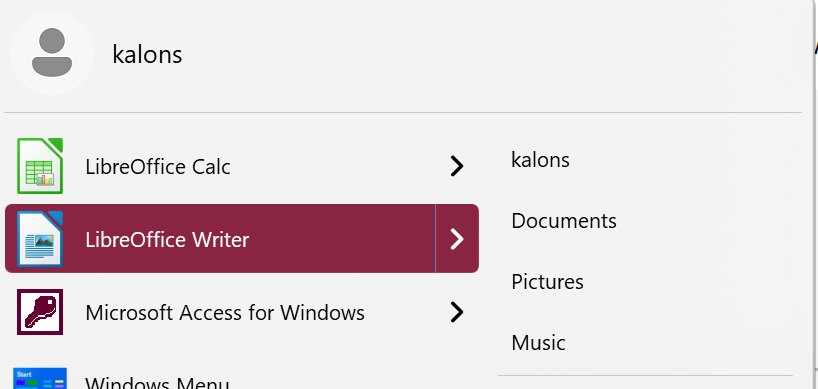
What it does:
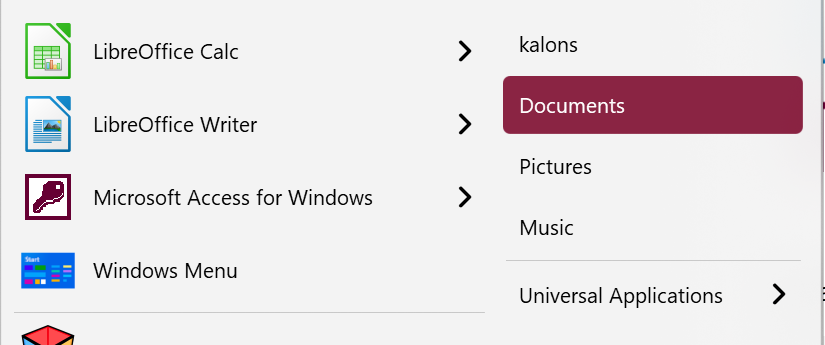
What it should do:
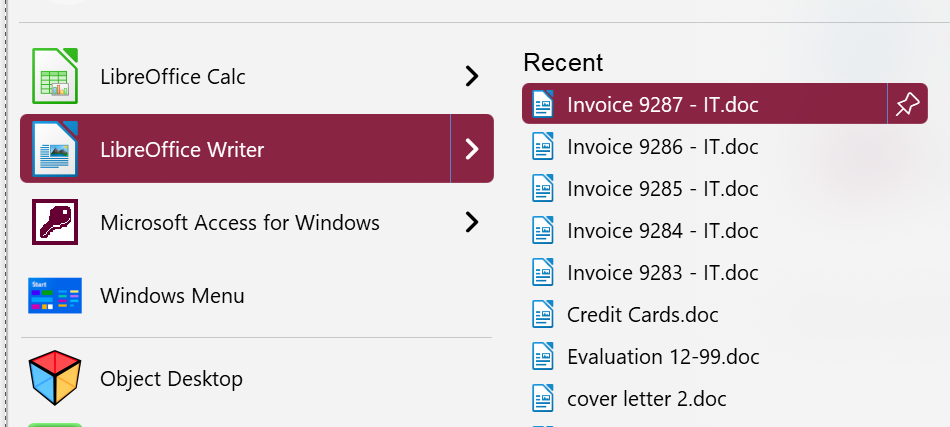
This doesn't even work if quick access shortcuts list are hidden, but it should work either way (possibly when that is visible, right arrow a second time could go there).
Can this be fixed, or is there some way to configure it to work this way?
Thanks.
