Start11 bugs

I have been having an issue only since update 1.44 where I can't see the start menu. A select group of other users has had this issue as well. While I don't expect to appeal to the minority when you have a business to run it would be nice to be able to download previous versions of ALL of your software from your website. I don't like going to another website that who knows what could be in that file.  Other than that absolutely AMAZING product, keep up the great work guys.

2,235 views 13 replies
Reply #2 Top

Hello,
Sorry to hear you are having issues. Please try this, uninstall Start11, reboot immediately (important). Download latest version again directly from your product account page. Install Start11 again using it. Reboot again.

If the above don't work. Please report back. Include information on your Windows version. Full version number. Use Winver.exe.

Thank you.
Basj,
Stardock Community Assistant.

Reply #3 Top

I have tried this multiple times. I got it to work on a previous version of Windows and a previous version of start11 but not the same 2 together. I disabled the anti-virus, gave it elevated permissions, manually deleted ALL registry keys, and restarted my PC numerous times. I don't know if it's something you guys can even fix I honestly think its a Windows thing. I have figured out that after using Chris Titus' Windows debloater it seems to mess with it even when it is working. His program disables Cortana and other Windows 11 news and telemetry features. I think this could be a reason why. It's a third-party application so I can provide the link to his software if you guys want to investigate, but I also understand it's a third-party and therefore isn't really your problem. Also, game mode affects it.

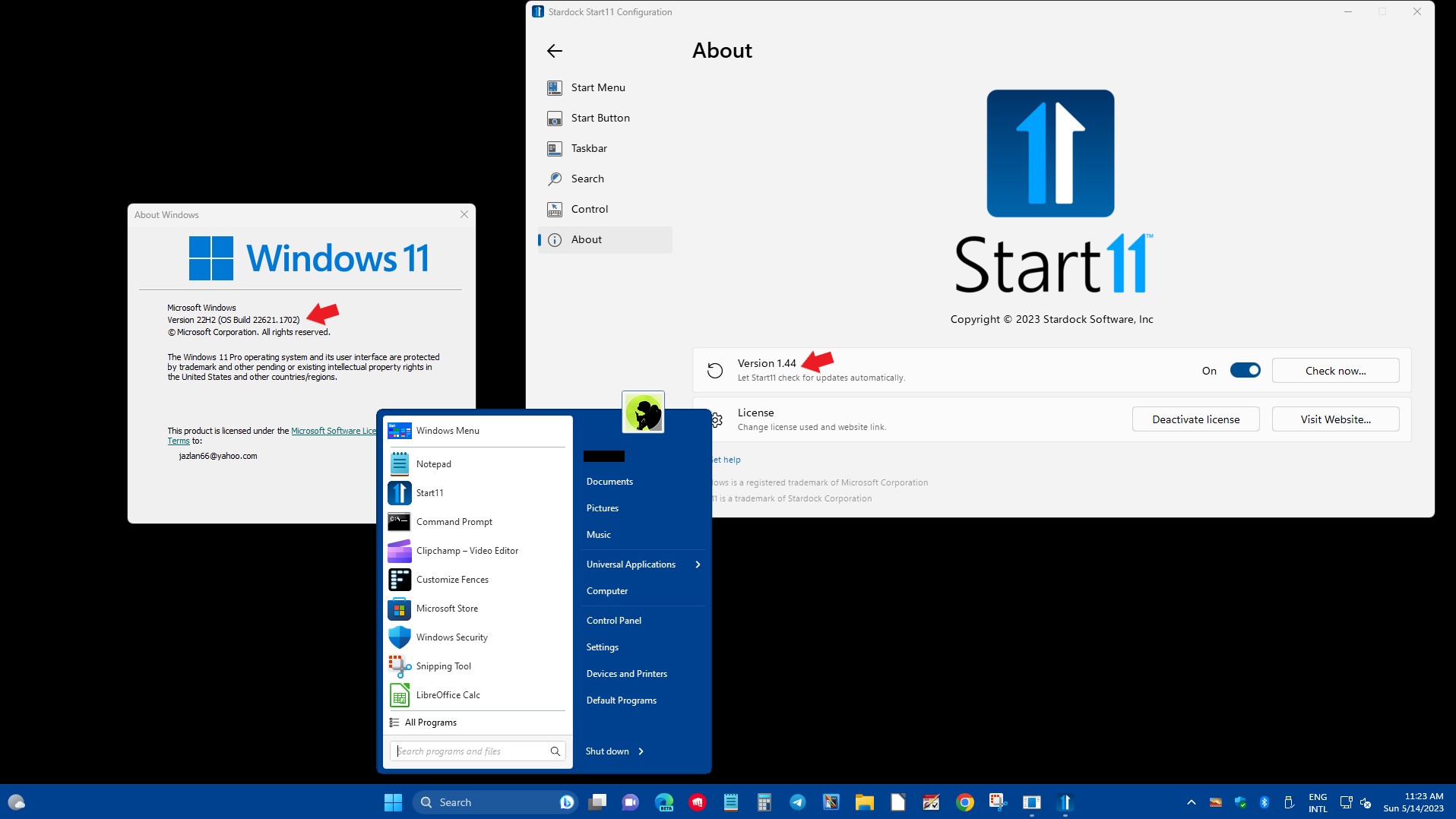
Windows Version 22H2 buld 22621.1702

Reply #4 Top

Also, can I please get that previous version ASAP? I rely on start11 heavily for productivity as I work from home and would like to have it again. I updated Windows and lost my downloads folder with the old executable so I cant go back now.

Reply #5 Top

Hello,

First, I can not supply you of previous version of Start11. Second, Start11 V1.44 work normally on my Windows 11 22Ha (OS Build 22621.1702). Refer screenshot below.

Would like to suggest cleanboot : https://forums.stardock.com/505872/start11-support-faq#cleanboot

Thank you,

Basj,
Stardock Community Assistant

Reply #6 Top

But I can’t start my pc with no drivers or anything everytime. I would just be forced to download it from another site. It’s needs a relatively atleast permanent fix, which in my opinion isn’t too terribly difficult to do with the given info. If it was open source I could probably even fix the whole bug users are seeing I know what’s happening with it. Terrible business decisions. Eats up time from customer support responding to cases users could fix themselves and put a bad taste in my mouth. 

Reply #7 Top

Cleanboot is not for everytime. It just to see if there is conflict with other application running in your system.

Thank you,

Basj,
Stardock Community Assistant

Reply #8 Top

I am not aware of other reports of this?

We obviously design the software to work on the Windows operating system as released by Microsoft.  Using tools to remove 'unimportant' parts of the OS can have consequences as they may be more important than you think.

In this case I suspect it has stopped the service for Start11 so it simply doesn't start up or removed a dependency that the software needs.  1.44 and 1.43 are near identical so I would expect dependencies to be identical.

Certain av apps can interfere with the installation of Start11 too.  If you use ESET AV for example that has caused problems with our software in the past.

As for not being open source, if it were then there would be no support people as no income to pay them or developers :)


Reply #9 Top

The only changes from 1.4.3 to 1.4.4 are as follows:

Start11 1.44 Changelog

05/01/2023

Stardock release: 05/01/2023

Steam: TBD

04/17/2023

  • Tweaked detection of touch mode taskbar enabled devices (should fix misaligned systray issues)

  • Tweaked color of flashing taskbar button in dark more to be more visible

  • Version is 1.44 (1.4.4.0 on file version)

There doesn't appear to be any significant change that would affect your installation.

Reply #10 Top

Try running DISM. Here are two links to articles on how to run DISM on Windows 10 and Windows 11.

Windows 10

https://www.windowscentral.com/how-use-dism-command-line-utility-repair-windows-10-image

Windows 11

https://www.windowscentral.com/software-apps/windows-11/how-to-use-dism-to-repair-local-image-on-windows-11

Try one of these and see if it resolves your issue.