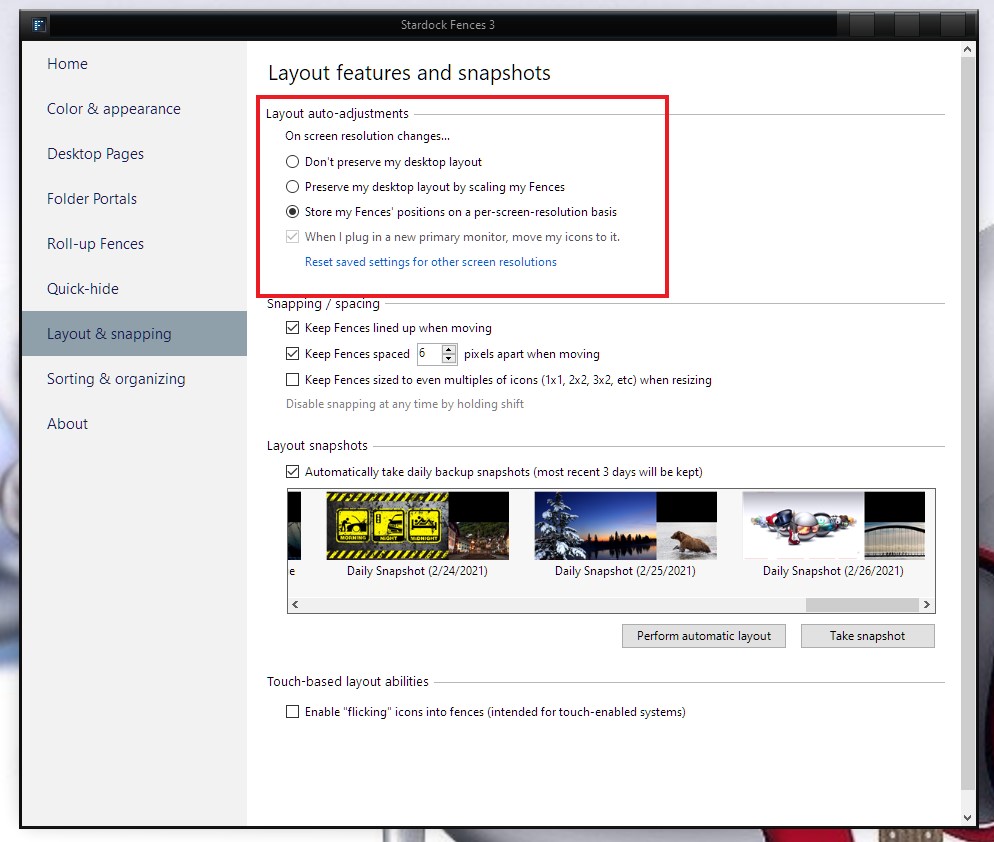
Scaling under Windows 11
 Stardock Forums
I use the System > Display > Scale setting to change scale from 100% to 125% when I move between using an external monitor and the smaller laptop screen. Resolution of both is the same (1920x1200).
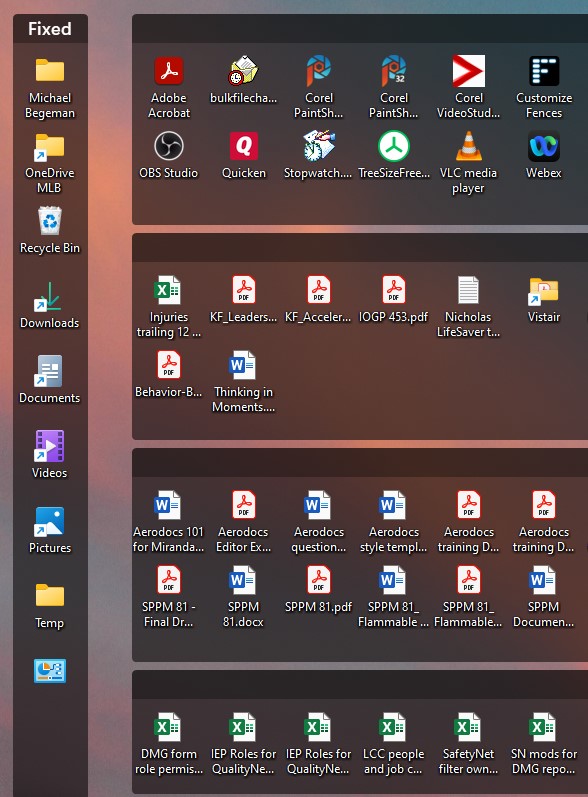
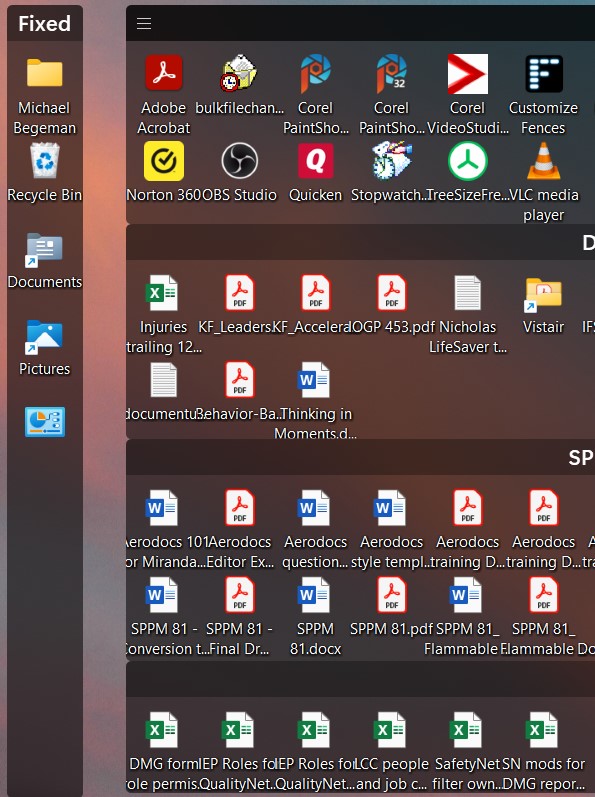
Fences (version 4.10) does not do well with the 125% scaling as you will see on the attached screenshots. With Fences disabled, Windows is ok at 125% (icons are properly spaced, no overlapping icon labels), but when I enable Fences at 125%, the icons are too tightly spaced and icon labels overlap. Hopefully the screen shots will make this clear.
Thanks for any help/solution!
Scale 100% with Fences enabled. Things look good.
Scale 125% with Fences enabled. Icon labels running together, some icons have disappeared from the Fixed fence (turns out they are there in a 2nd column, just not visible.)
Scale 125% with Fences disabled. Windows does a proper job of spacing the icons.