That's really unfortunate. I was making this Windows 11 skin for WindowsBlinds 11 for those who couldn't upgrade to Windows 11, and or cannot afford another computer to upgrade. I appreciate all that stardock is done, but maybe in a future update to SkinStudio they can add support for that, so it's not so limited. I couldn't figure out the borders for the life of me either, and most sections don't have a preview of what they're for either, it was kinda like a guessing game. Hopefully in a future update they'll add support for adjusting the size of buttons (for an example the navigation buttons) I had to shrink them down to fit there. If anyone is interested in this skin ill still upload it, but for now I don't think i'm gonna continue it.
Oh: Main reason I used WindowsBlinds instead of Curtains, dispite limitations, WindowsBlinds still allows for more skinning than Curtains, and as far as I know you can't adjust the TaskbarHeight there like you can WindowsBlinds.

 Stardock Forums
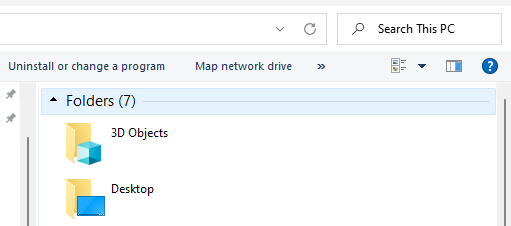
 (Sorry, my bad!)

