Some issues found when/after upgrading to version 4

  1. Unable to set installation location of Fences4.
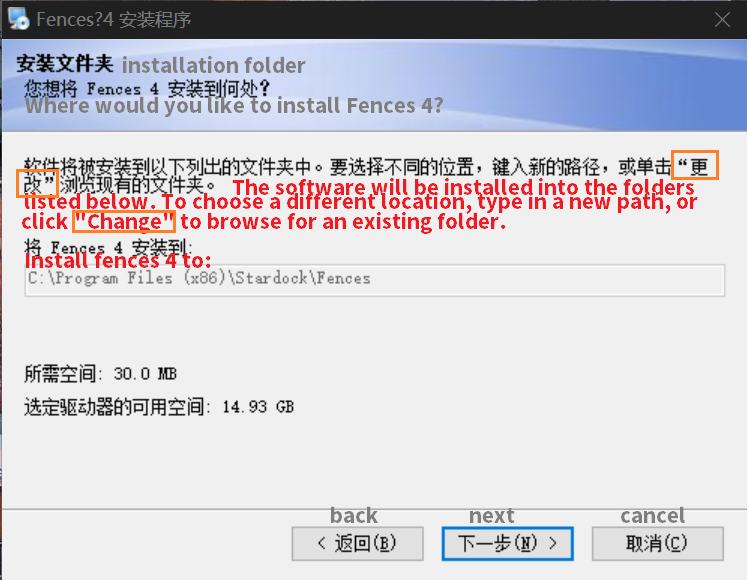
    Unable to set installation location of Fences4
  2. Fences3 was not automatically uninstalled when upgrading to Fences4.
  3. Almost every "text link" on the UI has missing text
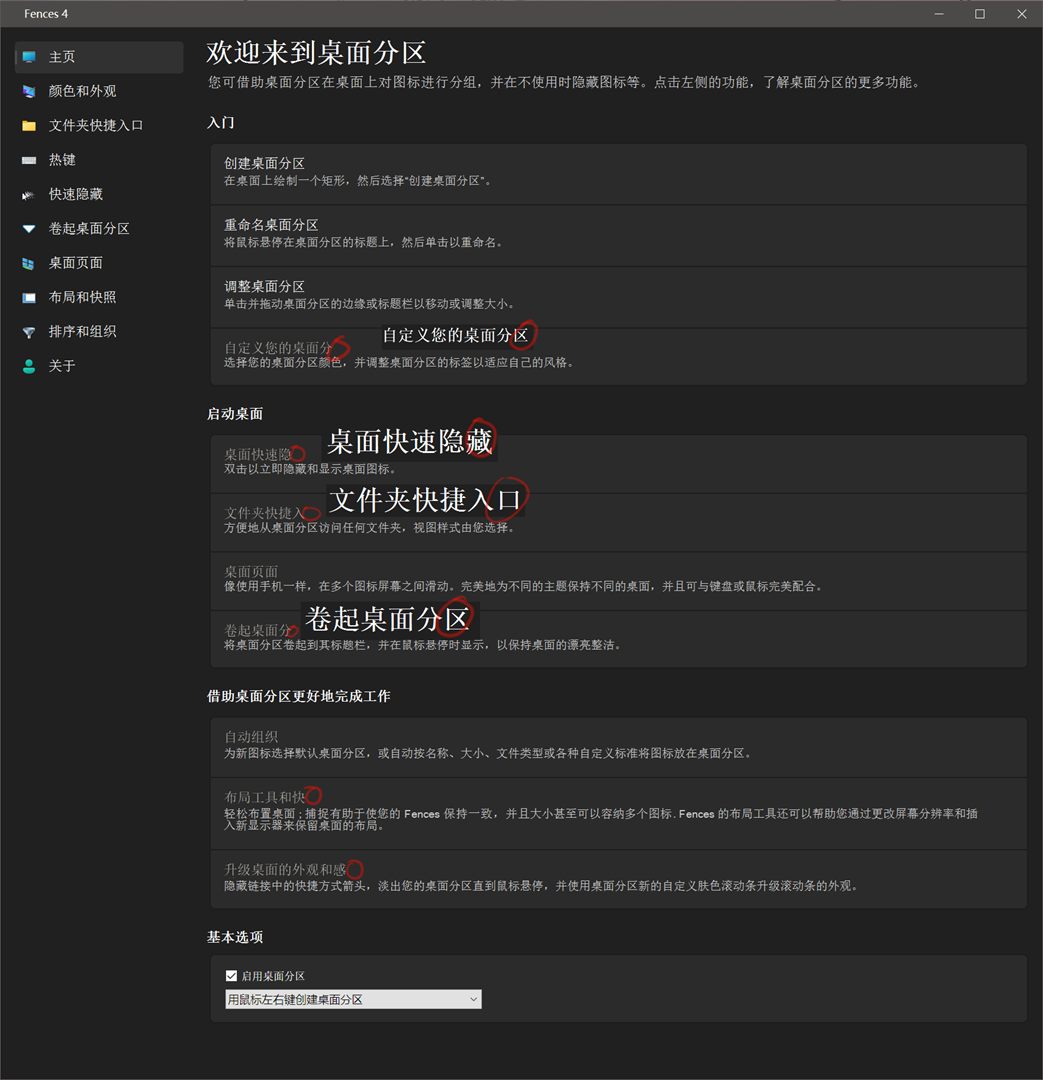
    Fences 4 missing text on UI
  4. Unable to align fence(with autohide lebel) after upgrade

Windows specifications:  

Edition: Windows 10 Pro
Version: 22H2
OS build: 19045.2673

3,706 views 4 replies
Reply #1 Top

Hello,
Sorry to hear you are having issues.

  1. Fences need to be install in that specific folder and can no longer be change to any other folder for it to work properly.
  2. It is best to uninstalled Fences 3 before you install Fences 4. The reason might because you installed Fences 3 not its standard location.
  3. Could you post a bigger picture for us to see.
  4. Not sure what you're trying to do.  In your video, look like you trying to overlaps two Fences on top of each other? Please elaborate.

Thank you.
Basj,
Stardock Community Assistant.

Reply #2 Top

3. The picture in the third item is already a big picture, but I zoomed out to show it, you can right click on the picture and open the picture in a new tab to see it
https://cdn.stardock.us/forums/67/82/6782655/5c77fb39-f49e-4cd8-9938-13bb58d80339.png

4. I upload a new video using Fences 3, you can see the difference. 

In Fences 3 ,there is no space between the upper and lower fences.
But in Fences 4, there is a space between the two with a height equal to the height of the label.

Reply #3 Top
  • What is your monitor scalling factors? 100%,200%?
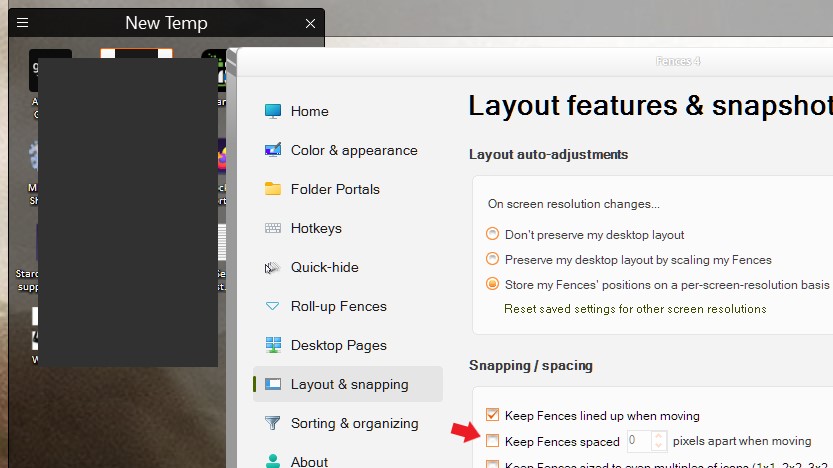
  • Fences 4 is different if compare Fences 3. But I did tried to arrange it. I need to disable the pixel space to arrange it. refer screenshot below.

Thank you,

Basj,
Stardock Community Assistant

Reply #4 Top
  • My monitor is 4k with 150% scaling.
  • After unchecking that option, new problem appeared: