Start11 taskbar blank icons

Start11

Hello Stardock Support -
 
I am having issues with Start11, pinned many of my apps/programs in the taskbar and after a few weeks, those got replaced by a blank icon, please see screenshot below.
 
I cannot remove them since when I right click on them, no menu comes up, also when I left click on them, the program that was supposed to launch does not launch.
 
I did reset the Start11 but did not help.  I can try reinstalling it but wanted to contact you first in case this is a bug that needs to be fixed.
 
I will wait for you on next troubleshooting steps.
 
Image preview
 
Thank you!
2,760 views 7 replies
Reply #1 Top

Hello,
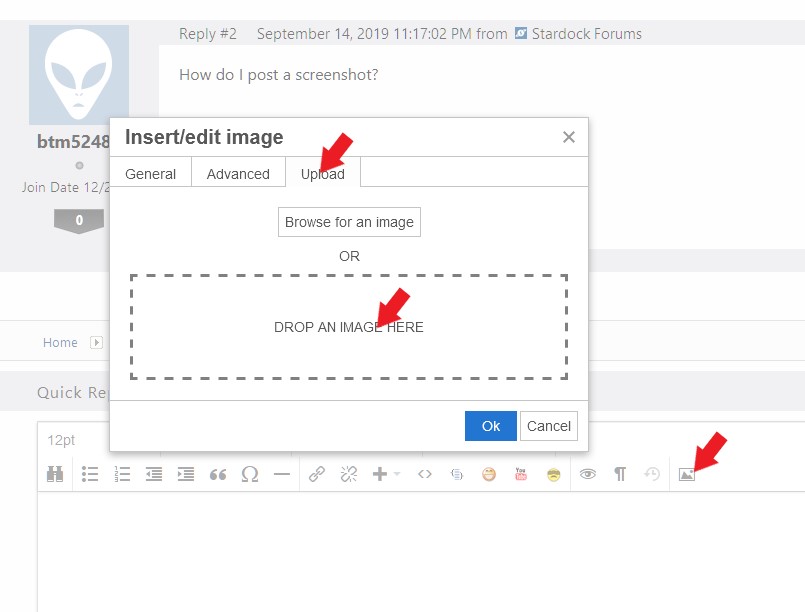
Sorry to hear you are having issues. But, your preview don't show up. Please use the upload picture button. refer screenshot below.

Also use this guide to inform us more on your system: https://support.stardock.com/space/SHC/1387003915/Contacting+Stardock+About+Start+Product+Issues


Basj,
Stardock Community Assistant.

Reply #3 Top

What/where is those black icons link to? Network location? External Share Drive?

Thank you,

Basj,
Stardock Community Assistant

Reply #4 Top

They were apps and programs (Excel, Word, Edge, Firefox, Chrome, Calc, etc).

Reply #5 Top

Does reboot bring back the icons? Also would like what are the steps you pinned those app. I am trying to recreate your issue on my system.

Thank you,

Basj,
Stardock Community Assistant

Reply #6 Top

No, reboot does not fix the issue. I just did a regular pin of the items, I just found the apps with search feature of the start menu, and right clicked on them and select "pin to taskbar".

Reply #7 Top

If you disable the enhanced taskbar option in Start11 and restart explorer, what happens to those pinned items?